




LaserClass 9500S
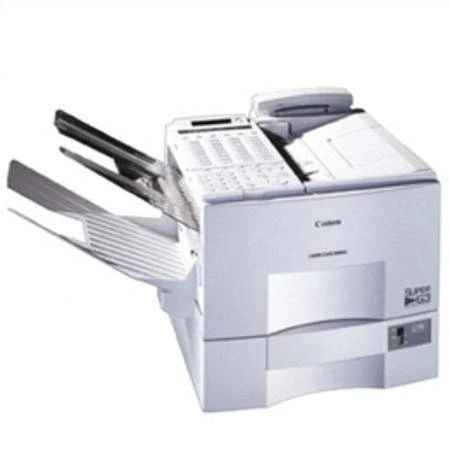
The Canon LaserClass 9500S completes the 9500 line as its Super G3 plain-paper fax variant. Canon never spelled out what the S suffix stands for, and honest advice for this model starts there: confirm the exact feature set on the unit in front of you. What does not need confirming is the supply — the 9500S runs the FX-4 toner cartridge, a single black cartridge rated for up to 4,000 pages.
That split between uncertain trim and certain supplies is common across this generation of LaserClass machines, whose letter suffixes marked out configurations that were not always documented in surviving literature. Owners keeping a 9500S in service today usually know their own unit well: it is a fax first, built on the Super G3 platform, with optional networking available to add shared printing to the fax base. The consumable, at least, involves no detective work — every 9500 configuration drinks from the same FX-4 well.
Toner Cartridges for LaserClass 9500S
| Cartridge | Color | Page Yield |
|---|---|---|
| Compatible Canon FX-4 Toner Cartridge | Black | Up to 4,000 pages |
| Compatible Canon FX-4 Premium Quality Toner Cartridges, 5 Pack | Black | Up to 4,000 pages per cartridge |
| Compatible Canon FX-4 Toner Cartridges, 5 Pack | Black | Up to 4,000 pages per cartridge |
Which cartridge should you buy?
For a single 9500S in steady but unremarkable service, the single FX-4 is the straightforward choice. Step up to a 5 Pack when the machine cannot afford downtime — a fax that receives orders or legal documents should never sit empty waiting on a delivery — or when you maintain several LaserClass machines and want one shared shelf stock. The Premium Quality 5 Pack offers the same five-cartridge coverage. All compatible FX-4 options here come with a 1-year warranty and 1-year returns.
Chip, toner and everyday use
Treat the 4,000-page figure as a guide measured at roughly 5% coverage; real fax traffic mixes light memos with dense originals, so your mileage will land somewhere around it. If pages emerge pale, take the cartridge out and rock it slowly from side to side — the toner settles in storage and in the machine, and redistributing it often restores an even page. Keep the spare sealed until the day it is needed, and store it flat in a cool spot out of direct sunlight.
Frequently Asked Questions
What does the S in LaserClass 9500S mean?
Canon left the designation unexplained in the material that survives, so the safe move is to verify features on your own unit. The suffix has no effect on supplies: the 9500S takes the same FX-4 cartridge as the rest of the 9500 line.
What toner does the 9500S take?
The Canon FX-4 black toner cartridge, rated for up to 4,000 pages. It is the machine's only consumable.
Does adding the optional networking change the toner?
No. Network printing, where fitted, draws on the same FX-4 cartridge as faxing does; the option changes how jobs reach the machine, not what feeds them.
How do I know the cartridge is really finished?
Pages that stay light after you have rocked the cartridge to redistribute its toner are the reliable sign. At that point the FX-4 has given its pages and a fresh one is due.
More printers that use the same cartridges
Canon fitted the FX-4 across the LaserClass fax range, including these models:
LaserClass 9000S, LaserClass 9500, LaserClass 9500MFP, LaserClass 9500MS, LaserClass 9800, LaserClass L1000, LaserClass L900, L800, L900, LaserClass 8500, LaserClass 9000, LaserClass 9000L, LaserClass 9000MFP, LaserClass 9000MS