




WorkCentre 3550XM
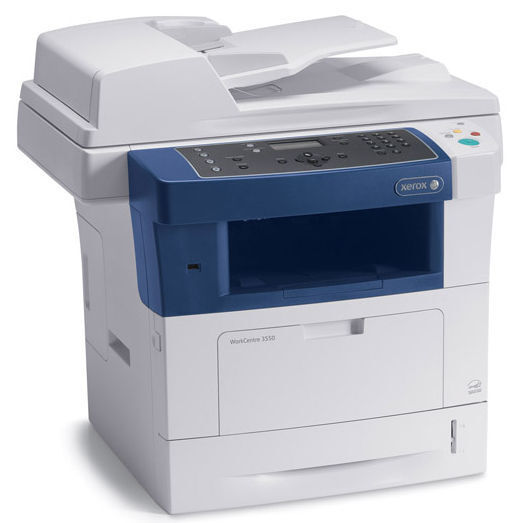
The Xerox WorkCentre 3550XM is the stepped-up member of the 3550 family: a monochrome multifunction aimed at busier offices than the base 3550M. It runs on Xerox 106R01529 toner cartridges, so stocking one cartridge code covers both models. Offices running the 3550XM hard can switch to the high-capacity 106R01530 black cartridge for longer stretches between toner changes.
Toner Cartridges for WorkCentre 3550XM
| Cartridge | Color | Page Yield | OEM # |
|---|---|---|---|
| Xerox 106R01529 (Compatible) | Black | See product listing | 106R01529 |
Frequently Asked Questions
What toner does the WorkCentre 3550XM use?
The WorkCentre 3550XM uses the Xerox 106R01529 toner cartridge. The OEM part number is 106R01529, so check for that code when you buy.
How many pages does a 106R01529 cartridge print?
Page yield varies by cartridge — check the individual product listing for the rated yield of the WorkCentre 3550XM's cartridge.
Are compatible 106R01529 cartridges safe for the WorkCentre 3550XM?
Compatible 106R01529 cartridges are designed to work in the WorkCentre 3550XM, but check your printer's warranty terms first if it's still under coverage.
How do I install a 106R01529 cartridge in the WorkCentre 3550XM?
Open the WorkCentre 3550XM's front cover, remove the old 106R01529 cartridge, unseal the new one, slide it in until it clicks, then close the cover.