




WorkCentre 3550TS
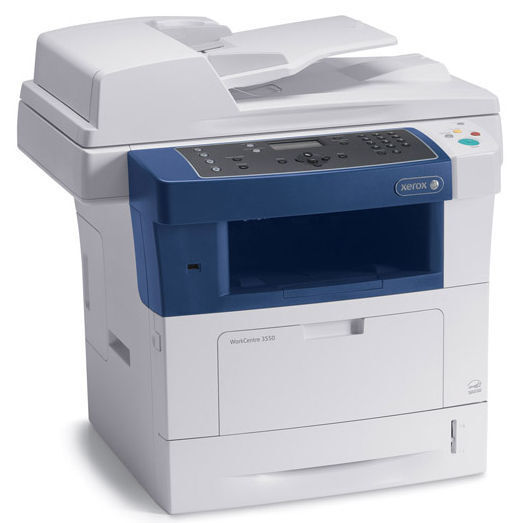
Paper capacity is the headline of the WorkCentre 3550TS: a fully configured variant of the 3550 monochrome multifunction, adding expanded paper handling to the platform's print, copy, scan and fax functions. Like the rest of the family it uses the 106R01529 black toner cartridge, and the high-capacity 106R01530 fits it as well — the listings on this page are that high-capacity code, in singles and multipacks, plus a single and 5 pack under the 3550TS name.
Expanded trays change the rhythm of a printer's day. A machine that holds far more paper asks to be left alone for long runs, and a toner cartridge that empties early breaks that promise. The TS therefore pairs naturally with supplies bought on the same philosophy as its hardware: deep capacity, few interventions, everything refilled on a schedule the office chooses rather than one the machine imposes.
Toner Cartridges for WorkCentre 3550TS
| Cartridge | Color | Page Yield |
|---|---|---|
| 106R01530 — Single | Black | See product page |
| 106R01530 — 2 Pack | Black | See product page |
| 106R01530 — 5 Pack | Black | See product page |
| 106R01530 Premium Quality — 5 Pack | Black | See product page |
| 106R01530 MICR — Single (check printing) | Black | See product page |
| WorkCentre 3550TS Laser Toner Cartridge — Single, model-named listing | Black | See product page |
| WorkCentre 3550TS Laser Toner Cartridges — 5 Pack, model-named listing | Black | See product page |
Which cartridge should you buy?
Match the toner rhythm to the paper rhythm. A 3550TS loaded with expanded trays is set up for long, unattended runs, so the high-yield 106R01530 is the fitting default over the standard 106R01529; the rated yields on the listings show how much longer each swap interval becomes. Buy the 5 pack and paper and toner come due on roughly the same cycle, which keeps supply orders down to a single habit. A lone single is the choice only for a TS that turns out to be a light-use machine. The Premium 5 pack is there for offices standardizing on a higher-grade cartridge build.
Chip, toner and everyday use
After a swap, the 3550TS reads the fresh cartridge's chip to start its level accounting — if an old low-toner warning seems to linger, open the bay and reseat the cartridge until it locks, then close up and let the machine read it again. On a high-capacity machine it also pays to glance at the reported level whenever trays are refilled; paper and toner checks done together mean neither supply gets to surprise the office on its own.
Frequently Asked Questions
My manual names the 106R01529, but this page leads with the 106R01530. Why?
Both cartridges fit. The 106R01529 is the standard fill the machine was specified with; the 106R01530 is the high-capacity version of the same cartridge family, which suits a machine configured for long runs.
What toner does the WorkCentre 3550TS use day to day?
Either code works, but most TS owners land on the high-yield 106R01530 so toner changes stay as infrequent as paper refills. The listings here are that code, including a single and 5 pack under the 3550TS name.
Does the 3550TS share toner with the 3550TSM?
Yes — the configurations are siblings on one platform, and the cartridge system is shared. Stock bought for the WorkCentre 3550TSM serves the TS as well.
How many cartridges should a TS owner keep on hand?
At least one sealed spare beyond the cartridge in the machine. High-capacity hardware is bought to avoid interruptions, and a spare is what keeps a toner warning from becoming one.
More printers that use the same cartridges
The same cartridges also serve the other configurations in the family: WorkCentre 3550, WorkCentre 3550M, WorkCentre 3550T, WorkCentre 3550TM, WorkCentre 3550TSM, WorkCentre 3550X, WorkCentre 3550XM, WorkCentre 3550YX.