




WorkCentre 3550TSM
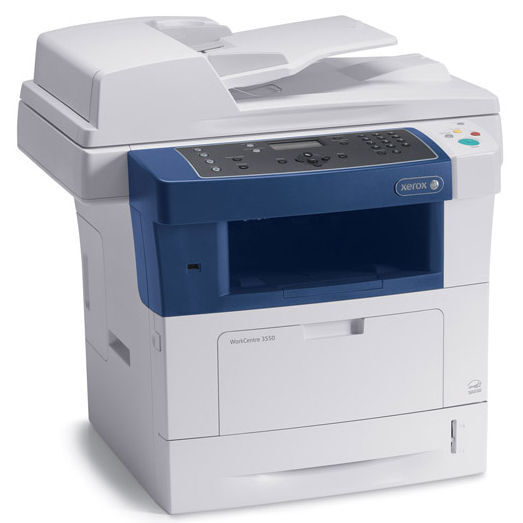
Configured for the heavier end of office life, the WorkCentre 3550TSM adds extra trays and storage to the 3550 platform for offices whose document workloads never really pause. It is a monochrome laser multifunction, and it runs on the 106R01529 toner cartridge. Given the duty it was built for, its natural partner is the 106R01530 high-yield black cartridge, which carries a deeper supply than the standard version — the listings below are that cartridge and its multipacks.
A machine with storage built in is a machine meant to be stocked, not fetched for. The TSM's cabinets hold paper in bulk so the office stops thinking about paper; its toner buying should follow the same doctrine. When both consumables live in quantity beside the machine, the printer fades into the background of the working day — which is precisely what a higher-capacity configuration is for.
Toner Cartridges for WorkCentre 3550TSM
| Cartridge | Color | Page Yield |
|---|---|---|
| 106R01530 — Single | Black | See product page |
| 106R01530 MICR — Single (check printing) | Black | See product page |
| 106R01530 — 2 Pack | Black | See product page |
| 106R01530 — 5 Pack | Black | See product page |
| 106R01530 Premium Quality — 5 Pack | Black | See product page |
| WorkCentre 3550TSM Laser Toner Cartridge — Single, model-named listing | Black | See product page |
| WorkCentre 3550TSM Laser Toner Cartridges — 5 Pack, model-named listing | Black | See product page |
Which cartridge should you buy?
Buy this machine's toner the way it buys its paper: in bulk, ahead of need. The high-yield 106R01530 over the standard 106R01529 is the first decision — a heavier-duty configuration empties standard fills at a rate that makes the swap itself a recurring event. The second decision is the 5 pack, which belongs in the TSM's own storage next to the paper stock. Singles remain useful as the emergency top-up, and the Premium Quality 5 pack covers offices that standardize on that build. Compare rated yields on the listings when planning how many packs a quarter actually consumes.
Chip, toner and everyday use
Bulk storage only works with rotation. Keep spare cartridges sealed and flat in the machine's storage area, and always install the oldest spare first so no cartridge sits for years before its turn. After fitting a replacement, run one test page before releasing real work — on a machine this busy, a clean test page is cheap proof that the cartridge seated properly and the chip is reporting before the queue depends on it.
Frequently Asked Questions
What toner does the WorkCentre 3550TSM use?
The 106R01529 is its standard cartridge. The listings on this page are the high-yield 106R01530, the version that matches this configuration's heavier workload, sold as singles, multipacks and under the 3550TSM name.
How many spare cartridges should a TSM keep in its storage?
A working rule for a heavy machine: one in the printer, one in reserve, and a 5 pack behind that. The reserve covers the swap, the pack covers the season, and reorders become a calendar habit instead of a reaction.
Is the high-yield cartridge genuinely different, or just a bigger box?
It carries a deeper toner supply in the same cartridge format, so the machine runs longer between changes. The rated yields printed on each listing state the capacity difference plainly.
Should I run a test page after changing the cartridge?
Yes — one page. It confirms the cartridge is seated and printing cleanly while the stakes are still low, instead of discovering a problem inside a long queued run.
More printers that use the same cartridges
Stock for the TSM also covers every sibling configuration in the family: WorkCentre 3550, WorkCentre 3550M, WorkCentre 3550T, WorkCentre 3550TM, WorkCentre 3550TS, WorkCentre 3550X, WorkCentre 3550XM, WorkCentre 3550YX.