




Xpress C1810W
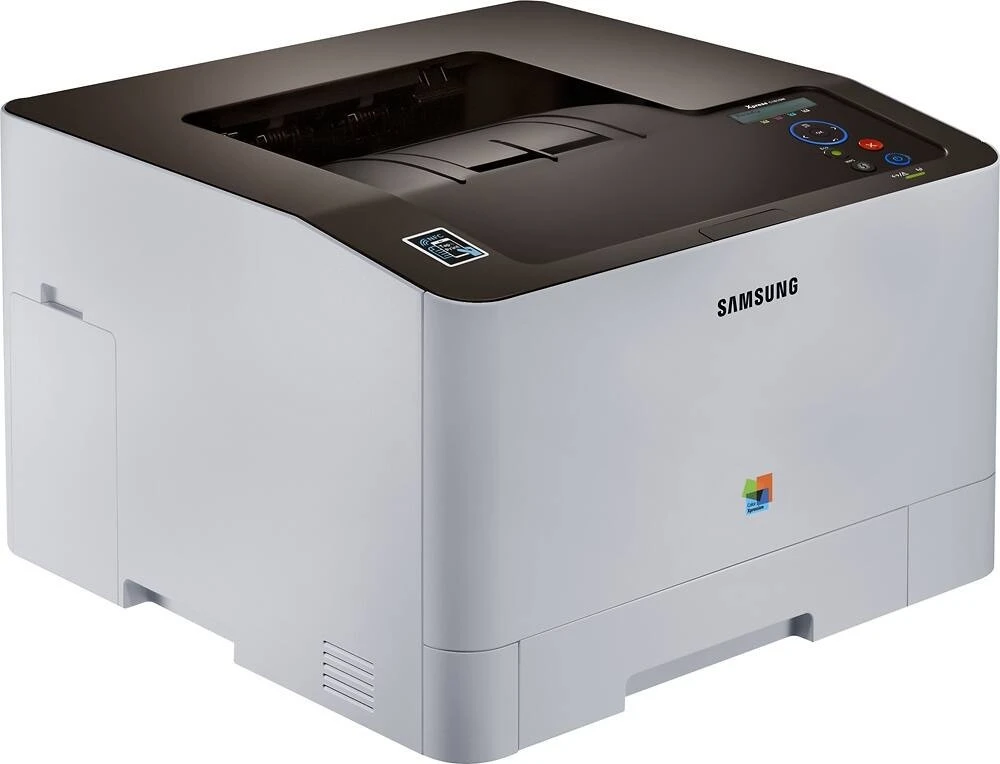
The Xpress C1810W is the wireless member of Samsung’s early-2010s Xpress color laser line — the W is the only difference from the Xpress C1810, and it changes where the printer can sit, not what it eats. Its cartridge set is the CLT-504S family: CLT-K504S for black, with CLT-C504S, CLT-M504S and CLT-Y504S covering cyan, magenta and yellow, every color sold individually so one low cartridge never forces a full set purchase.
Wireless networking quietly changes toner habits. The printer can live on a shelf or in a corner away from every desk, several people print to it without walking over, and nobody notices the levels falling until a job comes out washed. Color use on a shared machine is also uneven by nature — one person’s chart-heavy reports can empty a single color while the others sit nearly full. A quick level check from the printer software every week or two is the difference between a planned swap and a stalled deadline.
Toner Cartridges for Xpress C1810W
| Cartridge | Color | Page Yield |
|---|---|---|
| CLT-K504S Toner Cartridge Black 2 Pack | Black | See product page |
| CLT-C504S, CLT-M504S, CLT-Y504S 3 Color Set | Cyan / Magenta / Yellow | See product page |
| CLT-K504S Toner Cartridge Black 5 Pack | Black | See product page |
| CLT-K504S, CLT-C504S, CLT-M504S, CLT-Y504S 5 Color Set | Full set | See product page |
Which cartridge should you buy?
Because this printer serves a group rather than one desk, buy for the group’s rhythm. The black 2-pack is the natural baseline — one cartridge working, one waiting — and the black 5-pack makes sense when the machine is the office’s only color printer and running dry mid-week is not an option. Colors are a separate decision: the 3 Color Set tops up cyan, magenta and yellow together, but if your output leans on one color, replacing that single slot as needed and saving the set for a full refresh is the thriftier pattern. The 5 Color Set covers everything in one box when the whole quartet is tired.
Chip, toner and everyday use
A wireless printer is easy to forget until it stops, so build the check into your routine: the driver software reports all four levels without a trip to the machine. When the panel finally warns, the number is an estimate, and a cartridge taken out and rocked gently side to side will often print evenly again while its replacement travels. Seat every new cartridge until it clicks so its chip reads cleanly, keep spares sealed and flat in a drawer near the printer, and remember that rated yields assume roughly 5 percent page coverage — photo-heavy pages spend toner several times faster.
Frequently Asked Questions
Why does my Xpress C1810W run out of color toner unevenly?
Because color documents are uneven. A page of black text with a small blue chart spends black and a little cyan and barely touches magenta or yellow, so over months the levels drift apart. That is normal for this printer, and it is exactly why each color is a separate cartridge you can replace on its own.
Does the wireless model take different toner from the Xpress C1810?
No. The W adds wireless networking and nothing else — the cartridge family is the same CLT-504S set, code for code. Anything bought for the C1810 fits the C1810W and the other way around.
Which pack should a small office keep as a spare?
A black 2-pack covers the most common emergency, since black empties first in mixed office printing. Add the 3 Color Set when your color output is steady; between the two, every slot in the printer has a replacement within reach.
One color is empty but I only need black text today. Can I keep printing?
In most cases the printer will still run black-only jobs with a color slot low, but a fully empty cartridge can pause the machine, and color documents will come out wrong until it is replaced. Order the single color you need — there is no requirement to change the others with it.
More printers that use the same cartridges
The same CLT-504S cartridges serve this whole group of Samsung color lasers, which is handy if more than one of them shares your office: Xpress C1810, Samsung-CLT504S, SL-C1860FW, SL-C1860, SL-C1810W, SL-C1810, CLX-4195N, CLX-4195FW, CLX-4195FN, CLX-4195, CLP-475, CLP-470, CLP-4195FW, CLP-415NW, CLP-415N, CLP-415.