




CLX-4195
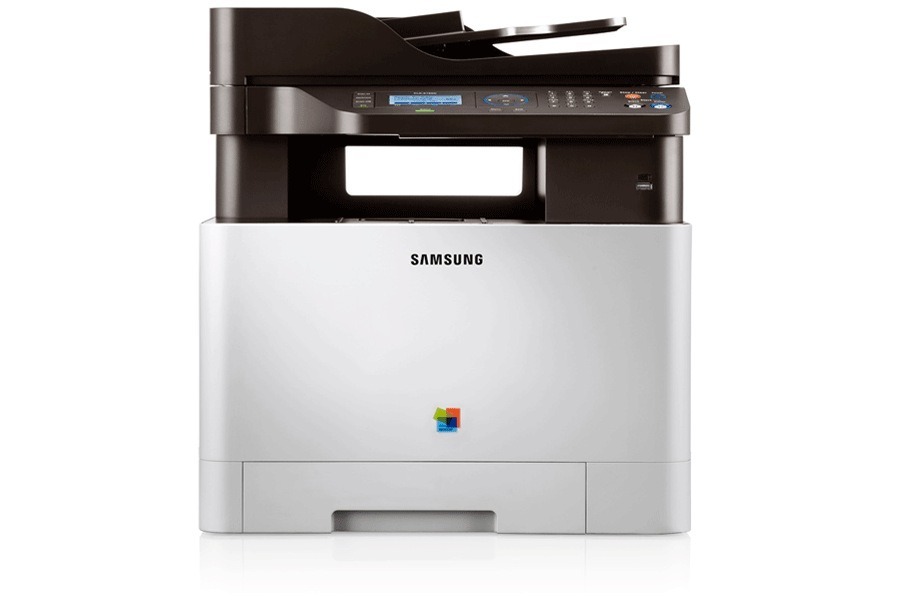
The Samsung CLX-4195 is a color laser multifunction printer from Samsung's early-2010s CLP/CLX and Xpress lineups. Samsung sold it as a configuration variant of the CLX-4195 line, pitched at small workgroups with steady color printing needs. Four separate cartridges feed it: black comes from the CLT-K504S, cyan from the CLT-C504S, magenta from the CLT-M504S and yellow from the CLT-Y504S. Each color is its own unit, so a single empty slot never forces you to replace the other three. All four are also boxed together as the CLT-504S 4 Color Set for owners who prefer to refresh the whole set at once.
In a small workgroup this machine earns its desk space by covering the everyday mix: black-heavy memos and reports most of the day, then color charts, covers and handouts when a document has to persuade. Because the four cartridges deplete independently, the supplies page is worth a glance before a big job — black typically does the heavy lifting on text, while a single full-page color graphic can pull more from one color cartridge than dozens of plain pages. Keeping an eye on the individual levels turns toner from a surprise stoppage into routine shelf management.
Toner Cartridges for CLX-4195
| Cartridge | Color | Page Yield |
|---|---|---|
| CLT-K504S | Black | See product page |
| CLT-C504S | Cyan | See product page |
| CLT-M504S | Magenta | See product page |
| CLT-Y504S | Yellow | See product page |
| CLT-504S 4 Color Set | Black, Cyan, Magenta, Yellow | See product page |
| CLX-4195 4 Color Set | Black, Cyan, Magenta, Yellow | See product page |
| CLX-4195 Premium Quality 4 Color Set | Black, Cyan, Magenta, Yellow | See product page |
Which cartridge should you buy?
Start with the color the printer actually reports as low. On a four-cartridge machine like this one, replacing a single CLT-C504S when cyan fades — and leaving the other three in place — is the cheapest correct move. The CLT-504S 4 Color Set earns its keep in two situations: when several colors are near empty at the same time, and when you want a complete spare set on the shelf so any warning becomes a two-minute swap. The same four cartridges are also sold under the printer's own name as the CLX-4195 4 Color Set, with a CLX-4195 Premium Quality 4 Color Set variant for buyers who prefer that line. Whichever route you take, keep one spare black on hand: in most offices it is the cartridge that runs out first. Every cartridge on this page is covered by a 1-year warranty and 1-year returns.
Chip, toner and everyday use
Each cartridge carries a chip the printer reads to track its level. If a freshly installed unit is not recognized, pull it out, check the contacts are clean and seat it again firmly — most false errors are a seating problem, not a dead cartridge. Before a cartridge goes in, remove it from its bag and rock it gently side to side a few times; this loosens toner that settled in shipping and evens out the first pages. Store spares sealed, flat and away from heat until the day they are needed, and remember that any page-yield figure is an estimate worked out at 5% page coverage — a page of dense color graphics uses many times the toner of a page of plain text.
Frequently Asked Questions
Why do my color prints use up so much more toner than black pages?
A full-page color graphic lays toner across nearly every dot of the page, so one color cartridge can drain many times faster on graphics than on the same number of text pages. Check the individual levels on the CLX-4195's supplies page instead of assuming all four are equally full. For drafts and internal documents, printing in black only is the simplest way to stretch the color cartridges.
Will a CLT-K504S cartridge bought for a different Samsung printer work here?
The CLX-4195 was designed around the CLT-K504S, so treat that code as the definitive fit check before you order. A spare bought for one CLX-4195 fits any other unit of the same model, because compatibility follows the model family rather than the individual machine. Ten seconds spent matching the code on the old cartridge saves the hassle of a return.
Does the CLX-4195 stop printing the moment a toner-low message appears?
No — the message is an early heads-up, not a shutdown, and usable pages normally remain. Use the warning as your cue to order, and avoid running a cartridge completely dry, since output consistency suffers at the very end of a cartridge's life. With a spare on the shelf, the swap itself takes a couple of minutes.
Do I have to replace all four cartridges at the same time?
Never. Each of the four cartridges — black, cyan, magenta and yellow — is a separate unit with its own level reading, so you replace only the one the printer reports as empty. Replacing the set makes sense only when several colors are low together or when you are stocking a spare shelf.
More printers that use the same cartridges
The CLT-504S cartridge family is shared across a wide band of Samsung color machines; if you run one of these as well, the same shelf stock covers it:
CLP-415, CLP-415N, CLP-415NW, CLP-4195FW, CLP-470, CLP-475, CLX-4195FN, CLX-4195FW, CLX-4195N, SL-C1810, SL-C1810W, SL-C1860, SL-C1860FW, Samsung-CLT504S, Xpress C1810, Xpress C1810W