




CLP-415N
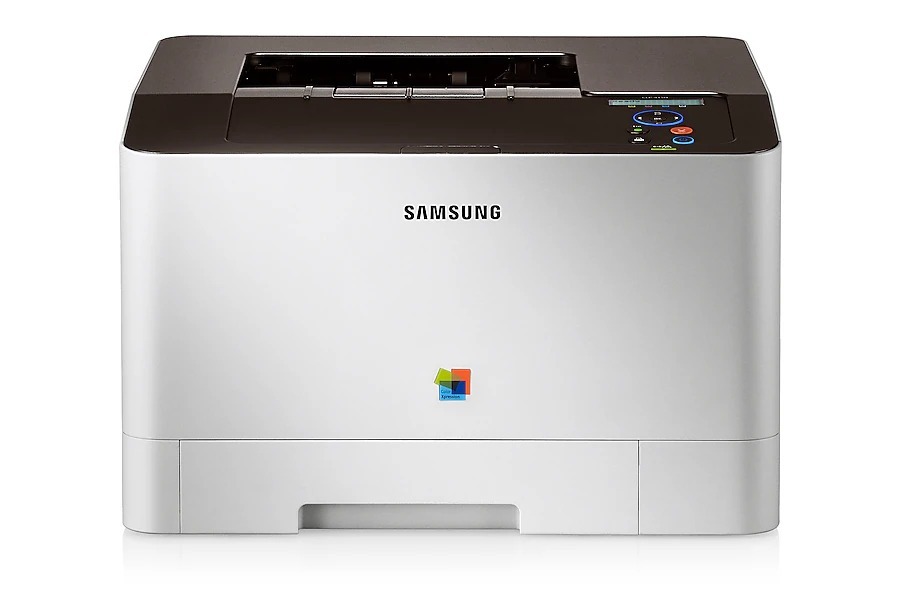
The CLP-415N arrived in the early 2010s as a color laser printer with running costs kept firmly in check. That letter means this version adds wired Ethernet networking compared with the standard CLP-415. Buyers were typically small workgroups with steady color printing needs.
Samsung specified the CLT-K504S toner range for this model, led by the CLT-K504S black cartridge. Our shelves hold compatible and genuine OEM CLT-K504S toner alike, all shipping fast from Clever Supplies.
Toner Cartridges for CLP-415N
This printer works with the following toner cartridges:
- Samsung CLT-K504S
- Samsung CLT-C504S
- Samsung CLT-M504S
- Samsung CLT-Y504S
More Samsung Printers
- CLP-415
- CLP-415NW
- CLP-4195FW
- CLP-470
- CLP-475
- CLX-4195
- CLX-4195FN
- CLX-4195FW
- CLX-4195N
- SL-C1810
- SL-C1810W
- SL-C1860
- SL-C1860FW
- Xpress C1810
- Xpress C1810W
Frequently Asked Questions
New owner here — which driver should I pick for the CLP-415N on a Mac?
Always match the driver to your OS version; a Windows 10 driver on Windows 11 can cause subtle CLP-415N failures. Disable the firewall temporarily to test whether it is blocking the CLP-415N's network discovery. Driver problems feel complex but usually resolve with a clean reinstall.
Help me decide: when should I turn Eco mode off on the CLP-415N?
Toner-save on the CLP-415N is ideal for emails, drafts, and reference prints where perfect density is unnecessary. Some CLP-415N drivers let you tune Eco intensity — start in the middle and adjust to taste. Make Eco the default and quality the exception; your CLT-K504S budget will thank you.
First-time toner buyer: the CLP-415N will not print black because cyan is empty — is that expected?
A CLP-415N that blocks black printing when a color is empty is protecting print quality — the printer needs all four to calibrate. Do not swap color positions to even them out; the CLP-415N's cartridges are keyed to their slots. Each empty cartridge is just one quarter of the system asking for attention.