




CLX-4195FW
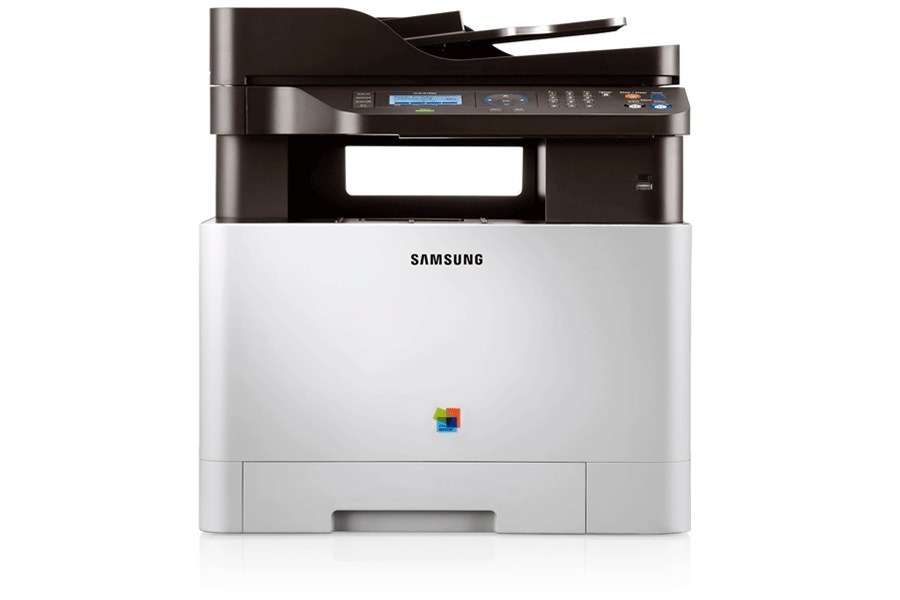
In the early 2010s, Samsung's CLP/CLX and Xpress lineup included the CLX-4195FW, a color laser multifunction printer. That letters mean this version adds fax and wireless networking compared with the standard CLX-4195. The machine suited small workgroups with steady color printing needs well.
This printer takes the CLT-K504S toner cartridges, including CLT-K504S for black and CLT-C504S for magenta. Our shelves hold compatible and genuine OEM CLT-K504S toner alike, all shipping fast from Clever Supplies.
Toner Cartridges for CLX-4195FW
This printer works with the following toner cartridges:
- Samsung CLT-K504S
- Samsung CLT-C504S
- Samsung CLT-M504S
- Samsung CLT-Y504S
More Samsung Printers
- CLP-415
- CLP-415N
- CLP-415NW
- CLP-4195FW
- CLP-470
- CLP-475
- CLX-4195
- CLX-4195FN
- CLX-4195N
- SL-C1810
- SL-C1810W
- SL-C1860
- SL-C1860FW
- Xpress C1810
- Xpress C1810W
Frequently Asked Questions
Before I order: how do I store a half-used CLT-K504S I removed from the CLX-4195FW?
Direct sunlight degrades cartridge components, so keep the CLX-4195FW's spare toner out of bright windows. Keep spares away from ammonia-based cleaners, whose fumes can affect cartridge components. A well-stored spare turns a CLX-4195FW toner emergency into a non-event.
Help me decide: should I buy genuine or compatible toner for my CLX-4195FW?
Genuine Samsung CLT-K504S carries the manufacturer's own quality guarantee, while compatible cartridges compete mainly on price. Be wary of suspiciously cheap unknown-brand CLT-K504S cartridges; quality control is where bad compatibles fail the CLX-4195FW. The CLX-4195FW itself is agnostic — it prints what the cartridge delivers.
New owner here — my CLX-4195FW prints gibberish — is that a driver problem?
Samsung's full software package adds useful status monitoring for the CLX-4195FW, but the basic driver alone prints fine. Connect the CLX-4195FW via USB during driver installation even if you plan to use it wirelessly — setup is more reliable. Driver problems feel complex but usually resolve with a clean reinstall.