




SCX-4725FN
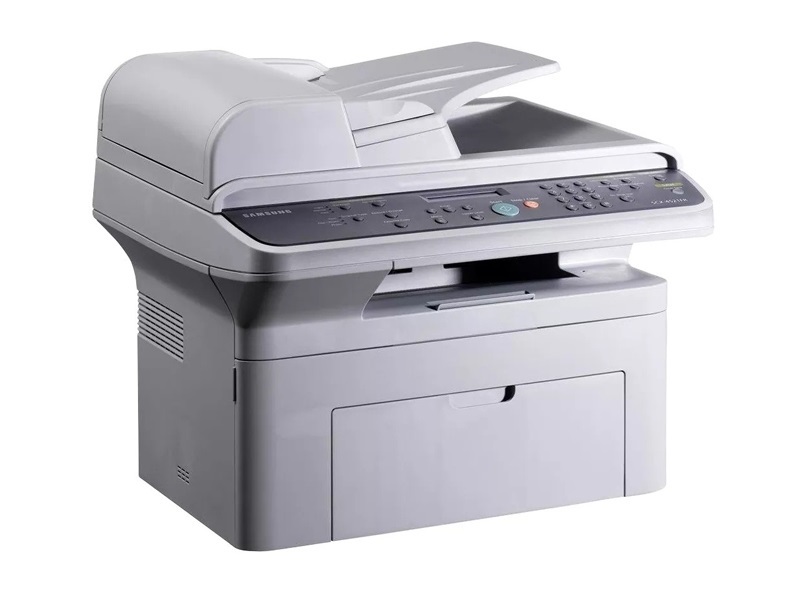
Take the fax-equipped 4725, add Ethernet, and you get the Samsung SCX-4725FN — the shared version of the machine, built so a small office can print, scan, copy and fax through one unit on the network. Its appetite stayed as simple as its standalone sibling's: a single black cartridge, the SCX-D4725A, stocked here in compatible and genuine OEM versions.
Sharing changes the stakes of a toner decision. When one cartridge serves five people, a wrong code or an empty slot is everybody's problem, and the FN rewards offices that run supplies deliberately: one known code, one known spare location, no improvisation. Nothing about the machine forces genuine cartridges on you — it runs with any cartridge that fits properly and whose chip talks to the printer — so the compatible-versus-OEM call is a budget and preference question, not a compatibility one.
Toner Cartridges for SCX-4725FN
- SCX-D4725A — 2 pack: the working cartridge plus its replacement
- SCX-4725FN Laser Toner Cartridge Black — single listed under this model's name
- SCX-D4725A — premium-quality 5 pack for heavier shared volume
- SCX-D4725A — single cartridge
- SCX-4725FN Laser Toner Cartridges Black 5 Pack — 5 pack under the FN name
Which cartridge should you buy?
Buy by code, never by resemblance. The most common mistake with Samsung multifunctions is ordering by series name alone or trusting a listing photo — images get reused across dozens of listings, while codes do not lie. Pull the empty cartridge and compare its SCX-D4725A code against what you are about to order; ten seconds of checking prevents the classic wrong-cartridge delivery. On the OEM-versus-compatible question, many offices split the difference: genuine cartridges for output a client will see, compatibles for internal drafts and fax traffic. Both routes are stocked here, and compatibles are covered by a 1-year warranty with 1-year returns, which makes the economical experiment a safe one.
Chip, toner and everyday use
One quirk worth knowing: this model has no automatic duplexer, so two-sided printing is a manual routine — print the first side, reinsert the stack, and print the second. Follow the driver's page-orientation prompts carefully or the backs come out upside down; for occasional two-sided needs it works fine, and the cartridge drains at exactly the same rate as single-sided work. For everyday care, keep the cartridge's chip contacts clean, seat replacements with a firm push until they click, and store the office spare sealed and level so the shared machine never waits on a delivery.
Frequently Asked Questions
Two different codes both claim to fit my SCX-4725FN. Which do I trust?
Trust the code printed on the cartridge already in your machine: SCX-D4725A. Sellers photograph one cartridge and reuse the picture across many models, and neighboring Samsung codes look deceptively alike. The code on your empty is the ground truth — match it character for character.
Is a compatible cartridge a sensible choice for a shared office machine?
Yes. The printer asks only that the cartridge fit and that its chip communicate properly, and compatible SCX-D4725A cartridges are built to do both. Offices that want belt-and-braces assurance sometimes keep genuine stock for client-facing documents, but nothing in the machine requires it.
Can the SCX-4725FN print double-sided automatically?
There is no built-in duplexer on this model. Manual duplexing still works well: print side one, return the stack to the tray paying attention to the driver's orientation guidance, then print side two. For long documents it is fiddly; for the occasional two-sided form it is perfectly workable.
Does every person on the network need their own cartridge?
No — that is the point of the FN. One cartridge in the shared machine serves every connected user. The only planning consequence is collective: when the office prints heavily, the single cartridge empties on office time, so the spare belongs in a known shared spot.
More printers that use the same cartridges
Its cartridge is shared with the rest of the compact 4725 family, listed here in full: Samsung-SCXD4725A, SCX-4725F, SCX-4725ELS, SCX-4725.