




SCX-4725ELS
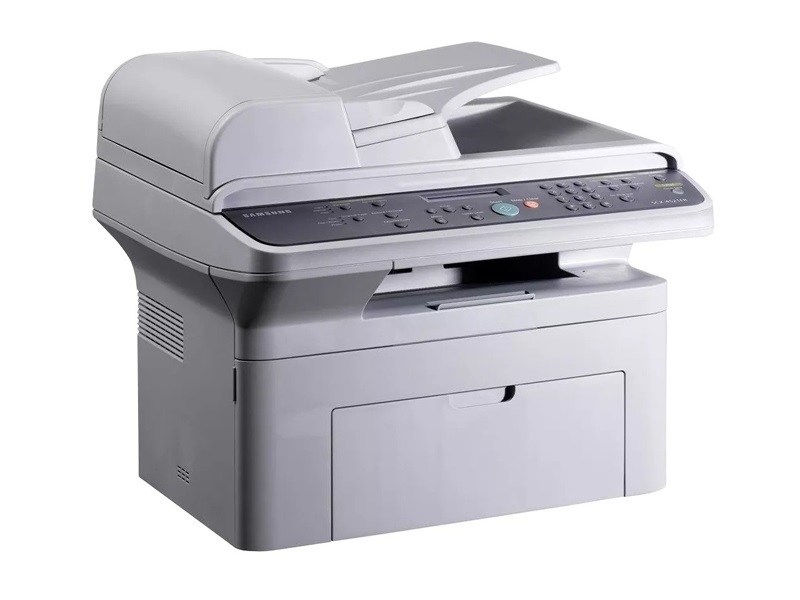
The SCX-4725ELS is a regional variant of Samsung's 4725 multifunction — the badge changes by market, while the machine underneath matches the base model: print, copy and scan in the same compact monochrome unit. Its cartridge does not change either. It takes the same SCX-D4725A as the rest of the family.
Regional suffixes cause more ordering mistakes than any cartridge Samsung made, because owners assume a different badge must mean different toner. On the SCX-4725ELS it does not: this unit accepts the identical cartridge as the standard SCX-4725, so shopping by the code printed on your old cartridge — not by the badge on the printer — is the habit that keeps reorders error-free.
Toner Cartridges for SCX-4725ELS
| Cartridge | Color | Page Yield |
|---|---|---|
| SCX-D4725A Toner Cartridge | Black | See product page |
| SCX-D4725A Toner Cartridge — 2 Pack | Black | See product page |
| SCX-4725ELS Toner Cartridge (model-named listing) | Black | See product page |
| SCX-4725ELS Toner Cartridges — 5 Pack (model-named listing) | Black | See product page |
| SCX-D4725A Premium Quality Toner Cartridge — 5 Pack | Black | See product page |
Which cartridge should you buy?
One code covers this printer, so the check that matters happens before you choose a pack: the listing should show SCX-D4725A and name the SCX-4725ELS in its compatibility list — when both agree, the fit is settled. From there it is quantity. A single cartridge suits occasional printing; the two-pack keeps a spare permanently on hand; the five-packs, including the listing under this model's own name and the premium-grade option, suit offices that stock in bulk. Nothing about the regional badge changes yield, fit or handling.
Chip, toner and everyday use
Expect a 'non-genuine cartridge' notice the first time a compatible SCX-D4725A goes into this machine, and treat it as information rather than a fault: the printer has detected a chip that is not Samsung's own, and acknowledging the message lets you print on — output quality is decided by how the cartridge is built, not by whether the notice appeared. If your unit instead stops outright at the warning, look in the driver or the control panel for a continue or override setting, since some configurations enforce a hard stop until it is cleared.
Frequently Asked Questions
Does the SCX-4725ELS need a special regional cartridge?
No. The ELS badge marks a regional sales variant, and the cartridge bay is identical to the standard SCX-4725's: the SCX-D4725A fits and works the same way. Shop by that code and the regional naming stops mattering.
The printer halted completely at the cartridge warning. What do I try first?
Start in settings: check the driver and the machine's panel menu for a continue or override option and clear the stop there. If no such option appears, rock the cartridge gently to redistribute its toner and plan a prompt swap — that is the fastest route back to printing.
How do I verify a listing really fits my machine?
Two things should agree: the SCX-D4725A code on the listing, and your exact model named in the seller's compatibility list. If a listing shows the right code but leaves your model out, ask the seller before ordering rather than after the box arrives.
Is a spare worth keeping for a variant model like this?
Yes, and it is the same spare the whole family uses, so it will never be stranded if the office later runs a different 4725 variant. Keep it sealed and stored cool and dry until the day it is needed. Every cartridge here carries a 1-year warranty with 1-year returns behind it.
More printers that use the same cartridges
The SCX-D4725A also serves the other members of the 4725 family: Samsung-SCXD4725A, SCX-4725FN, SCX-4725F, SCX-4725.