




SCX-4100
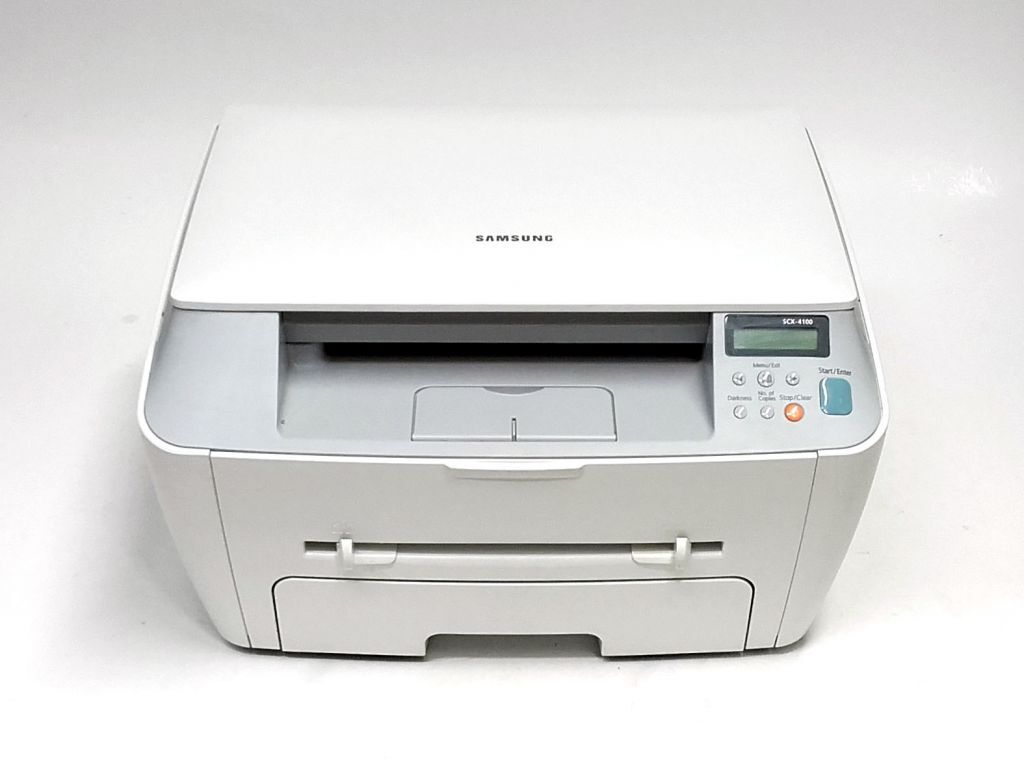
A legacy member of Samsung's early desktop line, the SCX-4100 packs print, copy and scan into a compact monochrome multifunction that still earns its desk space in plenty of home offices. Its cartridge paperwork carries the SCX-4100D3 code, yet the shelf name for that exact same unit is the ML-1710D3 — the ML-series number under which this shared cartridge is listed across the whole family. Both the compatible build and the genuine OEM build of the cartridge are carried here, so the choice between them is yours rather than a stock accident.
Nothing about the SCX-4100 pretends to be modern, and that is its charm: no accounts, no subscriptions, just a small laser engine that wakes up, prints a boarding pass or a homework sheet, and goes back to sleep. Owners who keep these machines running tend to value that predictability, and the shared cartridge platform is what makes it cheap to maintain — one cartridge design serving more than twenty Samsung models means supply never dries up.
Toner Cartridges for SCX-4100
| Cartridge | Color | Page Yield |
|---|---|---|
| ML-1710D3 Toner Cartridge (SCX-4100 listing) | Black | See product page |
One row, one cartridge: everything else in this family is the same ML-1710D3 wearing a sibling model's name on its listing, and those listings belong to their own models' pages below.
Which cartridge should you buy?
Start with how the machine is actually used. An SCX-4100 that prints occasionally is best served by a single compatible cartridge — the compatible and OEM builds produce comparable everyday pages, and the compatible's lower price suits a machine of this age. If the printer has become the household's default workhorse, the ML-1710D3 two-pack trims the per-cartridge cost and removes the reorder errand from your month. Check the yield stated on each product page before choosing, since the figures live there rather than on this category page. One honest note for the lightest users: toner powder keeps for a long time sealed, but a cartridge that takes two years to finish in the machine is a poor reason to buy five at once — match the bundle size to a realistic year of printing, not to the biggest discount on the shelf.
Chip, toner and everyday use
The driver's toner-save setting is the SCX-4100's most useful everyday lever. Dropping density for internal drafts, emails and review copies stretches each cartridge noticeably further, while anything headed to a client or a file cabinet deserves normal mode, where text edges stay properly crisp. Treat it as a per-job decision — set it in the print dialog when the job calls for it instead of burying it as a permanent default. When a cartridge change does come, let the machine cool for a few minutes first, work over a sheet of scrap paper in case of a stray spill, and never touch the green drum surface inside the cartridge: fingerprints there print as faithfully as text does. Compatible cartridges here are covered by a one-year warranty and one-year returns.
Frequently Asked Questions
Can toner-save mode cause the banding I see on my SCX-4100's pages?
It can contribute. Toner-save deliberately lays down less toner per page, and on some graphics that shows up as light or uneven areas rather than clean savings. Print the same page once in normal mode before blaming the cartridge — if the banding vanishes, the setting was the culprit and the ML-1710D3 still has life in it.
Why do sellers tell me to search by cartridge code instead of by SCX-4100?
Because inventory is organized by cartridge, not by printer. Searching the ML-1710D3 code lands you on the exact unit, while a search for the printer alone will also surface cartridges for look-alike models that do not fit. Finish with one check that your model appears in the listing's compatibility list and you cannot go far wrong.
Will a compatible cartridge look visibly different from the OEM one in my prints?
For letters, forms and everyday documents, a well-made compatible produces pages most users cannot tell apart from the genuine article, because both run through the same laser process in the machine. The genuine cartridge's edge is consistency control at the factory. The practical approach: run compatibles for everyday work, and judge for yourself on your own paper and your own documents.
Is the SCX-4100 expensive to keep running?
No — it is one of the cheaper laser machines of its generation to feed, precisely because its cartridge is shared so widely. The compatible ML-1710D3 keeps the cost of each replacement low, and there are no color cartridges, drums or maintenance kits on this page to budget for alongside it.
More printers that use the same cartridges
Every machine in this list runs on the same cartridge as the SCX-4100:
Samsung-ML1710D3, SF-755P, SF-750, SF-565PR, SF-565P, SF-565, SF-560, SCX-4216F, SCX-4216, SCX-4116, SCX-4016, ML-1755, ML-1750, ML-1740, ML-1710P, ML-1710D, ML-1710B, ML-1710, ML-1520, ML-1510B, ML-1510, ML-1500, ML-1410