




ML-1755
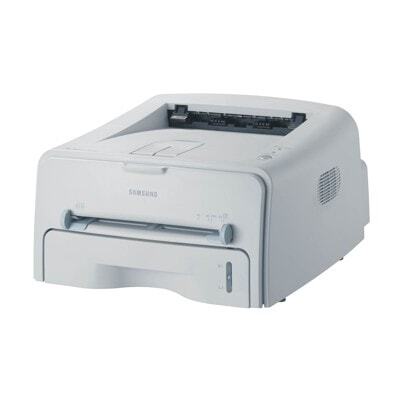
Topping the ML-1700 line, the Samsung ML-1755 offered the fastest engine of the series while keeping the compact footprint — a small-office mono laser that could keep pace with heavier daily use. Its cartridge is the family standard, the ML-1710D3, equivalently designated ML-1520D3. The quickest machine in the family asks for nothing rarer than its siblings do.
On the hardest-worked desk in the family, a cartridge change is downtime, and downtime is the real cost this page exists to shrink. The ML-1755 earns its keep in busy stretches — end-of-month paperwork, mailings, report runs — where the printer cycles all day. Because it drinks from the same cartridge pool as the ML-1750 below it, a small office running both machines keeps one supply shelf for the pair and never stocks two kinds of toner.
Toner Cartridges for ML-1755
| Cartridge | Color | Page Yield |
|---|---|---|
| ML-1710D3 Black Toner Cartridge | Black | See product page |
| ML-1755 Black Toner Cartridges, 5 Pack | Black | See product page |
| ML-1710D3 Black Toner Cartridges, 2 Pack | Black | See product page |
| ML-1710D3 Premium Quality Black Toner Cartridges, 5 Pack | Black | See product page |
| ML-1755 Black Toner Cartridge | Black | See product page |
| ML-1710D3 Black Toner Cartridges, 3 Pack | Black | See product page |
| ML-1755 Toner Cartridge Black (ML-1710D3) | Black | See product page |
Which cartridge should you buy?
Plan around interruption, not around the cartridge price. Keep a rotation: one cartridge installed, one sealed beside the machine. The 2 Pack maintains that rotation for moderate use; heavier desks should look at the 3 Pack or the Premium Quality 5 Pack, which hold the shelf through a busy quarter. The ML-1755-named listings — a single and a 5 Pack labeled by model — are the same ML-1710D3 cartridge and slot into the same rotation. A single cartridge bought alone makes sense only when the printer's work is winding down.
Chip, toner and everyday use
A non-genuine message on this machine means the cartridge's chip does not match what the printer expects. It can appear with compatible cartridges, but a poorly seated chip is the more common cause: remove the cartridge and reinstall it firmly so the contacts meet, and wipe the chip contacts with a dry, lint-free cloth if toner dust has settled there. Handle the cartridge level and by its sides — the imaging surface underneath scratches easily and every scratch prints. If the message survives a careful reseat, the chip itself may be faulty, and that is a conversation for the cartridge's seller.
Frequently Asked Questions
A 'non-genuine' message appeared on my ML-1755 — what should I do first?
Reseat the cartridge. The message means the chip is not matching what the printer expects, and a cartridge sitting slightly off its contacts produces exactly that complaint. Remove it, check the chip contacts are clean, and reinstall it firmly. If the message persists after a careful reseat, the chip itself may be faulty and the seller can usually replace the cartridge.
Cartridge errors on my ML-1755 started right after a firmware update. Are they connected?
Possibly, but start with the mechanical checks anyway — reseat the cartridge and clean its chip contacts, because the timing can be coincidence. If errors persist, contact the cartridge supplier: chip firmware sometimes needs to catch up with new printer firmware. Rolling printer firmware back is rarely supported, so treat updates as one-way.
Which cartridge code does the ML-1755 take?
The ML-1710D3 — the family standard, also designated ML-1520D3. Every listing on this page is that cartridge: the code-labeled singles and packs, and the listings named for the ML-1755 itself. There is no second cartridge type to keep track of.
Singles or multi-packs — what suits a busy small office on the ML-1755?
Multi-packs, almost always. A printer that works all day should never wait on a delivery, so the working pattern is one cartridge installed and at least one sealed spare beside the machine. The 2 Pack maintains that at moderate volume; the 3 Pack and Premium Quality 5 Pack hold it through heavier stretches.
More printers that use the same cartridges
The fastest machine in the line shares its cartridge with every model here: ML-1410, ML-1510, ML-1520, ML-1710B, ML-1710P, ML-1750, SCX-4100, SCX-4216, SF-560, SF-565P, SF-750, Samsung-ML1710D3, ML-1500, ML-1510B, ML-1710, ML-1710D, ML-1740, SCX-4016, SCX-4116, SCX-4216F, SF-565, SF-565PR, SF-755P.