




ML-5010
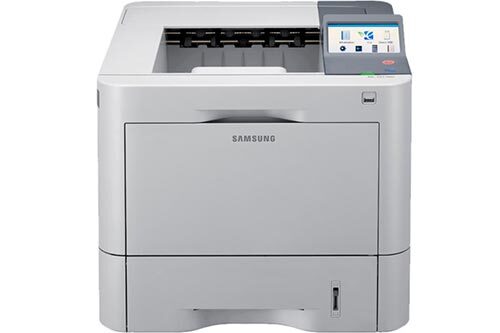
The Samsung ML-5010 opens the 50xx departmental series with a faster engine than the 45xx line, aimed at offices that print more every day. It uses the same MLT-D307 cartridge family — standard MLT-D307S, high-yield MLT-D307L, extra-high-yield MLT-D307E and ultra-high-yield MLT-D307U — with the toner cartridge working separately from the MLT-R307 imaging unit. This page stocks the extra-high-yield cartridge in single, 3-pack and 5-pack form, the sizes a busier office tends to standardize on.
Moving up a series is usually about volume headroom rather than features: the ML-5010 exists for floors where the daily page count has outgrown an entry departmental machine. Because it draws on the same cartridge family as the 45xx models, offices running both generations can stock one shelf of toner and one spare imaging unit type instead of splitting supplies across two incompatible lines — a small operational mercy that adds up over years of reordering.
Toner Cartridges for ML-5010
| Cartridge | Color | Page Yield |
|---|---|---|
| MLT-D307E | Black | See product page |
| MLT-D307E — 3 Pack | Black | See product page |
| MLT-D307E — 5 Pack | Black | See product page |
Which cartridge should you buy?
All four MLT-D307 capacities fit the ML-5010, and the right one depends on how the machine earns its keep. A standard MLT-D307S is fine for a satellite office that prints in bursts; a printer on a busy floor justifies stepping straight to the extra-high MLT-D307E stocked here, because every cartridge change on a faster engine interrupts a longer queue of jobs. The 3-pack and 5-pack versions suit offices that would rather hold stock than place frequent small orders. Whichever size you choose, budget the MLT-R307 imaging unit separately — it is a different part with a far longer life, not a component inside the toner cartridge.
Chip, toner and everyday use
The ML-5010 reads the chip on each installed cartridge and reports remaining toner, which makes it worth checking the supplies status before a big run rather than discovering an empty cartridge mid-job. When output starts to fade, a gentle side-to-side rock of the cartridge settles the remaining powder and usually restores even coverage for a stretch. Keep the replacement sealed until fitting day, store it upright in a cool cupboard away from sunlight, and inspect the first pages from a fresh cartridge for streaks, so any problem surfaces while the box is still within reach.
Frequently Asked Questions
Do the toner cartridge and the imaging unit get replaced together on the ML-5010?
No. Both are required, but they do not wear out together. Change the toner when print fades; leave the MLT-R307 imaging unit alone until the printer flags it or defects trace back to it. Replacing them as a pair out of habit spends money on a part that still has most of its life left.
Will a compatible cartridge make the ML-5010 show warnings?
The printer judges a cartridge by the chip it reads, and a properly chipped compatible MLT-D307E is recognized like any other supply. The more useful check is on paper: run a few pages after fitting and look for steady density. Consistency across the whole life of the cartridge is what separates careful manufacturing from the rest.
What is the best thing to do with an empty cartridge?
Remanufacturing is the greenest end for a spent MLT-D307 cartridge: the shell is cleaned, refilled and returned to service. Material recycling is the next-best route. Either way it should stay out of general waste — toner residue and mixed plastics do not belong in landfill.
More printers that use the same cartridges
Every printer below runs on the same MLT-D307 family as the ML-5010, so supplies knowledge — and shelf stock — carries across the whole group: ML-4510, ML-4510ND, ML-4512, ML-4512ND, ML-5010ND, ML-5012, ML-5012ND, ML-5015, ML-5015ND, ML-5017, ML-5017ND, Samsung-MLTD307.