




ML-4510ND
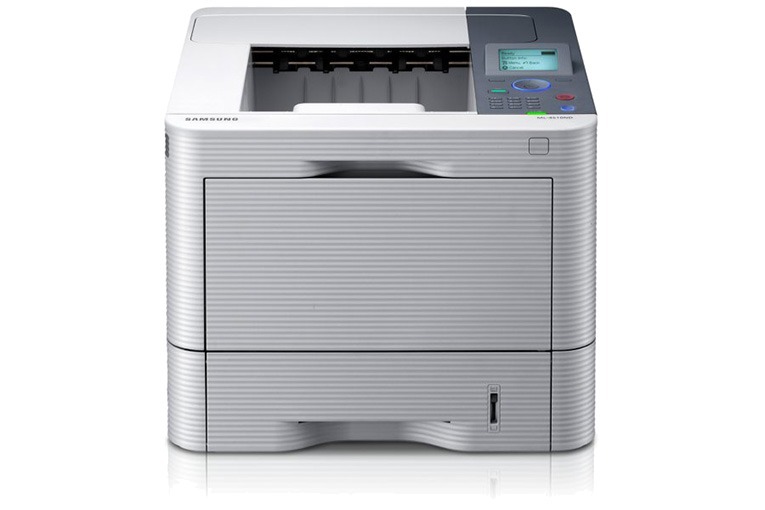
The ML-4510ND adds networking and automatic duplexing to the ML-4510, making it the shared version of Samsung's entry-level departmental printer. Its toner range is the MLT-D307 family — MLT-D307S, MLT-D307L, MLT-D307E and MLT-D307U — backed by the separate MLT-R307 imaging unit. This page stocks the extra-high-yield cartridge, the size made for ML-4510ND printers that stay busy all day.
Putting a departmental printer on the network changes who it belongs to: the whole workgroup, not the nearest desk. Jobs arrive from every direction, two-sided printing is available to all of them, and the cartridge becomes a shared resource that needs a shared plan — a known spare location and one person who reorders before the shelf is empty, rather than whoever happens to hit the warning first.
Toner Cartridges for ML-4510ND
| Cartridge | Color | Page Yield |
|---|---|---|
| MLT-D307E | Black | See product page |
| MLT-D307E — 3 Pack | Black | See product page |
| MLT-D307E — 5 Pack | Black | See product page |
Which cartridge should you buy?
On a shared machine, capacity beats small savings on the cartridge itself. The standard MLT-D307S will fit the ML-4510ND, but a workgroup will cycle through it quickly; the extra-high MLT-D307E stocked here is the realistic starting point, with the ultra-high MLT-D307U above it for the busiest sites. The 3-pack and 5-pack versions keep the supply shelf stocked through a quarter. Whatever size you standardize on, shop by the MLT-D307 code rather than by printer name — code-based listings are far less likely to steer you to a cartridge from a different Samsung line. The imaging unit, MLT-R307, is bought separately and only occasionally.
Chip, toner and everyday use
A fresh cartridge is read by its chip as soon as it seats, and the ML-4510ND reports the level to every user on the network — which means a low warning will be seen by many people, so agree in advance whose job the swap is. If a newly fitted cartridge is not recognized, lift it out and reseat it firmly, and make sure every seal and tab from the packaging came off. Storing the spare beside the printer, sealed and upright, keeps the changeover down to a couple of minutes when the day comes.
Frequently Asked Questions
The ML-4510ND's prints have gone faded — toner or imaging unit?
Judge the two parts separately, because they do not age together. Fading that improves briefly after rocking the cartridge points to low toner; defects that stay identical with a fresh cartridge installed point to the MLT-R307 imaging unit. Changing the toner first is the cheaper test in most cases.
Do regional cartridge variants matter for the ML-4510ND?
What matters is the code. This printer uses the MLT-D307 range, and searching by that code returns listings keyed to the cartridge itself, which are much less likely to be wrong than listings found by model name alone. Check the code on your empty cartridge against the listing before ordering.
Is a compatible MLT-D307 cartridge held to the same standard as a genuine one?
Both types run the same basic laser process in this printer, so a well-made compatible can produce perfectly acceptable pages. Genuine cartridges earn their edge through tighter quality control and a toner formula tuned to the machine. The honest way to choose is by how much the output matters: critical client documents argue one way, everyday internal printing the other.
More printers that use the same cartridges
These printers take the same MLT-D307 cartridges as the ML-4510ND, so a mixed fleet can share one supply shelf: ML-4510, ML-4512, ML-4512ND, ML-5010, ML-5010ND, ML-5012, ML-5012ND, ML-5015, ML-5015ND, ML-5017, ML-5017ND, Samsung-MLTD307.