




ML-2570
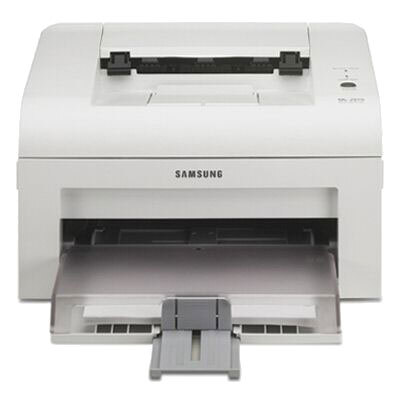
The Samsung ML-2570 was the small-office workhorse of Samsung's compact mono line — a single-function black-and-white printer with a faster engine and roomier memory than its home-oriented siblings, built for steady daily output. Samsung's documentation pairs it with the ML-1610D3 cartridge family (the MLT-D119S name covers the same fit), and the cartridge stocked for this page is the ML-2010D3, the same supply that serves the ML-2010 personal laser.
What owners liked about the ML-2570 is how little it asks: one cartridge, one paper path, no network to administer. That makes it a natural fit for a single desk, a small front office or a home workspace where printing is constant but uncomplicated. Supply planning is equally plain — when the one cartridge fades, you replace the one cartridge, and a lone spare in a drawer covers every emergency this printer can have.
Toner Cartridges for ML-2570
| Cartridge | Color | Page Yield |
|---|---|---|
| ML-2010D3 Toner Cartridge | Black | See product page |
| ML-2010D3 Toner Cartridge 2 Pack | Black | See product page |
| ML-2010D3 Toner Cartridge 4 Pack | Black | See product page |
Which cartridge should you buy?
There is only one cartridge code to get right here, so the decision is purely how many to keep around. The single cartridge is the sensible first purchase and the right size for light, occasional printing. The 2 Pack suits the ML-2570's real role — a daily workhorse — because the second cartridge is already in the building when the first one fades mid-job. Heavy users and small offices that standardize on this printer family can step up to the 4 Pack and stop thinking about toner for long stretches. If a listing ever shows a different code for this model, trust the code molded into the cartridge you pull out of the machine.
Chip, toner and everyday use
Print quality on the ML-2570 is mostly a settings story before it is a toner story. For crisp text, run the driver at normal or high quality and make sure toner-save is switched off; washed-out pages with save mode on can mimic an empty cartridge that is actually fine. When a cartridge genuinely nears its end, a gentle side-to-side rock redistributes the remaining toner and often buys a run of extra pages. Store spares sealed and upright in a climate-controlled spot — a cartridge kept that way for a year or two generally still prints cleanly when its turn comes.
Frequently Asked Questions
What toner cartridges will work in the ML-2570?
The cartridge stocked here for the ML-2570 is the ML-2010D3, from the same family Samsung lists for this machine as the ML-1610D3 / MLT-D119S fit. You only ever replace that one black cartridge — the printer warns you when it runs low, and there is no set of colors to rotate.
Can I store a spare cartridge on its side?
Upright in its sealed box is best, but a spare stored on its side in a cool, dry place will usually be fine. Before installing a long-stored cartridge, rock it gently to redistribute toner that has settled, and expect the first pages to confirm whether it aged well — fading or streaking after long storage means the toner has degraded.
How many cartridges should I keep on hand?
For most ML-2570 owners, one spare is enough: the printer uses a single supply, warns before it runs out, and a replacement swap takes minutes. Buy spares in quantities you will realistically use within about a year so the toner stays fresh.
More printers that use the same cartridges
These Samsung models share the same cartridge family: ML-1610, ML-1610R, ML-1615, ML-1620, ML-1625R, ML-2010, ML-2510, ML-2571N.