




ML-2510
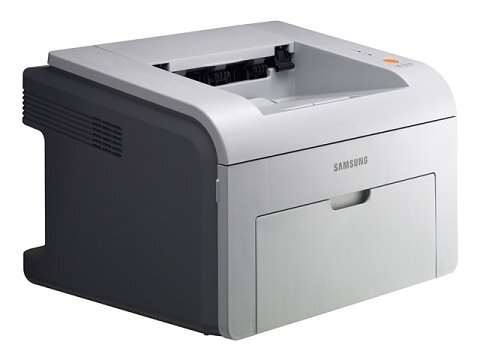
The Samsung ML-2510 bridged the gap between personal and workgroup printers — a compact mono laser with the pace and paper handling to serve a few people sharing a small office. Its toner story is a legacy one: the machine works with several Samsung codes from its era, among them the ML-2010D3 stocked on this page, alongside the ML-1610D3 and the cross-compatible MLT-D119S. Both compatible and genuine OEM cartridges are available here.
Printers from this generation often accept more than one cartridge code, because Samsung's small mono lines shared hardware across badges. For the ML-2510 that is genuinely useful: offices that already stock one of the accepted codes can feed this machine from the same shelf. The practical rule is to order by the code on the cartridge you pull out — and the listings here are the ML-2010D3 line, sold under the ML-2010 name it shares the shelf with.
Toner Cartridges for ML-2510
| Cartridge | Color | Page Yield |
|---|---|---|
| ML-2010 (ML-2010D3) Toner Cartridge | Black | See product page |
| ML-2010 (ML-2010D3) Toner Cartridge 2 Pack | Black | See product page |
| ML-2010 (ML-2010D3) Toner Cartridge 4 Pack | Black | See product page |
Which cartridge should you buy?
Buy by code, not by habit. If the cartridge coming out of your ML-2510 reads ML-2010D3, any listing in the table above replaces it directly. A single cartridge suits a lightly used machine; the 2 Pack and 4 Pack lower the per-unit cost for a shared office that prints daily and cannot pause for deliveries. If your empty carries one of the other accepted codes — ML-1610D3 or MLT-D119S — the machine will run on it just as happily, so shared shelves across the models in the family list below stay simple: one code on the shelf can cover several machines.
Chip, toner and everyday use
Older mono lasers like this one are forgiving machines, but their toner still deserves basic care. Keep cartridges sealed until the day they are installed, store them flat and upright in a cool interior space, and give a cartridge that has sat for months a gentle rock before fitting so the powder loosens. Yields are estimated at standard light coverage, so heavy text documents cycle faster. When output bands or fades, print a test page before ordering — it separates a tired cartridge from a tired printer and keeps you from replacing the wrong part.
Frequently Asked Questions
Why does the ML-2510 accept so many different cartridge codes?
Samsung's compact mono lines of this period shared engines across several model badges, and the cartridges followed the hardware. The ML-2510 is documented to work with the ML-2010D3, the ML-1610D3 and the MLT-D119S, which is why this page stocks the ML-2010D3 listings for it.
My prints have light and dark bands repeating down the page. Is that toner?
Marks that repeat at a fixed distance are the classic signature of a damaged imaging drum rather than a toner shortage — defects repeat at the drum's circumference. Inspect the imaging unit first; a fresh cartridge rarely cures a repeating band.
Does the ML-2010 on our other desk use the same cartridge?
Yes. The ML-2010 takes the ML-2010D3 as its own cartridge, which is exactly why the listings here carry its name — one spare serves both machines.
Which pack size fits a three-person office?
The 2 Pack is the usual sweet spot: one cartridge in the printer, one on the shelf, and a lower per-unit price than buying singles. Step up to the 4 Pack only if the machine prints heavily every day.
More printers that use the same cartridges
These are the sibling models whose cartridges overlap with this machine:
ML-1610, ML-1610R, ML-1615, ML-1620, ML-1625R, ML-2010, ML-2570, ML-2571N