




ML-1610R
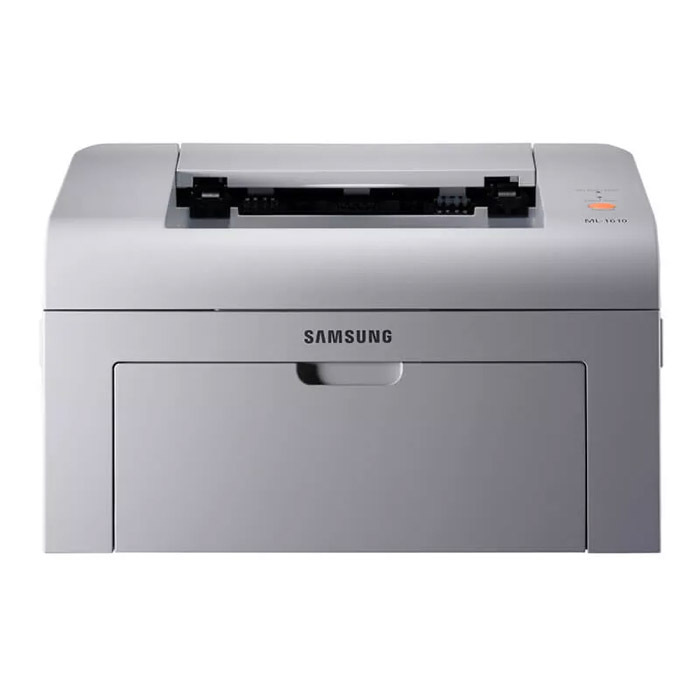
The Samsung ML-1610R is a regional configuration of the classic ML-1610 mono laser — the R marks a market variant, while the printer itself is the same compact black-and-white workhorse that sat on a generation of home desks. Samsung's own cartridge codes for the platform are ML-1610D2 and ML-1610D3, cross-compatible with MLT-D119S; because the ML-1610R shares the ML-1610 platform, the ML-2010D3 cartridge fits it as well, and that is the cartridge stocked on this page.
Few printers earned their keep like this one: a small, simple, single-function laser bought for letters, schoolwork, invoices and the occasional long document, expected to start instantly and ask for nothing. Its supplies story matches that character — one black cartridge, no colors, no separate drum unit to track, and a design old enough that its cartridge codes have accumulated a couple of aliases over the years. Knowing which names refer to the same cartridge is most of what ownership requires.
Toner Cartridges for ML-1610R
| Cartridge | Color | Page Yield |
|---|---|---|
| ML-1610 (ML-2010D3) toner cartridge, single | Black | See product page |
| ML-1610 (ML-2010D3) toner cartridge, 2 pack | Black | See product page |
| ML-1610 (ML-2010D3) toner cartridge, 4 pack | Black | See product page |
Which cartridge should you buy?
Buy the cartridge this page is built around: the ML-2010D3, sold here in single, two-pack and four-pack form. The older ML-1610D2 and ML-1610D3 codes, and the MLT-D119S cross-reference, describe the same platform's supply family, so a cartridge carrying those designations is the equivalent item from an older listing generation. For a home desk the single is usually enough; the multi-packs suit anyone who prints steadily and would rather not reorder for a year or more. Since this is an elderly platform, it is also worth keeping one spare sealed away — these cartridges store well, and a spare turns an empty-printer evening into a two-minute swap.
Chip, toner and everyday use
Installation is deliberately simple on this machine: open the front cover, slide the old cartridge out by its handle, and push the new one in until it settles. Keep fingers off the green drum roller and the chip contacts on the cartridge — oils and scratches there print as defects later. Do not leave a cartridge sitting in bright light, and work over a sheet of paper in case a little powder escapes during the swap. First pages with a new cartridge can print slightly light while the toner distributes; output should reach full density within a few pages.
Frequently Asked Questions
How do I cut down on paper jams with the ML-1610R?
Most jams on this printer start at the pickup rollers, where paper enters, and occasionally at the fuser where it exits. Clean both areas gently and check for torn scraps left behind by earlier jams. Fan the paper stack before loading and keep the tray guides snug against it. A worn pickup roller that no longer grips the sheet is the classic repeat-jam culprit on an older machine.
What should I avoid when installing a new cartridge in the ML-1610R?
Avoid touching the green drum roller or the chip contacts on the new cartridge, and do not leave it in strong light longer than the swap takes. Pull the sealing strip fully out before fitting, and never force the cartridge — it should glide in along its channels. Work over a sheet of paper to catch any stray toner, and wash hands with cold water afterward if powder gets on skin.
The first pages from a new cartridge look light — is something wrong?
Usually not. Slightly light output at the start is normal while toner settles and distributes inside a fresh ML-2010D3; print a few pages and density should reach full strength. If pages are still light after about ten, reseat the cartridge and confirm no seal remains inside. Lightness that persists with a new cartridge is unusual and worth a call to the supplier.
More printers that use the same cartridges
These Samsung models draw on the same cartridge platform and its cross-referenced codes: ML-1610, ML-1615, ML-1620, ML-1625R, ML-2010, ML-2510, ML-2570, ML-2571N.