




ML-1610
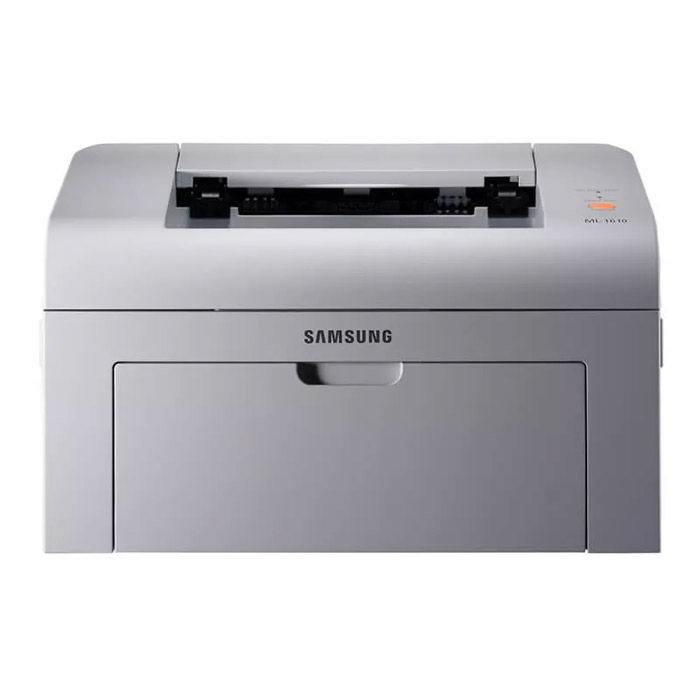
The Samsung ML-1610 was one of the compact mono lasers that defined early-2000s home and student printing: small enough for a desk, quick to wake, and perfectly happy churning out black-and-white pages all day.
It accepts ML-1610D2 and ML-1610D3 toner, and the later MLT-D119S cartridge also fits this line. Both compatible and genuine OEM cartridges for the ML-1610 are available here. The ML-1610 also accepts the ML-2010D3 cartridge, so owners can shop that code alongside the native ML-1610 supplies.
Toner Cartridges for ML-1610
This printer works with the following toner cartridges:
- Samsung ML-1610D2
- Samsung ML-1610D3
- Samsung ML-2010D3
- Samsung MLT-D119S
More Samsung Printers
Frequently Asked Questions
What do I do with the old ML-1610D2 after replacing it in the ML-1610?
Give the new ML-1610D2 five or six gentle side-to-side rocks before installing it in the ML-1610 to distribute the toner evenly. Do not shake it violently - rough handling can spill toner inside the cartridge. This quick step helps the first pages print at full density.
Why is my ML-1610 printing completely blank pages?
Blank pages right after clearing a jam on the ML-1610 usually mean a torn scrap is still blocking the paper path or the ML-1610D2 was not reseated properly. Open the printer, look for leftover paper bits, and reinstall the cartridge firmly. A test page from the panel confirms the path is clear.
Can a low ML-1610D2 cartridge cause paper jams in the ML-1610?
Power the ML-1610 off and pull the jammed paper out slowly in the direction it normally travels, never backward through the rollers. Remove the ML-1610D2 cartridge first so you can see the path clearly and keep toner off your hands. Close everything firmly and print a test page before reloading a full tray.