




ML-2010
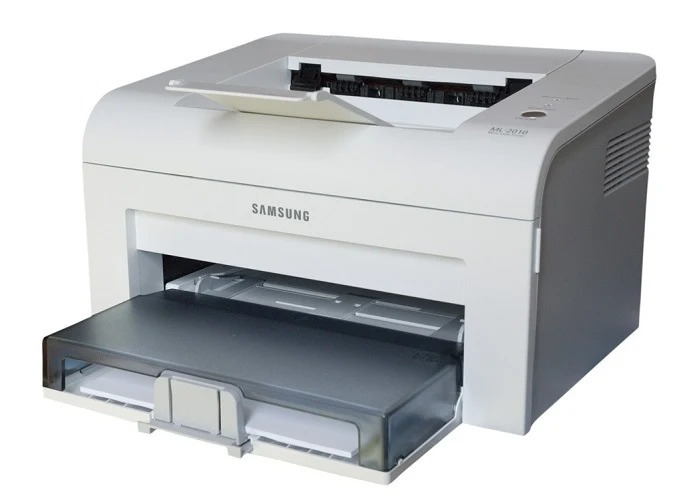
Positioned a step above the entry models, the Samsung ML-2010 delivered personal mono laser printing for home offices with a slightly more businesslike feel. USB-connected and single-function, it was built for documents, letters, and forms.
The ML-2010 uses ML-2010D3 toner, with MLT-D119S as the later equivalent cartridge. Compatible and genuine OEM options for the ML-2010 are stocked here.
Toner Cartridges for ML-2010
This printer works with the following toner cartridges:
- Samsung ML-1610D2
- Samsung ML-1610D3
- Samsung ML-2010D3
- Samsung MLT-D119S
More Samsung Printers
Frequently Asked Questions
How should I handle the ML-1610D2 cartridge for the ML-2010 to avoid damage?
Slightly light first pages with a new ML-1610D2 in the ML-2010 are normal while toner distributes - print a few pages and output should reach full density. If pages stay light after ten or so, reseat the cartridge and check that no seal remains. Persistent lightness with a new cartridge is uncommon and worth a supplier call.
Why did the ML-2010 start jamming right after I replaced the toner?
Most jams in the ML-2010 come from damp, curled, or misaligned paper rather than toner, which does not block the paper path. Fan the stack, align it in the tray, and seat the guides snugly against the paper. If jams cluster near the hot fuser area, let the printer cool before clearing to avoid burns.
Does turning on Eco mode on the ML-2010 noticeably degrade print quality?
Enable toner save in the ML-2010 print driver under the quality or graphics tab - it is a per-job setting in most Samsung drivers. You can leave it on as your default and switch to normal quality for specific jobs. The ML-1610D2 cartridge lasts longer with no other changes needed.