




ML-1620
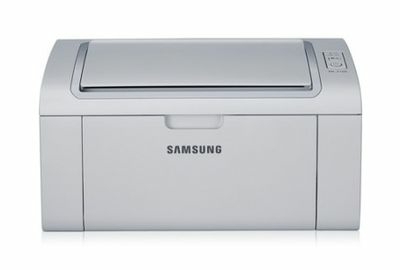
Another member of the ML-1610 generation, the Samsung ML-1620 kept the compact footprint and simple USB printing that made the line a home-office staple in the early 2000s.
Its toner choices are ML-1610D2, ML-1610D3, and the later MLT-D119S. Both compatible and genuine OEM cartridges for the ML-1620 are available here. Also on the ML-1620's cartridge list is the ML-2010D3, stocked here in compatible form for this printer.
Toner Cartridges for ML-1620
This printer works with the following toner cartridges:
- Samsung ML-1610D2
- Samsung ML-1610D3
- Samsung ML-2010D3
- Samsung MLT-D119S
More Samsung Printers
Frequently Asked Questions
Can the wrong driver make the ML-1620 print blank pages?
The wrong or corrupted driver can absolutely make the ML-1620 output blank pages even with a full ML-1610D2 cartridge. Reinstall the model-specific Samsung driver and print a test page from the printer's own panel, which bypasses the computer entirely. If the panel page prints fine, the computer side is at fault.
The ML-1620 installed but prints gibberish - is that a driver problem?
Download the Samsung print driver from the official Samsung or HP support site and run the installer with the ML-1620 powered on and connected. Choose USB or network to match your actual connection, then print a test page to confirm. Detection failures are a software matter, so the ML-1610D2 cartridge can wait until printing works.
How should I dispose of or recycle the used ML-1610D2 from my ML-1620?
Before installing a new ML-1610D2 in the ML-1620, give it five or six gentle side-to-side rocks to spread the toner evenly. Never shake it violently — rough handling can spill toner inside the cartridge. That quick step helps the first pages come out at full density.