




ML-1750
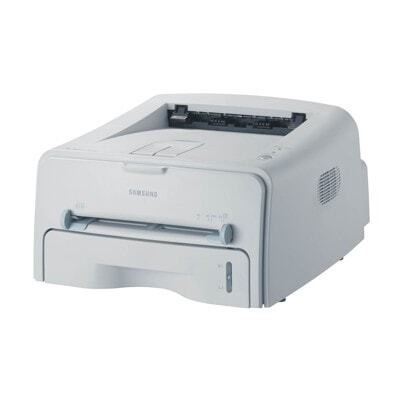
The Samsung ML-1750 was the step-up model for users who had outgrown entry-level lasers — a quicker compact mono printer suited to busy home offices and small workgroups. It takes the ML-1710D3 cartridge, the family standard that is also designated ML-1520D3, and nothing more exotic: one black cartridge is the ML-1750's entire supply story.
A step-up machine usually ends up shared, and a shared printer changes the supply question from 'which cartridge' to 'who notices it is empty'. On the ML-1750 the answer is simple enough for a whole workgroup to learn: the same cartridge as the ML-1755 at the top of the line and the humbler machines below it. Anyone in the office can reorder with confidence, because there is exactly one code to remember.
Toner Cartridges for ML-1750
| Cartridge | Color | Page Yield |
|---|---|---|
| ML-1710D3 Compatible Black Toner, Pack of 2 | Black | See product page |
| ML-1710D3 Compatible Black Toner, Pack of 3 | Black | See product page |
| ML-1710D3 Compatible Black Toner, Single | Black | See product page |
| ML-1710D3 Premium Compatible Black Toner, Pack of 5 | Black | See product page |
| ML-1750 Compatible Black Toner, Pack of 5 | Black | See product page |
| ML-1750 Compatible Black Toner, Single | Black | See product page |
| ML-1750 Toner Cartridge Black (ML-1710D3) | Black | See product page |
Which cartridge should you buy?
For a printer several people rely on, buy for the busiest month, not the quietest. The 3 Pack keeps two spares behind the installed cartridge, and the Premium Quality 5 Pack stretches that cover further for a workgroup that prints daily. Lighter setups can run on the 2 Pack or a single cartridge bought as needed. Every route leads to the same unit — the listings named for the ML-1750 itself, including its 5 Pack, are the same ML-1710D3 cartridge labeled by model rather than by code, and they fit identically.
Chip, toner and everyday use
Buy by the code printed on the front of the old cartridge, not by a model name that merely looks familiar — printers with near-identical badges often take different cartridges, and the code is the one reliable match. When the new unit arrives, compare its shape and label with the empty one before it goes in. Firmware updates deserve the same calm approach: if the ML-1750 is printing well, treat them as optional upkeep rather than mandatory fixes, and after any update, run one page to confirm the printer still recognizes its cartridge.
Frequently Asked Questions
Does the ML-1750 use the same cartridge as the rest of the ML-1700 family?
Yes — the ML-1710D3, also designated ML-1520D3, is the shared cartridge across this line, from the entry machines through the ML-1755. A spare bought for the ML-1750 will feed its siblings, and the listings here are that cartridge in singles and multi-packs.
The toner warning is on but my ML-1750's pages still look fine. Can I keep printing?
Yes. The warning is an estimate, and a cartridge with life left prints normally until the powder genuinely runs down. Enabling toner-save or draft mode for everyday documents stretches what remains; switch back to normal quality for anything final or client-facing, and have the replacement on hand so the swap takes a minute when fading starts.
How do I make sure I am ordering the right cartridge for the ML-1750?
Match the code, not the badge. The code printed on your empty cartridge — ML-1710D3 — is the reliable identifier, because model names that look alike often hide different supplies. When the new cartridge arrives, a quick comparison of shape and label against the old one confirms the match before installation.
Should I install firmware updates on the ML-1750 as soon as they appear?
Not automatically. If the printer is working, an update is optional upkeep; apply one when it addresses a bug or a security issue that actually affects you. After any update, print a test page and confirm the machine still recognizes the installed cartridge before sending real work through.
More printers that use the same cartridges
Small workgroups rarely own just one of these — the same cartridge covers the whole bench below: ML-1710P, ML-1740, ML-1755, SCX-4016, SCX-4100, SCX-4116, SCX-4216, SCX-4216F, SF-560, SF-565, SF-565P, SF-565PR, SF-750, SF-755P, Samsung-ML1710D3, ML-1410, ML-1500, ML-1510, ML-1510B, ML-1520, ML-1710, ML-1710B, ML-1710D.