




ML-1710P
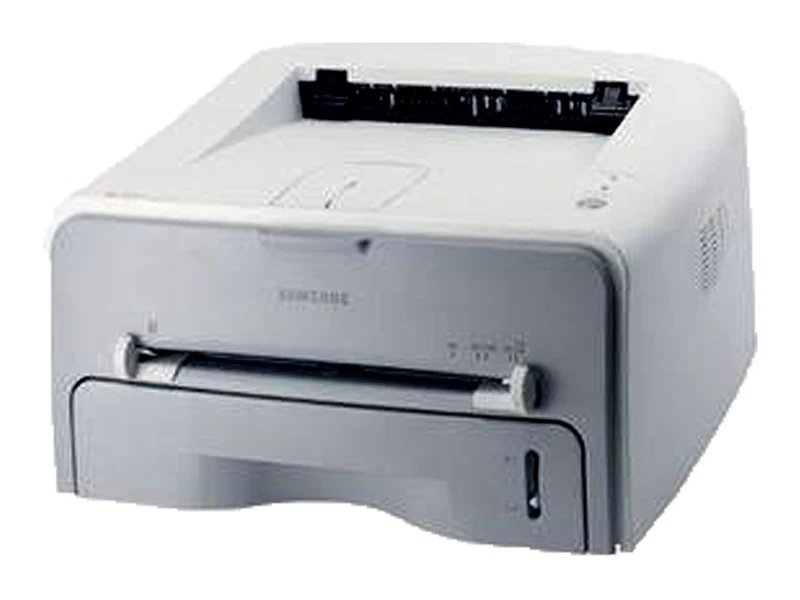
The Samsung ML-1710P is another configuration of the ML-1710 line — the P marks a bundle variant of the compact home mono laser, with the same black-and-white printing as its plainer-named relatives. It runs on a single cartridge, the ML-1710D3, which is also sold under the equivalent ML-1520D3 designation. Every supply stocked for this model is that one cartridge in a different pack size, so reordering comes down to choosing how many you want on the shelf, not which type fits.
The P suffix causes more hesitation than any other letter in this family. Owners set the ML-1710P beside the ML-1710 and wonder whether the supplies differ. They do not: the P described how the machine was sold, not a different engine, and the toner bay takes the same cartridge as the rest of the 1700 line. If your lid badge and your old cartridge box disagree by a letter, this page is still the right place to land.
Toner Cartridges for ML-1710P
| Cartridge | Color | Page Yield |
|---|---|---|
| ML-1710D3 Black Toner Cartridge | Black | See product page |
| ML-1710D3 Black Toner Cartridges, 2 Pack | Black | See product page |
| ML-1710D3 Black Toner Cartridges, 3 Pack | Black | See product page |
| ML-1710D3 Premium Quality Black Toner Cartridges, 5 Pack | Black | See product page |
| ML-1710P Black Toner Cartridge | Black | See product page |
| ML-1710P Black Toner Cartridges, 5 Pack | Black | See product page |
| ML-1710P Toner Cartridge Black (ML-1710D3) | Black | See product page |
Which cartridge should you buy?
Begin with how often the printer actually works. A single ML-1710D3 cartridge covers a home machine that prints in short bursts and sits idle between them. For a desk that prints most days, the 2 Pack keeps a sealed spare ready the moment the installed cartridge fades, and the 3 Pack suits a shelf shared by two machines from this family. The Premium Quality 5 Pack is the bulk option for households that would rather stock up once. Note, too, the listings named for the ML-1710P itself and its companion 5 Pack: same cartridge, labeled by printer instead of by code.
Chip, toner and everyday use
The printer reads a small chip on the cartridge to confirm what has been installed, so a fresh cartridge that is not recognized usually just needs to be reseated until its contacts meet cleanly. Pull the protective seal out fully before installing — a torn remnant is a common cause of messy first pages. Spares keep best sealed, upright and out of direct light; toner powder itself is stable for a long shelf life, but the cartridge shell and seals age faster in heat. When a cartridge nears its end, output fades gradually rather than stopping outright, which is your cue to have the next one ready.
Frequently Asked Questions
Is the cartridge for the ML-1710P the same one the ML-1710 uses?
Yes. The P was a sales-bundle badge, not a different engine, so the ML-1710P takes the same ML-1710D3 cartridge as the ML-1710 and the rest of the family. The same cartridge is also designated ML-1520D3, so either code on a listing describes the unit that fits.
My ML-1710P prints streaky pages even though the cartridge still feels full — what else could it be?
On this machine the toner cartridge supplies the powder while the imaging unit applies it to the page, so faded or streaky output with a full-feeling cartridge suggests the drum side is near the end of its life. Print the printer's supplies status page, which tracks each part separately. Replacing only the toner when the imaging unit is worn will not fix the streaks.
Does draft mode on the ML-1710P really save toner?
Eco and draft settings lighten everything the printer lays down, so the cartridge's powder goes further on internal text documents where appearance hardly matters. For anything final or client-facing, switch back to normal quality for that job. The setting never harms the printer or the cartridge, so it is safe to use selectively.
How many spare cartridges should I keep for the ML-1710P, and how do I store them?
One sealed spare is enough for most homes. Keep it in its sealed bag until the printer actually calls for it — the bag guards the toner against moisture and the imaging surface against light. Once a cartridge is opened, install it promptly rather than shelving it: an unsealed cartridge gradually absorbs humidity, and damp toner clumps instead of flowing.
More printers that use the same cartridges
That single cartridge also serves a wide bench of Samsung machines. The full family: ML-1410, ML-1500, ML-1510, ML-1510B, ML-1520, ML-1710, ML-1710B, ML-1710D, ML-1740, ML-1750, ML-1755, SCX-4016, SCX-4100, SCX-4116, SCX-4216, SCX-4216F, SF-560, SF-565, SF-565P, SF-565PR, SF-750, SF-755P, Samsung-ML1710D3.