




CLX-2160X
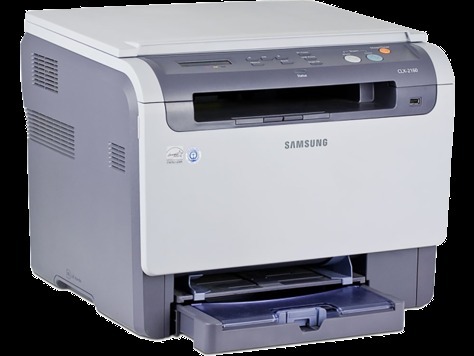
The Samsung CLX-2160X is a color laser multifunction printer from Samsung's mid-2000s CLP/CLX lineup, a badge variant of the CLX-2160 built for home offices and very small businesses taking their first step into color laser printing. It prints, scans and copies in color, and it runs on four separate toner cartridges: CLP-K300A for black, CLP-C300A for cyan, CLP-M300A for magenta and CLP-Y300A for yellow. Because each color lives in its own cartridge, the CLX-2160X only ever asks you to replace the one that actually ran out.
The X badge marks a channel variant of the CLX-2160 rather than a different machine, so everything that matters to an owner — the engine, the toner shelf, the running costs — matches its CLX-2160 siblings. That is good news second-hand: this was a printer bought to make short color runs, brochures and everyday office documents affordable in-house, and its appetite for toner stays modest as long as color is used where it earns its place. Kept on a home-office desk, it behaves like a small workgroup machine that happens to print in color.
Toner Cartridges for CLX-2160X
| Cartridge | Color | Page Yield |
|---|---|---|
| CLP-K300A | Black | See product page |
| CLP-C300A | Cyan | See product page |
| CLP-M300A | Magenta | See product page |
| CLP-Y300A | Yellow | See product page |
| CLX-2160X 4 Color Set | Black, Cyan, Magenta, Yellow | See product page |
| CLP-300A 4 Color Set | Black, Cyan, Magenta, Yellow | See product page |
| CLX-2160X Premium 4 Color Set | Black, Cyan, Magenta, Yellow | See product page |
Which cartridge should you buy?
Start from how the machine is actually used. If the CLX-2160X spends its days on letters, invoices and other text work, black toner drains far faster than any color, and a single CLP-K300A is the sensible restock. Color cartridges are best replaced one at a time as each reports low — there is no saving in swapping a cyan that still has life in it. When several colors run low together, or the machine is new to you and you want a known starting point, a four-color set such as the CLX-2160X 4 Color Set resets everything at once. Every compatible cartridge on this page carries a 1-year warranty and 1-year returns, so a spare on the shelf is a low-risk habit.
Chip, toner and everyday use
Each cartridge carries a chip the printer reads to track toner and confirm the cartridge belongs in this family, so seat every cartridge firmly until it clicks and keep the chip contacts clean and dry. When print starts to look thin, lift the cartridge out and rock it gently from side to side — the toner settles toward one end in storage and printing, and redistributing it often restores even coverage for a while. Spares keep best in their sealed packaging, in a cool room rather than a hot garage, because heat can clump toner powder long before you ever load it.
Frequently Asked Questions
Is the imaging unit the same thing as a toner cartridge on the CLX-2160X?
No. Think of the toner as the ink and the imaging unit as the stamp that applies it. The CLX-2160X keeps them separate, so an empty CLP-K300A never forces you to replace a healthy imaging unit. Confirm the imaging unit's own part number before ordering one — it is a different part from any of the toner codes listed here.
The CLX-2160X will not print black because cyan is empty — is that expected?
For color jobs, yes: the printer needs all four cartridges present and usable to build a page. For plain documents, switch the driver to black-only printing so text keeps flowing while the empty color waits for its replacement. Running text work that way also preserves the color cartridges for the jobs where they actually matter.
Do spare cartridges expire if I stock up for the CLX-2160X?
Toner powder does not go off the way liquid ink does, but storage decides how well a spare ages. Keep cartridges in their original packaging, away from heat and direct light, and a spare bought today will print properly when the machine finally asks for it. The cartridge you forget about in a cool cupboard is the one that saves a deadline.
Can I replace just one color at a time?
Yes — that is the point of the four-cartridge design. If only magenta is low, only the CLP-M300A comes out. Watch the levels, attend to the cartridge the printer names, and the others keep working until their own turn comes.
More printers that use the same cartridges
The same four cartridges also power the following Samsung models, so toner bought for one often covers another machine in the same office: CLP-300, CLP-300N, CLP-3160, CLX-2160, CLX-2160N, CLX-2161K, CLX-2161KN, CLX-3160, CLX-3160FN, CLX-3160N, Samsung-CLP300.