




CLP-300
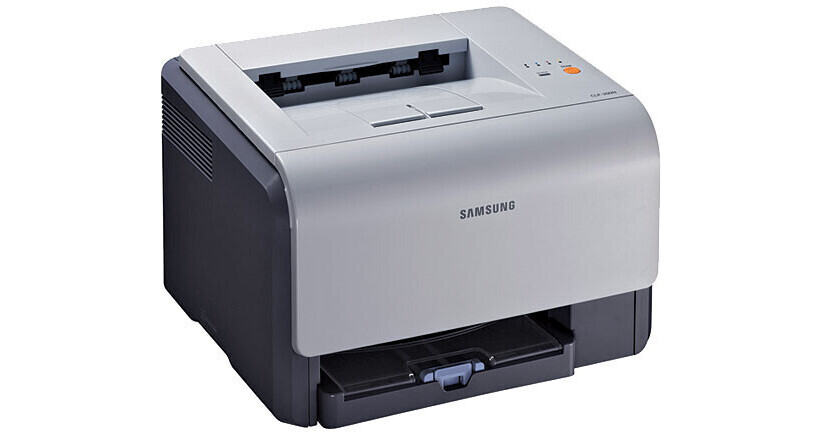
The Samsung CLP-300 is a color laser printer from the mid-2000s, built for buyers who wanted color output without letting running costs take over. It prints through four separate cartridges: CLP-K300A in black, CLP-C300A in cyan, CLP-M300A in magenta and CLP-Y300A in yellow. Because each color lives in its own cartridge, a page that runs heavy on one shade only drains that one supply. This page gathers every cartridge sold for the machine, in both compatible and genuine Samsung form.
Machines like this one earned their place in home offices and very small businesses that were taking a first step into color laser printing. A typical week meant invoices with a color letterhead, the occasional chart or flyer, and long runs of plain text in between. That mix explains the buying pattern most owners settle into: black does the heavy lifting day to day, while the three colors are topped up far less often. Keeping a spare black on the shelf and ordering colors as they fade suits this printer well.
Toner Cartridges for CLP-300
| Cartridge | Color | Page Yield |
|---|---|---|
| CLP-K300A Toner Cartridge | Black | See product page |
| CLP-C300A Toner Cartridge | Cyan | See product page |
| CLP-M300A Toner Cartridge | Magenta | See product page |
| CLP-Y300A Toner Cartridge | Yellow | See product page |
| CLP-300A 4 Color Set (CLP-K300A / CLP-C300A / CLP-M300A / CLP-Y300A) | Full set | See product page |
| CLP-300 4 Color Set | Full set | See product page |
| CLP-300 Premium Quality 4 Color Set | Full set | See product page |
| CLP-300 Black 3 Pack (CLP-K300A) | Black | See product page |
| CLP-300 Black 3 Pack (CLP-K300A) — alternate listing | Black | See product page |
Which cartridge should you buy?
Start with how your office actually prints. If nearly everything is letters and invoices, the black cartridge is the one that matters, and a multi-pack of black keeps the cost per change low while sparing you repeat orders. When a color warning appears, replace only that color — the four cartridges are independent, so there is no reason to retire three healthy supplies because the fourth ran dry. A full four-color set makes sense after heavy color work, or when several colors are fading together and you would rather refresh the whole set in one pass. Compatible cartridges are the value route for everyday documents; genuine Samsung cartridges are there if your office prefers original supplies. Either way, match the full code, suffix included, before you check out.
Chip, toner and everyday use
Before a new cartridge goes in, rock it gently from side to side a few times; that loosens the toner inside and evens out the first pages after a swap. If the printer reports an odd toner level right after installation, do not panic — print a handful of pages and the reading usually settles on its own. Store spares flat, sealed and away from direct sunlight and heat, and keep the old cartridge in its bag until it is recycled so stray toner stays off desks and clothing. Page yields are always estimates based on standard test coverage, so dense color pages will empty a cartridge sooner than plain text does.
Frequently Asked Questions
Which toner cartridges does the CLP-300 take?
It uses four: CLP-K300A for black and the matching CLP-C300A, CLP-M300A and CLP-Y300A cartridges for cyan, magenta and yellow. No other Samsung family fits this machine, so the full code — including the letter at the end — is the thing to match when you order.
Do I have to change all four cartridges at the same time?
No. Each color is a separate unit and can be replaced on its own schedule. Most owners change black several times for every one color change, because everyday documents lean so heavily on black.
My printer shows the wrong toner level with a new cartridge installed. Should I worry?
Usually not. Print a few pages first; the level reading typically corrects itself once the cartridge has run briefly. If output looks clean, the gauge is the only thing lagging behind.
Will a cartridge made for a different Samsung printer work here?
No. A cartridge from another family will not seat properly in this machine. Stick to the K300A-series codes listed on this page and the replacement will slide in the way it should.
More printers that use the same cartridges
The same four cartridges also power a wider group of Samsung machines from this generation: CLP-300N, CLP-3160, CLX-2160, CLX-2160N, CLX-2160X, CLX-2161K, CLX-2161KN, CLX-3160, CLX-3160FN, CLX-3160N, Samsung-CLP300.