




CLX-2160
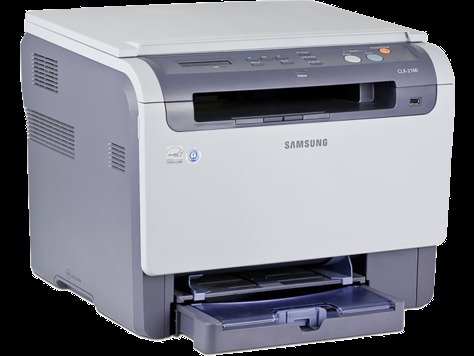
The CLX-2160 was Samsung's color laser multifunction entry in the mid-2000s CLP/CLX generation — one machine that prints, scans and copies in color, designed around low running costs for everyday work. It is powered by the K300A cartridge set: CLP-K300A lays down the black, while CLP-C300A covers cyan, CLP-M300A covers magenta and CLP-Y300A covers yellow. Compatible and genuine Samsung cartridges for all four are carried on this page.
A multifunction earns its keep differently from a plain printer. The same box that turns out invoices also copies the signed contract and scans the receipts, and it found its niche with home offices and very small businesses taking their first step into color laser. Toner only leaves the machine on printed and copied pages — scanning sends no toner anywhere — so a scanning-heavy office can watch its cartridges last surprisingly long.
Toner Cartridges for CLX-2160
| Cartridge | Color | Page Yield |
|---|---|---|
| CLP-K300A Toner Cartridge | Black | See product page |
| CLP-C300A Toner Cartridge | Cyan | See product page |
| CLP-M300A Toner Cartridge | Magenta | See product page |
| CLP-Y300A Toner Cartridge | Yellow | See product page |
| CLP-300A 4 Color Set (CLP-K300A / CLP-C300A / CLP-M300A / CLP-Y300A) | Full set | See product page |
| CLX-2160 4 Color Set | Full set | See product page |
| CLX-2160 Premium Quality 4 Color Set | Full set | See product page |
Which cartridge should you buy?
Think about the split between printing and copying, because both draw on the same four cartridges. A home office that mostly prints should stock like a printer owner: a spare black ready, colors ordered as they fade, and a four-color set when a refresh is due. If copying is heavy too, black turns over faster than you expect, and the set becomes the tidier buy. Yield choice is about rhythm, not quality — the machine reads any cartridge in this family the same way — so match it to how often you are willing to open the toner door. Compatible cartridges keep a multifunction's running costs low; genuine Samsung cartridges are stocked for owners who prefer them.
Chip, toner and everyday use
Chip questions on this model are usually seating questions in disguise. The reader aligns only when the cartridge slides in smoothly, so never force a unit that resists — withdraw it, check the slot, and slide it home again. Most recognition problems end there; the rest end with a replacement from a good supplier. After clearing any paper jam, close every door firmly, because the machine will not resume until each sensor reports shut, and run a plain test page before the next real job.
Frequently Asked Questions
Does this multifunction use the same toner as the CLP-300 printers?
Yes — it runs the same K300A family as the CLP-300 line, black being CLP-K300A. One shelf of spares covers the printer and multifunction models alike.
Why does the machine show a toner error with a brand-new cartridge?
Level tracking depends on the cartridge chip, and a chip that is not seated squarely never gets read properly. Reseat the cartridge gently until it settles; forcing it is the one move that turns a small problem into a repair.
Is high-yield toner in this family compatible with the CLX-2160?
The machine reads the chip on any cartridge in its family the same way, regardless of how much toner is inside. Match the yield to your volume — occasional use favors standard, steady use favors the longer-lasting option.
Can a cartridge cause paper jams in this machine?
A badly seated cartridge can contribute, but jams that cluster in one spot usually point at that section's rollers or guides. Clear the jam, close all doors firmly, and watch whether the problem follows a spot or a cartridge.
More printers that use the same cartridges
The K300A family is shared across this whole Samsung generation, printers and multifunctions together: CLP-3160, CLX-2160N, CLX-2160X, CLX-2161K, CLX-2161KN, CLX-3160, CLX-3160FN, CLX-3160N, Samsung-CLP300, CLP-300, CLP-300N.