




CLX-2160N
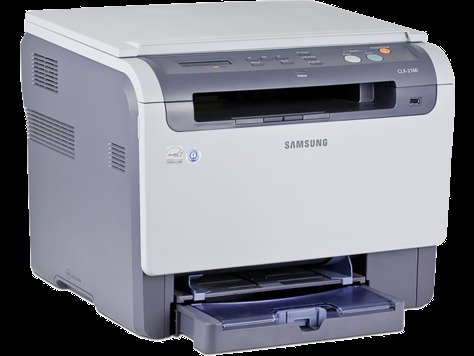
The CLX-2160N arrived in the mid-2000s as a color laser multifunction printer with running costs kept firmly in check. Unlike the plain CLX-2160, this one adds wired Ethernet networking — which is what the letter means. It was a practical fit for home offices and very small businesses taking their first step into color laser printing.
The toner story here is the CLP-K300A family: CLP-K300A does the black work and CLP-C300A handles cyan. Both compatible and genuine OEM versions of the CLP-K300A set are available here, shipping fast from Clever Supplies.
Toner Cartridges for CLX-2160N
This printer works with the following toner cartridges:
- Samsung CLP-K300A
- Samsung CLP-C300A
- Samsung CLP-M300A
- Samsung CLP-Y300A
More Samsung Printers
- CLP-300
- CLP-300N
- CLP-3160
- CLX-2160
- CLX-2160X
- CLX-2161K
- CLX-2161KN
- CLX-3160
- CLX-3160FN
- CLX-3160N
- Samsung-CLP300
Frequently Asked Questions
Before I order: will switching to high-yield CLP-K300A change anything about my CLX-2160N?
Choosing a yield for the CLX-2160N is about how often you want to change cartridges, nothing more technical. Both yields deliver the same print quality on the CLX-2160N; the difference is purely how long each lasts. Revisit the choice once a year — printing habits change, and the CLX-2160N will accept either.
Office question: should I keep the old CLP-K300A box when installing the new one in the CLX-2160N?
The CLX-2160N's cartridge bay is keyed so CLP-K300A only fits one way — never force it, just align and slide. Write the install date on the new cartridge's box flap to track CLP-K300A life on your CLX-2160N. Recycling the old cartridge closes the loop responsibly.
Help me decide: how do I clear a paper jam in the CLX-2160N safely?
Smudges after a CLX-2160N jam come from toner disturbed during the jam — a few cleaning pages usually clear it. Avoid reusing paper with curled edges; the CLX-2160N's feed mechanism punishes it. Fresh paper, snug guides, clean rollers: the anti-jam trinity for the CLX-2160N.