




CLP-300N
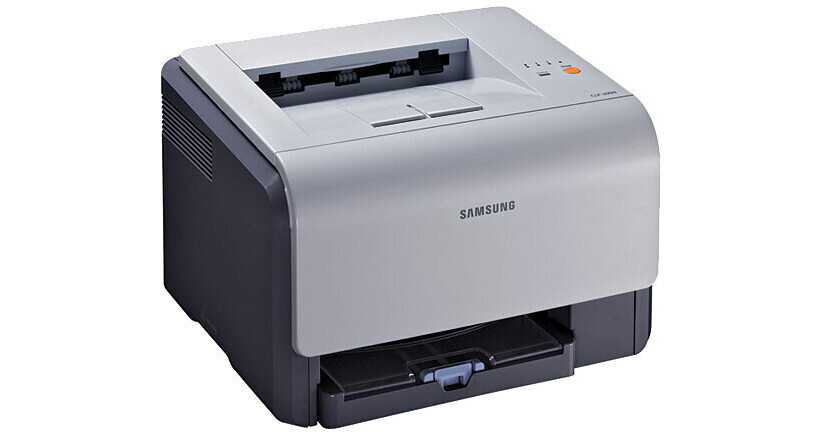
The CLP-300N joined Samsung's CLP/CLX stable in the mid-2000s as a color laser printer. Unlike the plain CLP-300, this one adds wired Ethernet networking — which is what the letter means. Its buyers were mostly home offices and very small businesses taking their first step into color laser printing.
Toner for this machine comes from the CLP-K300A family — CLP-K300A for black, plus CLP-C300A and its cyan and yellow siblings. Clever Supplies carries both compatible and genuine OEM CLP-K300A cartridges for it, with fast shipping on every order.
Toner Cartridges for CLP-300N
This printer works with the following toner cartridges:
- Samsung CLP-K300A
- Samsung CLP-C300A
- Samsung CLP-M300A
- Samsung CLP-Y300A
More Samsung Printers
- CLP-300
- CLP-3160
- CLX-2160
- CLX-2160N
- CLX-2160X
- CLX-2161K
- CLX-2161KN
- CLX-3160
- CLX-3160FN
- CLX-3160N
- Samsung-CLP300
Frequently Asked Questions
Maintenance check: the CLP-300N driver installed but printing fails — what next?
After a Windows update breaks the CLP-300N, reinstalling the latest driver usually restores printing within minutes. Keep the downloaded CLP-300N driver installer saved; you will want it again after the next major OS upgrade. The CLP-300N is a well-supported printer — current drivers exist for all major operating systems.
Office question: will switching to high-yield CLP-K300A change anything about my CLP-300N?
High-yield CLP-K300A is the same cartridge family as the standard — the CLP-300N cannot tell them apart physically. High-yield cartridges usually cost less per page, which adds up fast in a busy CLP-300N. The right yield is the one that matches how your CLP-300N is actually used, not how it might be.
New owner here — how do I know I am buying the right toner for my CLP-300N?
Your CLP-300N takes CLP-K300A cartridges — the model number on the box is the compatibility check. When in doubt, pull the old cartridge out and compare its code to the new one — a match means it fits. Correct fit means clean installation and no error messages on first power-up.