




Samsung-CLP300
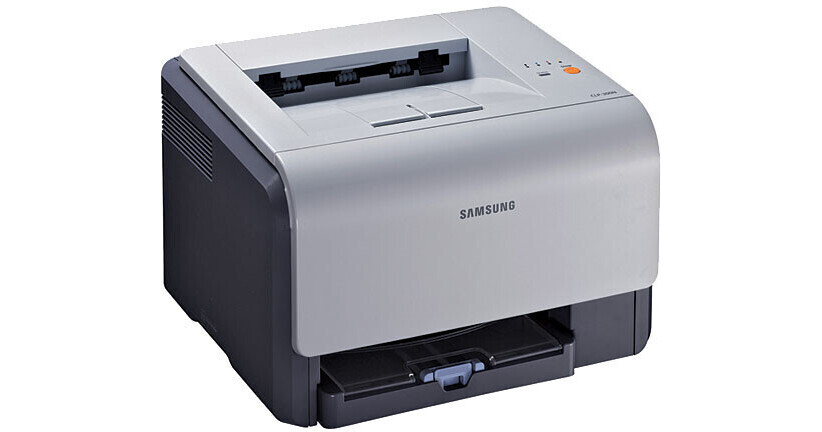
A color laser from Samsung's mid-2000s CLP generation, the CLP-300 — sold on this page under the name Samsung-CLP300 — was pitched at home offices and very small businesses taking their first step into color printing, with running costs kept firmly in check. It prints from four separate cartridges: black CLP-K300A, cyan CLP-C300A, magenta CLP-M300A and yellow CLP-Y300A. Each color is its own unit, so a spent cartridge never drags three healthy ones out with it.
The charm of this little machine is its modesty: four small cartridges, modest fills, and color output that let a two-person office stop outsourcing its letterheads and charts. Because the colors deplete at different rates — black first in most offices, yellow last — the single-cartridge shelf below is how the printer is actually fed in real life. The four-color sets sit alongside for the day a full refresh makes more sense than another single.
Toner Cartridges for Samsung-CLP300
| Cartridge | Color | Page Yield |
|---|---|---|
| CLP-K300A Toner Cartridge | Black | See product page |
| CLP-C300A Toner Cartridge | Cyan | See product page |
| CLP-M300A Toner Cartridge | Magenta | See product page |
| CLP-Y300A Toner Cartridge | Yellow | See product page |
| CLP-300 Toner Cartridge 4 Color Set | Black, Cyan, Magenta, Yellow | See product page |
| CLP-300 Premium Toner Cartridge 4 Color Set | Black, Cyan, Magenta, Yellow | See product page |
| CLP-300A Toner Cartridge 4 Color Set | Black, Cyan, Magenta, Yellow | See product page |
Which cartridge should you buy?
Buy the color that is empty — that is the whole advantage of this design. The printer tracks each cartridge separately, and in a typical small office the black CLP-K300A does most of the work while the colors sip. Replacing singles as they fade keeps fresh toner where the printing actually happens and avoids retiring part-used cartridges. The four-color set earns its place in two situations: a new-to-you printer whose whole set is tired, and the periodic full refresh when several colors are fading together and one delivery beats four. Both routes are covered here, and every compatible cartridge carries a 1-year warranty with 1-year returns.
Chip, toner and everyday use
The CLP-300 reads the chip on any of its cartridges the same way regardless of how much toner is inside, so installation is about mechanics, not electronics: sealing tape pulled out completely, cartridge settled evenly into its bay. A partial tape pull is the classic cause of blank or streaked first pages — if a new unit disappoints, run a couple of cleaning pages before judging it. Yields are rated at five percent coverage, and color pages spend their four toners very unevenly; a pie chart eats cyan and magenta in a way a memo never will. Keep spares upright in their packaging, sealed until the old cartridge is truly done.
Frequently Asked Questions
A toner warning flashed and streaks are appearing — what is the sequence?
Read light vertical streaks that come and go as the classic nearly-spent signal: one cartridge is running low, and the warning is the printer agreeing. Identify the color from where the streaks sit and what the panel names, swap that single cartridge, and keep the old one until the new unit proves itself. Low toner on this model is routine maintenance, designed to be painless.
Only one color has run out. Must the whole set be replaced?
No — each of the four cartridges is independent, and the printer will happily keep printing with one fresh unit beside three older ones. Replace the empty color, in this case whichever of the CLP-K300A, CLP-C300A, CLP-M300A or CLP-Y300A the panel flags, and leave the rest until their own turn comes.
Singles or a four-color set — how do I decide?
Count how many colors are near the end. One fading color means one single cartridge and the smallest bill. Three or four tired colors, or a secondhand printer of unknown history, tips the math to a set: one box, matched freshness across all four bays, and no second order a week later when the next color gives up.
Anything first-timers get wrong when swapping these cartridges?
The sealing tape. It has to come out entirely — a torn, half-pulled strip leaves the cartridge printing faint or blank even though it is full. Pull it straight and completely, seat the unit without forcing it, and give the printer a couple of pages to settle before deciding anything is wrong.
More printers that use the same cartridges
The 300A cartridges also serve the rest of the CLP-300 generation and its CLX cousins: CLP-300, CLP-300N, CLP-3160, CLX-2160, CLX-2160N, CLX-2160X, CLX-2161K, CLX-2161KN, CLX-3160, CLX-3160FN, CLX-3160N.