




C3530N
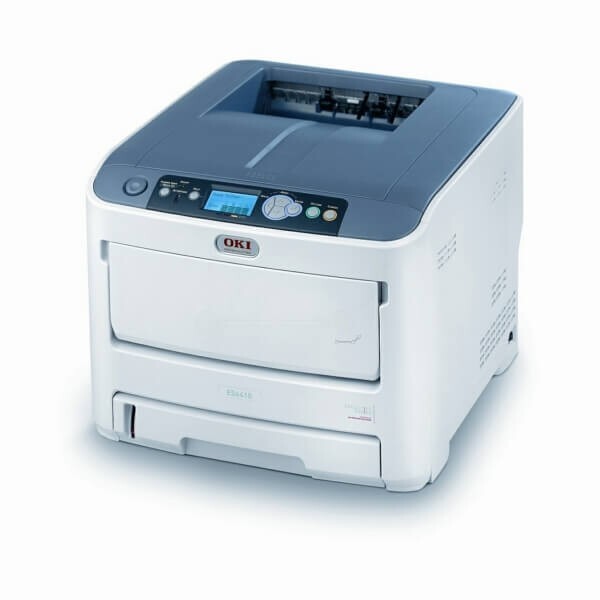
The OKI C3530N is the networked version of the C3530 color laser printer, aimed at small workgroups that print in color regularly. It runs on the same standard set — black 43459401, cyan 43459402, magenta 43459403 and yellow 43459404 — with high-capacity versions in the 43459300 series for heavier offices, rated at 2,500 pages for black and 2,000 pages for color. In that high-capacity range, the yellow cartridge for the C3530N is the 43459301 stocked on this page.
Networking a color printer changes its cost profile: once everyone in the workgroup can print color as easily as black, color volume climbs quietly. The C3530N rewards a little governance — sensible driver defaults and the high-capacity cartridges — and then simply keeps up, which is what a shared color machine is for.
Toner Cartridges for C3530N
| Cartridge | Color | Page Yield |
|---|---|---|
| 43459401 | Black | See product page |
| 43459402 | Cyan | See product page |
| 43459403 | Magenta | See product page |
| 43459404 | Yellow | See product page |
| 43459301 high-yield yellow | Yellow | Approx. 2,000 pages |
Which cartridge should you buy?
For a shared printer, lean toward the high-capacity versions: at 2,500 pages for black and 2,000 for color, they lower the cost per page and cut how often someone has to stop and swap a cartridge. Pair them with one simple policy — set workstation driver defaults to black-and-white and duplex, and let users switch to color deliberately for the pages that need it. That habit stretches the 43459402 through 43459404 color cartridges dramatically while black handles the bulk of office printing, and it is the cheapest toner upgrade available for this machine.
Chip, toner and everyday use
A networked printer cannot wait for parts, so keep a spare set in the supply cabinet rather than ordering at the first low-toner warning; warnings arrive with pages still left, and the cabinet spare covers the gap. When a cartridge does go in, seat it until it clicks and strip every seal and pull-tab first — most install errors are one of those two. If color pages develop thin white lines, clean the LED arrays with a dry, lint-free cloth before suspecting a cartridge.
Frequently Asked Questions
Which toner does the OKI C3530N use?
The C3530N uses black 43459401, cyan 43459402, magenta 43459403 and yellow 43459404, with high-capacity 43459300-series versions for busier workgroups. The high-capacity yellow is the 43459301 listed on this page.
How many computers can share one C3530N?
There is no hard limit; any computer on the network with the driver installed can print to it. In larger groups a print server or the printer's job accounting helps manage the queue.
The C3530N is our only color printer and color toner costs worry us. Any advice?
Default every workstation to black-and-white and duplex in the driver. Users then choose color on purpose, which stretches the color cartridges a long way while the black cartridge handles everyday documents — the highest-yield setting on this printer is a default, not a cartridge.
Is the C3530N's toner the same as the C3530's?
Yes. The C3530 and C3530N take identical cartridges, standard and high-capacity alike; the N model only adds the network connection.
More printers that use the same cartridges
One cartridge family covers a whole shelf of Okidata color models: MC360 MFP, MC630MFP, C3300, C3300N, C3400, C3400N, C3430N, C3520, C3530 MFP, C3530, C3530MFP, C3530N MFP, C3600, C3600N.
SELECT YOUR PRINTER FAMILY TO SHOP C3530N PRODUCTS
There are no products listed under this category.