




C3530 MFP
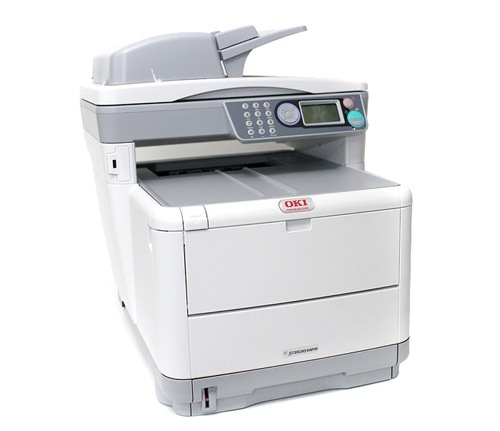
The Okidata C3530 MFP takes the compact C-series color engine and adds copy, scan and fax, giving a small office one space-saving all-in-one instead of a desk full of separate devices. Its standard toner set, codes 43459401 through 43459404, is rated at 1,500 pages for the black cartridge and 1,000 pages for each color, and a higher-yield range exists for busier periods. The cartridge actually stocked on this page is the higher-yield yellow, 43459301, sold under the C3300 listing name — it is the same cartridge this MFP's yellow slot takes.
The all-in-one layout changes how toner gets used. Copies come off the scanner glass, faxes print themselves, and walk-up jobs join the queue from everyone's computer, so total pages — not any single source — decide how fast the four cartridges fall. Offices that chose this machine for its footprint usually feel the difference at restock time: yields are modest next to big workgroup printers, which makes keeping the right spare a small but real habit.
Toner Cartridges for C3530 MFP
| Cartridge | Color | Page Yield |
|---|---|---|
| 43459301 | Yellow — high-yield range | See product page |
Only the high-yield yellow is stocked on this page. The standard set is covered across the family pages linked below, which all draw on the same cartridge family.
Which cartridge should you buy?
For the yellow slot, the stocked high-yield cartridge is the economical pick over the standard yellow: it belongs to the range made for busier periods, so it spreads its cost over more pages and asks for fewer swaps in a machine that may sit across the room from whoever maintains it. For black and the remaining colors, plan around the standard set's ratings — 1,500 pages for black and 1,000 pages per color at the standard 5% coverage basis. A small office that copies in color most days will cycle the colors noticeably faster than one that mostly prints text; order against your own pattern, and keep one spare of the color your office reaches for most.
Chip, toner and everyday use
Copying spends the same toner as printing, because the engine and cartridges are identical either way — the MFP does not use more toner per page just because the original arrived through the scanner. To trim consumption on copies, run multi-page originals through the document feeder with duplex copying enabled so two sides land on one sheet, and drop copy density one step for internal copies; both save toner and paper without hurting readability. The compatible yellow stocked here is chipped for correct level reporting, and a gentle side-to-side rock can redistribute toner when a cartridge first starts printing light.
Frequently Asked Questions
Which toner does the OKI C3530 MFP use?
Its standard set is codes 43459401 through 43459404, rated at 1,500 pages for black and 1,000 pages for each color, with a higher-yield range above it. The cartridge stocked on this page is the higher-yield yellow, 43459301.
Does the C3530 MFP use more toner than the C3530 printer?
Only if you copy more than you print. The print engine and cartridges are identical, so total toner use follows total pages out, whether they originate from a computer or from the scanner glass.
How do I reduce toner use when copying multi-page documents?
Use the document feeder with duplex copying enabled to put two original sides on one sheet, and lower copy density one step for internal copies. Together they cut toner and paper while keeping copies perfectly readable.
Is the yellow cartridge on this page standard or high yield?
It is from the higher-yield range offered for this family — the option intended for busier periods — rather than the standard yellow in the 43459401–43459404 set.
More printers that use the same cartridges
These models draw on the same cartridge family, so their pages cover the standard set and its ranges between them:
MC360 MFP, MC630MFP, C3300, C3300N, C3400, C3400N, C3430N, C3520, C3530, C3530MFP, C3530N MFP, C3530N, C3600, C3600N
SELECT YOUR PRINTER FAMILY TO SHOP C3530 MFP PRODUCTS
There are no products listed under this category.