




C3300N
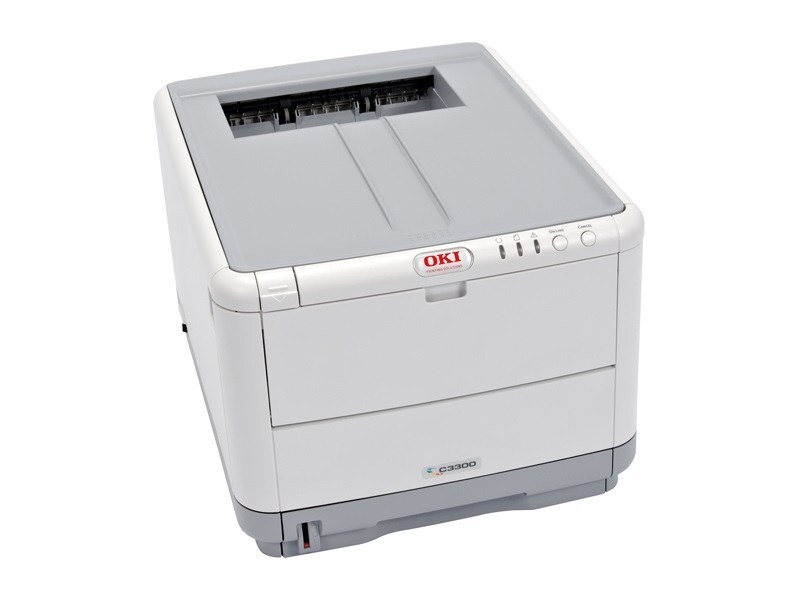
The Okidata C3300N is a network-ready color laser printer built for small offices that need shared, reliable color output. It prints from four separate cartridges — black 43459401, cyan 43459402, magenta 43459403 and yellow 43459404 — and because the machine serves a whole workgroup, the cartridge that gets replaced most often deserves a closer look: the 43459301 high-yield yellow, the longer-running alternative stocked on this page.
A networked color printer lives or dies by uptime. When several people send jobs to one machine, a single empty cartridge becomes everyone's problem, so the C3300N rewards offices that watch supply levels and keep the most-used colors covered before they run dry.
Toner Cartridges for C3300N
| Cartridge | Color | Page Yield |
|---|---|---|
| 43459301 — Yellow, high yield | Yellow | See product page |
The standard cartridges for this printer are 43459401 (black), 43459402 (cyan), 43459403 (magenta) and 43459404 (yellow). The listing above is the high-yield yellow option sold for this family.
Which cartridge should you buy?
Start with how your office actually prints. If yellow is the cartridge you change most — common when logos, charts and highlighted documents run through the machine all week — the high-yield 43459301 stretches the interval between swaps and lowers the cost per page on that color. The standard cartridges are replaced one at a time, so there is never a reason to change a color that still has toner in it. A practical setup for a shared machine: standard cartridges in the colors you use lightly, the high-yield yellow where the volume is, and one spare of each color on the shelf so a busy afternoon never waits on a delivery.
Chip, toner and everyday use
The C3300N reads a chip on each cartridge to report its level, and it will not print — even a black-and-white page — while any one of the four cartridges is empty or missing. Seat each cartridge firmly until it clicks so the chip registers, and treat the first low-toner warning as a reminder to order rather than a stop sign. Page yields are estimates at 5% coverage, so graphics-heavy work empties a cartridge sooner than the rating suggests. Store spares sealed, flat and away from direct light until the day they are needed.
Frequently Asked Questions
Which toner cartridges does the Okidata C3300N use?
Four individual cartridges: 43459401 black, 43459402 cyan, 43459403 magenta and 43459404 yellow. The high-yield yellow 43459301 also fits this printer and is the cartridge listed on this page. The "N" in the model name marks the built-in network connection for shared office use.
Why does the C3300N stop printing when only one color is empty?
Oki color printers of this generation require all four cartridges to be installed and non-empty before any job runs, including plain text pages. One exhausted color halts the machine, which is why busy offices keep a spare of each color rather than discovering the shortage mid-job.
Is the C3300N a laser or an LED printer?
It is a digital LED printer — an array of LEDs images the page instead of a scanning laser beam. The distinction changes nothing about what you buy: the same 43459401–43459404 cartridge family, plus the high-yield yellow, feeds the machine either way.
When is the high-yield yellow worth choosing?
When yellow changes feel frequent. Offices printing branded documents, charts or highlighted forms burn through yellow faster than the other colors, and the high-yield cartridge cuts both the swap frequency and the per-page cost on exactly that color.
More printers that use the same cartridges
The same cartridge family also feeds these Oki models: MC360 MFP, MC630MFP, C3300, C3400, C3400N, C3430N, C3520, C3530 MFP, C3530, C3530MFP, C3530N MFP, C3530N, C3600, C3600N.
SELECT YOUR PRINTER FAMILY TO SHOP C3300N PRODUCTS
There are no products listed under this category.