




C3530MFP
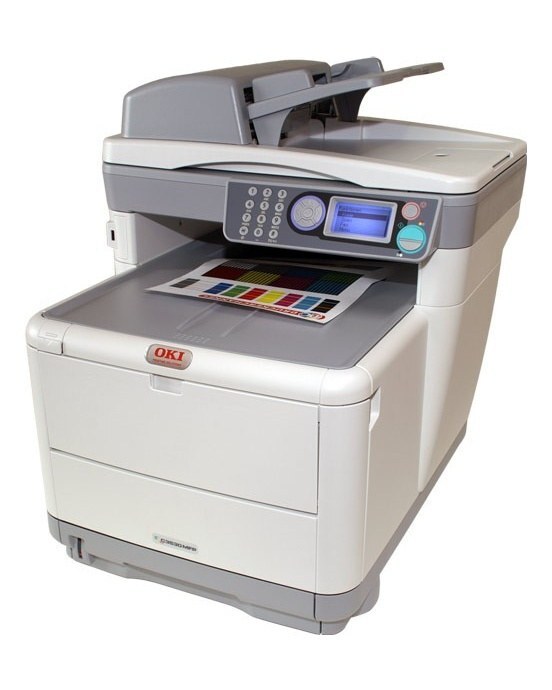
The Okidata C3530MFP folds color printing, scanning and copying into one compact unit for small teams. Its toner set is black 43459401, cyan 43459402, magenta 43459403 and yellow 43459404 — the same cartridges as the C3400 printer family — and the yellow position can be upgraded on its own with the high-yield 43459301 cartridge stocked on this page. One set of spares therefore covers the multifunction completely.
The mixed-fleet angle is what makes this model easy to own: offices running a C3400 printer alongside the C3530MFP stock a single set of cartridges for both machines. When the MFP runs dry mid-copy-job, the cartridge it needs is the same one sitting in the printer's supply drawer, and nobody has to learn two toner lineups for one small office.
Toner Cartridges for C3530MFP
| Cartridge | Color | Page Yield |
|---|---|---|
| 43459401 | Black | See product page |
| 43459402 | Cyan | See product page |
| 43459403 | Magenta | See product page |
| 43459404 | Yellow | See product page |
| 43459301 high-yield yellow | Yellow | See product page |
Which cartridge should you buy?
Replace colors individually — the C3530MFP's four cartridges empty at different rates, especially in an office that scans and copies more than it prints color. Black does most of the document work and cycles first; keep a spare black as a standing habit. The one upgrade worth planning is yellow: graphics-heavy copying and printing can drain it early, and the high-yield 43459301 swaps into the same slot with a larger fill. Buying the standard 43459404 remains the right call for teams whose color use is light and occasional.
Chip, toner and everyday use
On a multifunction, not every quality problem is toner. Faint copies with clean prints usually mean the scanner glass needs a wipe, not a cartridge; faint prints and copies together point back at toner. Keep the glass and the document feeder's rollers clean, and when a cartridge does go in, seat it firmly and remove the full protective seal first. A spare cartridge stored sealed, flat and out of sunlight will be ready whenever the MFP asks for it.
Frequently Asked Questions
Which toner cartridges does the OKI C3530MFP use?
Black 43459401, cyan 43459402, magenta 43459403 and yellow 43459404, each replaced separately. The yellow slot also accepts the high-yield 43459301 for heavier color work.
Is the C3530MFP the same machine as the C3530 MFP?
Yes — the names refer to the same model; the spacing varies by listing. The separate C3530 MFP category and this one describe one machine with one cartridge set, so there is no consumable difference to worry about.
How do I handle a multi-page document on the C3530MFP?
Load the pages in the automatic document feeder rather than the flatbed. The feeder scans each page in turn for copying or scanning, which is far faster than lifting the lid for every sheet.
Can the C3530MFP use the same toner as our C3400 printer?
Yes. The multifunction and the C3400 family share the 43459401-series cartridges, so one stocked set of spares supports both machines.
More printers that use the same cartridges
The same set of cartridges also runs in these Okidata models: MC360 MFP, MC630MFP, C3300, C3300N, C3400, C3400N, C3430N, C3520, C3530 MFP, C3530, C3530N MFP, C3530N, C3600, C3600N.
SELECT YOUR PRINTER FAMILY TO SHOP C3530MFP PRODUCTS
There are no products listed under this category.