




C3300
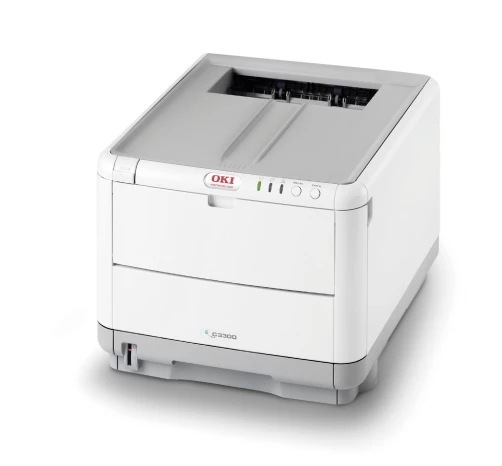
The Okidata C3300 is a compact color laser aimed at home offices and small teams making the step up from inkjet. Its standard toner set runs from 43459401 (black) through 43459402 (cyan), 43459403 (magenta) and 43459404 (yellow), replaced one color at a time as each runs down. A higher-yield 434593 series exists for owners who print more than they expected — and the cartridge stocked on this page is its yellow member, the 43459301, which takes the yellow slot in place of the standard yellow for a longer stretch between changes.
That one-color-at-a-time design is what makes a small color laser cheap to live with: a team that prints mostly black documents with the occasional color chart only ever replaces what it actually uses. The C3300 keeps the footprint desktop-sized while doing it, which is why it found a home in so many small offices that had outgrown inkjet running costs but not their desks.
Toner Cartridges for C3300
This page stocks the high-yield yellow cartridge for the C3300:
| Cartridge | Color | Page Yield |
|---|---|---|
| 43459301 | Yellow (high-yield) | See product page |
The printer's full standard set, for reference when you check the cartridge in each slot, is black 43459401, cyan 43459402, magenta 43459403 and yellow 43459404. Only the yellow has a high-yield counterpart stocked here — the 43459301 above — which is why this page exists on its own.
Which cartridge should you buy?
Buy the color that is actually empty; the C3300 never asks for a full set at once. If yellow is the slot that keeps running dry — common in offices printing charts, highlights and presentation graphics — the high-yield 43459301 is the better buy than repeating the standard yellow, simply because it lengthens the interval before the same job comes round again. And if your office also runs a C3530, note that it shares this cartridge family, so spares can be pooled between the two machines.
Chip, toner and everyday use
Prints that come out faded on one side of the page usually point at seating or the LED lens rather than an empty cartridge. Take the cartridges out, reseat them firmly, and wipe the LED lens strips before replacing anything; only when a single color still fades after that is its cartridge the likely cause. When you do swap a cartridge, slide the new one in until it registers, and keep unopened spares sealed in a cool, dry place — color toner that sits open deteriorates long before its yield runs out.
Frequently Asked Questions
Which toner cartridges work in the Oki C3300?
The standard set is black 43459401, cyan 43459402, magenta 43459403 and yellow 43459404. For yellow, the high-yield 43459301 stocked here can be used instead of the standard yellow cartridge.
Do I have to replace all four cartridges at once?
No. Each color is its own cartridge and is replaced individually as it runs out — that is the main running-cost advantage of this design.
Does the C3300 share toner with the C3530?
Yes. The C3300 and the C3530 use the same 43459401-series cartridges, so one office running both models can stock a single set of spares.
Prints from my C3300 are faded on one side. What causes that?
Uneven fading is usually a seating or LED-lens issue, not an empty cartridge. Reseat the cartridges and wipe the LED lens strips; if only one color still fades, replace that color's cartridge.
More printers that use the same cartridges
This cartridge family is shared with a wide group of Oki color models:
OKI MC360 MFP, OKI MC630MFP, OKI C3300N, OKI C3400, OKI C3400N, OKI C3430N, OKI C3520, OKI C3530 MFP, OKI C3530, OKI C3530MFP, OKI C3530N MFP, OKI C3530N, OKI C3600, OKI C3600N
SELECT YOUR PRINTER FAMILY TO SHOP C3300 PRODUCTS
There are no products listed under this category.