




B4200
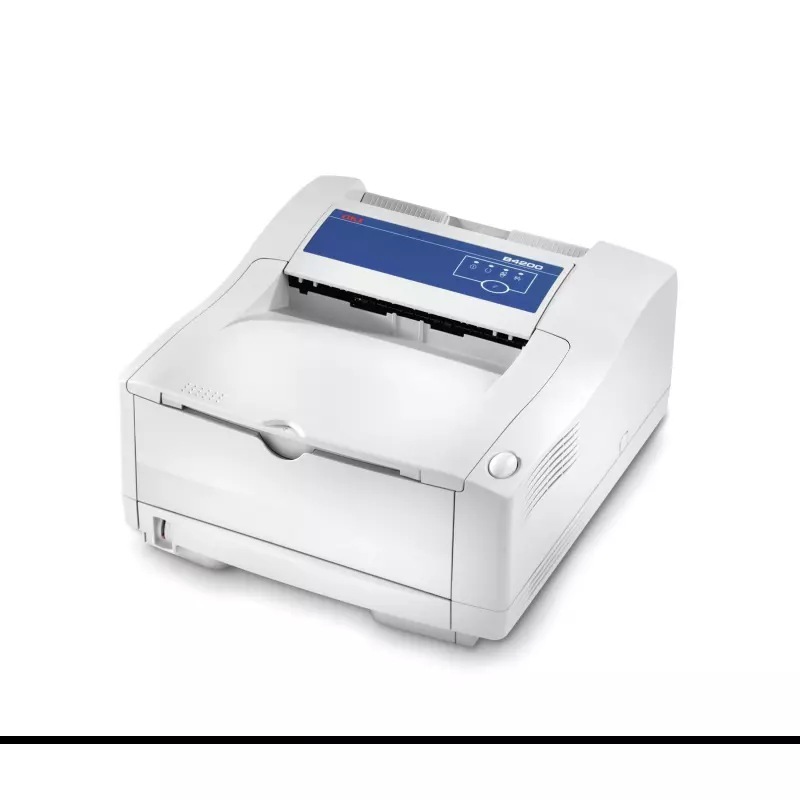
The Okidata B4200 is a monochrome laser printer from OKI's B4000 series, an early-2000s office machine that many workplaces still keep in daily service. It needs exactly one consumable: the 42103001 black toner cartridge, the same cartridge shared across the B4100, B4300 and B4350 engine family, so a single shelf item covers several generations of printer.
Printers of this vintage survive on simplicity. There is no color set to balance and no menu of options to decode — when output fades, the cartridge comes out of the front of the machine and a fresh one drops in, with no tools and no service call. For an office still running a B4200, keeping that one cartridge in stock is the whole maintenance plan.
Toner Cartridges for B4200
| Cartridge | Color | Page Yield |
|---|---|---|
| 42103001 | Black | See product page |
| 42103001 — 5 pack | Black | See product page |
| 42103001 — 6 pack | Black | See product page |
| B4200 black toner cartridge | Black | See product page |
| B4200 black toner cartridges — 5 pack | Black | See product page |
Which cartridge should you buy?
There is only one cartridge to choose, so the real decision is how many to keep on hand. A single cartridge suits a lightly used machine or a first order to confirm the fit. Offices that print every day usually do better with the multi-packs listed above: the per-cartridge cost drops, and a spare is already in the cupboard when the low-toner fade starts. Because the same 42103001 also feeds the B4100, B4300 and B4350 models, a shared stock for a mixed fleet is one box, not four. Every compatible cartridge here is covered by a 1-year warranty and 1-year returns.
Chip, toner and everyday use
Slide the cartridge in until it seats fully — a partially latched cartridge is the usual reason a B4200 reports a new cartridge as empty or prints unevenly. When pages first turn pale, take the cartridge out and rock it gently from side to side; the redistributed toner often delivers a few hundred more readable pages while a replacement ships. Yield figures assume about 5% page coverage, so forms and letterheads with heavy black areas finish a cartridge sooner. Keep the spare sealed in its bag until fitting day.
Frequently Asked Questions
What cartridge fits the Okidata B4200?
The 42103001 black toner cartridge — the only consumable this monochrome printer uses. It is the same cartridge carried across the B4100/B4300/B4350 engine family, and this page stocks it as a single and in multi-packs.
Prints from my B4200 are coming out faded — is the toner empty?
Fading is the classic low-toner symptom on this machine. Remove the cartridge and shake it gently side to side to redistribute the toner; if pages stay pale afterward, the 42103001 is spent and a fresh cartridge is the fix.
How do I fix streaks on B4200 prints?
Vertical streaks usually trace to a dusty LED printhead lens or a worn image drum rather than the toner itself. Wipe the LED lens gently with a dry, lint-free cloth; if the lines persist with a fresh cartridge fitted, the drum is the next suspect.
Are the 5-pack and 6-pack the same cartridge as the single?
Yes — the multi-packs simply bundle the same 42103001 cartridge in quantity. They make sense for offices that print daily or run several printers from this engine family off one supply shelf.
More printers that use the same cartridges
These B-series models run on the same single black cartridge: B4100, B4250, B4300, B4300N, B4300NPS, B4350, B4350N, B4350NPS.