




MS421DN
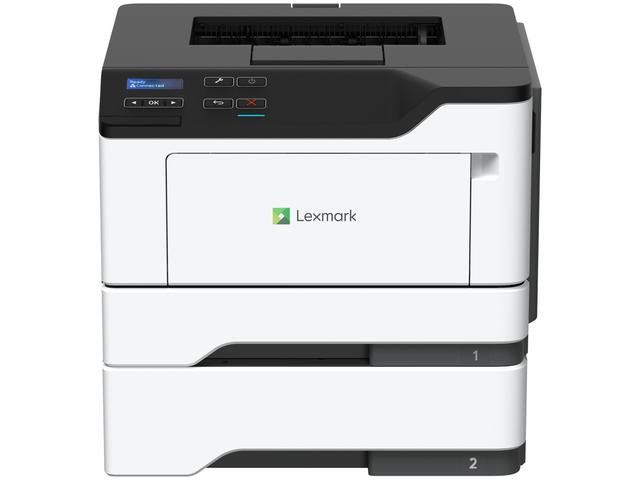
One step above the entry level, the Lexmark MS421DN pairs a desk-friendly monochrome printer with automatic duplex and wired networking as standard equipment. It is built for growing teams whose page counts have started to climb, and it draws from the same 561H high-yield toner family as the rest of the platform. The cartridge stocked on this page is the standard-yield 561 (56F1000), rated at about 6,000 pages — the right starting point for a workgroup that wants headroom without overbuying supplies on day one.
Think of the MS421DN as the natural upgrade when a small office starts printing in real volume. It sits on the network where everyone can reach it, turns out two-sided pages without manual flipping, and because the toner family is shared across the platform, your cost per page stays low and predictable as volume climbs. There is no new supply system to learn: the cartridge routine that worked for a single desktop machine scales to this shared one unchanged.
Toner Cartridges for MS421DN
Which cartridge should you buy?
Modest-volume teams can start exactly where this page starts: the standard 56F1000 at roughly 6,000 pages, in single, 2-pack or 4-pack form. Watch the first couple of cycles — if a cartridge is lasting only a few weeks, the family gives you two higher rungs, the 561H at about 15,000 pages and the 561X at about 20,000, both of which fit this printer. Multi-packs deserve a look on a shared machine: a 2-pack in the supply cabinet means the person who sees the low-toner warning can fix it on the spot, and the per-cartridge price drops against buying singles one at a time.
Chip, toner and everyday use
A networked printer lives or dies by whether anyone notices the toner warning, so keep the spare where the team can find it. The chip in each cartridge reports the remaining level to the printer, and the compatible cartridges here register correctly, so the warning arrives with time to act. Swap-out is a front-door job: open, slide the old unit out, remove the seal from the new one, and seat it until it clicks. A gentle side-to-side rock before installing evens out the toner after shipping. Covered by a 1-year warranty with 1-year returns, every compatible cartridge on this page is a low-risk stock item for a shared office.
Frequently Asked Questions
What is the difference between the 561 stocked here and the 561H?
Capacity. The 561 (56F1000) holds roughly 6,000 pages worth of toner, while the 561H in the same family carries about 15,000. The fit is identical — the high-yield version simply runs longer between changes.
When should our team step up from the standard cartridge?
When a standard cartridge starts disappearing in under a month of normal work. At that pace the swap frequency itself becomes the cost, and moving to the 561H or 561X tier cuts changes to a fraction while lowering the cost of each printed page.
Does automatic duplex change how much toner the MS421DN uses?
Duplex mainly saves paper — each printed side still uses toner as usual. Its real effect on supplies is that two-sided documents halve the sheet count, so paper reorders drop even though toner consumption per page stays the same.
Can one cartridge type serve several printers in our office?
Yes. This platform shares its black cartridge across the printer-only MS models and the MX multifunctions listed below, so a single shelf stock of the family covers a mixed fleet.
More printers that use the same cartridges
The MS421DN shares its black toner family with the following Lexmark models, which can all be fed from the same shelf stock:
MS321DN, MS421DW, MS521dn, MS621dn, MS622de, MX321ADN, MX521ade, MX521de, MX522adhe, MX622ade, MX622adhe