Frequently Asked Questions
My reds look orange and skin tones look wrong. Could the magenta be the problem?
It is the first suspect, yes. Magenta builds reds, pinks and realistic skin tones, so as it fades those colors drift — reds slide toward orange and faces take on a sickly cast — while blues and text still look fine. Pull up the supply levels on the printer: a low magenta reading next to healthy levels elsewhere confirms the diagnosis.
How do I verify I am ordering the magenta and not a different color?
By its part number: magenta in this family is 1T02HLBUS0, short code TK-542M, and the M is the giveaway. Read the code off the label of the cartridge you are replacing and match it character for character. Every color in the TK-542 family has its own code, precisely so this check settles the question.
The printer says some magenta remains. Is it worth trying to squeeze more out of it?
Briefly. Remove the cartridge and rock it gently side to side to redistribute the toner, then put it back — output often recovers for a stretch of pages. Treat that as borrowed time, though: a cartridge at the shake stage is a cartridge at the end of its life, and having this TK-542M on the shelf means the real swap happens on your schedule.
Do I need to change any other cartridge while I am in there?
No. Magenta is its own slot and its own cartridge. If black, cyan and yellow still show healthy levels, leave them in place — pulling good cartridges early buys nothing and risks contaminating a working slot with loose toner.
How should I keep a spare magenta cartridge until I need it?
Sealed, flat, and somewhere cool and dry, away from windows and heat sources. Toner does not spoil quickly, so a spare bought today is perfectly serviceable when the current cartridge finally fades — just rock it gently before installing to wake the toner up after its time on the shelf.
What if the new cartridge disappoints?
Then the cover applies: this cartridge comes with a 1-year warranty and 1-year free returns, set out on our shipping & returns page. A faulty unit is sorted out on its own — you will not be asked to justify why the rest of your printer's supplies are fine.
What do I do with the magenta cartridge once it is replaced?
Box the spent TK-542M in the packaging its replacement arrived in — that keeps residual toner sealed and the unit intact — and set it with your other empties for a local recycling collection. Because magenta is replaced on its own schedule, its empty rarely coincides with the other colors'; the box-per-empty habit keeps those staggered empties tidy. A cartridge that faded far earlier than expected is worth holding separately until support has been consulted.
How does what I print change this cartridge's real lifespan?
The 1T02HLBUS0 is rated at 4,000 pages at 5% coverage, and magenta's real life hinges on how much of each page asks for it. Marketing pieces, photos and red-heavy branding draw magenta hard and shorten the count well below the rating; an office printing mostly text with the odd highlighted heading barely sips it, and the cartridge can run far beyond the benchmark. Judge your reorder timing by your own document mix, not the box figure alone.
How do I confirm the replacement has restored my reds?
Reprint the page that exposed the problem — the one whose reds went orange or whose skin tones looked wrong. With a healthy TK-542M in the slot, reds should return to their true depth and faces to a natural tone. Keep the before-and-after sheets side by side for the check; color memory is unreliable, and the direct comparison tells you immediately whether magenta was the whole story or another slot needs attention too.
What does this magenta cost per page?
At $44.44 against a 4,000-page rating, the TK-542M runs to roughly 1.11 cents per page at the standard 5% coverage. That figure assumes an average page; photo-heavy work spends magenta faster and text-heavy work slower, so the real number follows your document mix. For budgeting, it is a sound midpoint — and because magenta only works when its color is on the page, black-only printing spends nothing from this cartridge at all.
About This TK-542M Magenta Cartridge
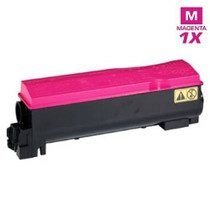
This is the single magenta cartridge — 1T02HLBUS0 (TK-542M), $44.44, rated at 4,000 pages — for the Kyocera FS-C5100. Sold individually as part of our Kyocera Mita compatible range, it exists for the commonest color situation of all: one color gone, three still working. It ships from our warehouses in IL, PA, GA and CA, and our support team is available Monday to Friday, 9 AM to 5 PM CST if you want the code confirmed before you buy.







 See Compatible Printers
 Read more about our ink!