




A monochrome bizhub does not run on toner alone. Konica Minolta builds these machines around two separate consumables: the toner cartridge you swap at the front, and an imaging unit behind it with a life of its own, its own panel message, and — on current models — a service technician attached to its replacement. Our store sells the first of those and not the second: of our 230 Konica Minolta listings, every one is a toner cartridge and not one is an imaging unit. This page works through the five monochrome toner families we stock, quotes what Konica Minolta’s own manuals say about the messages both consumables produce, and keeps the line between the part we sell and the part we do not exactly where the manuals draw it.
Konica Minolta does publish a position on non-genuine toner, and it deserves to be read at its exact strength. The bizhub C35 user’s guide states: “The use of non-genuine toner cartridges may result in unstable performance. In addition, any damage caused by the use of non-genuine toner cartridges is not covered by the warranty, even if it occurs during the warranty period. (Although damage is not certain to result from using non-genuine toner cartridges, we strongly recommend that you use genuine toner cartridges.)” The bizhub 5020i / 4020i online guide says it the second way: “Use or attempted use of third party toner and/or cartridges in this machine may cause damage to the machine and/or may result in unsatisfactory print quality. Our limited warranty coverage does not apply to any problem that is caused by the use of third party toner and/or cartridges.” That is the whole documented position: a performance caution plus a limit on warranty cover for damage a third-party cartridge causes. No Konica Minolta document we found describes a cartridge being rejected or disabled for being non-genuine, none documents a panel message about genuineness, and there is no override procedure to quote — because no documented refusal exists for one to answer.
Now our own shelf, audited the same way. Our Konica Minolta catalog holds 230 listings and every one of them is a toner cartridge — zero imaging units, zero drums, zero ink. The word “chip” appears in 65 of the 230 descriptions, and a template-strip of those 65 reduces every single one to the same repeated sentence that lists the parts a cartridge is built from: OPC drums, wiper blades, “a smart chip” and other internal parts. On this page’s families that sentence sits on five of TN414’s nine listings and five of TN511’s nine; the other three families carry no chip wording at all, and the remaining 165 listings across the brand are silent. A parts list is evidence of how a cartridge is built, not evidence that any particular unit carries a fitted chip, so no family on this page makes that claim. Two other scans come back empty in the same way: “firmware” appears in none of the 230 descriptions, and no listing anywhere in the brand tells you to move a chip from one cartridge to another.
The second silence is Konica Minolta’s own. We searched its manuals, support pages and FAQs for any statement about firmware updates and third-party toner — a warning, an FAQ, a security feature of the kind some other manufacturers publish — and found none. This page therefore claims nothing about firmware in either direction: neither that an update will interfere with these cartridges, nor that one never could. An undocumented subject gets an undocumented entry — the absence, stated as an absence.
One audit result in the store’s favor is worth printing before the families: all 41 monochrome listings under the five families below are purchasable today. That is not true across the whole brand — 34 of the 230 listings are availability-disabled, including three entire color families whose product pages still render with prices but cannot be bought — so on this page family status was checked listing by listing rather than assumed, and every card below points at an offer that can actually be ordered.
The bizhub design splits the imaging work between two replaceable parts. The toner cartridge carries the toner. Behind it, a separate imaging unit carries the drum surface the image is formed on, lives on its own counter, and wears out on its own schedule. Konica Minolta’s manuals treat the two as distinct consumables throughout: the bizhub C25 guide lists “Replacing an Imaging Unit” as a numbered procedure in its consumables chapter, and its appendix chart of consumable life expectancy is split into user-replaceable and service-replaceable items, with the toner cartridge, the imaging unit and the waste toner bottle entered as three separate lines. A monochrome machine carries one imaging unit; the color machines carry one per color — which is why a color bizhub can be stopped by a part that has nothing to do with the toner you just bought.
On current models Konica Minolta handles that second consumable as a service item. The bizhub C759 manual’s imaging-unit procedure ends with the note: “Your service representative will collect your used Imaging Unit.” The bizhub C4000i / C3300i manual goes further: when replacement time arrives, the message that appears prompts you to contact your service representative, and whether the message is displayed at all is a service setting — “By the factory default status, this message is displayed only in some area.” The bizhub 4752 / 4052 manual gives the monochrome-side wording of the same arrangement: “For Imaging Unit: When the message [The Imaging Unit needs to be replaced.] appears, replace it based on the maintenance contract.” Read together, the practical guidance is plain: a bizhub that stops over its imaging unit needs a service part under a maintenance arrangement, and no toner order — ours or anyone’s — answers that message.
Which brings the disclosure this page is built around. Of our 230 Konica Minolta listings, exactly zero is an imaging unit or drum unit. We sell the toner half of this architecture and only the toner half, and that sentence is repeated wherever imaging units are discussed below so it cannot be missed inside a long page. Nothing on this page cards or links an imaging unit, no toner description here should be read as covering one, and the imaging-unit lives Konica Minolta publishes for its drum units are properties of those service parts — not of any toner cartridge in our catalog.
What the owner does manage directly, besides toner, is information. Konica Minolta documents a toner-remaining display — the bizhub C25 guide walks to it through the REPORT/STATUS menu, under “TONER REMAINING” — and the staged message sequence set out in the decoder below, in which low toner is announced, then replacement, then depletion. One thing the manuals do not document is a user toner-counter reset procedure of the kind some other brands publish. Sentences in seller listings about a toner gauge clearing after a swap describe what the gauge does when a fresh cartridge goes in; they are not a Konica Minolta procedure, and this page does not present them as one.
The complete monochrome Konica Minolta toner shelf — five families, sixteen printer models, forty-one listings. One discipline applies to the yield column: we captured no Konica Minolta-published yield figure for any monochrome family (the one set of manufacturer figures our research captured belongs to a color family, TN324, and appears only on the color page), so every figure below is our store’s own Page Yield field, labeled as such. The last column records, family by family, exactly what our own product pages say about chips — the evidence a claim would have to rest on, shown instead of summarized.
| Family | Printer models | Page yield | What our product pages say about chips |
|---|---|---|---|
| TN511 (024E) | BizHub 360, 361, 420, 421, 500, 501 | Our store field: 32,200 pages | The parts-list sentence on 5 of 9 listings |
| TN311 (8938-402) | BizHub 350, 362 | Our store field: 17,500 pages | Nothing about chips |
| TN414 (A202030) | BizHub 363, 423 | Our store field: 25,000 pages | The parts-list sentence on 5 of 9 listings |
| TN217 (A202031) | BizHub 223, 283 | Our store field: 25,000 pages | Nothing about chips |
| TN211 (8938-413) | BizHub 200, 222, 250, 282 | Our store field: 17,500 pages | Nothing about chips |
Three numbering systems share this small shelf: legacy 8938- numbers (TN311, TN211), A20203x part numbers (TN414, TN217), and the short 024E code (TN511). The two part-number families differ by a single final digit — A202030 against A202031 — and serve different machines, so the number on the cartridge you remove, read to the last digit, is the one to order by.
These three families serve the larger floor-standing bizhubs — the machines a department shares, with six-figure monthly volumes behind them and cartridge yields to match. They are also the families where the shelf’s two listing generations sit side by side: part-number-led listings from the older generation and TN-code-led listings from the newer one, describing the same offers in different words.
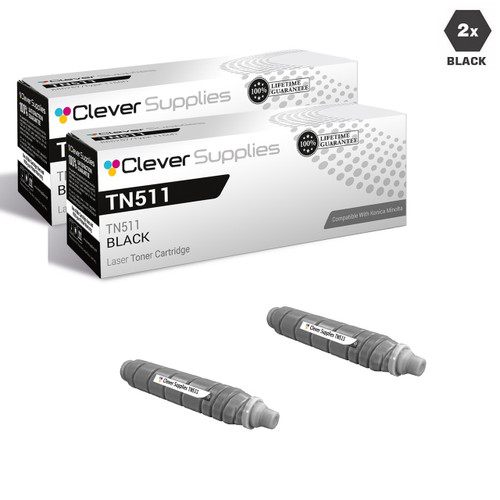
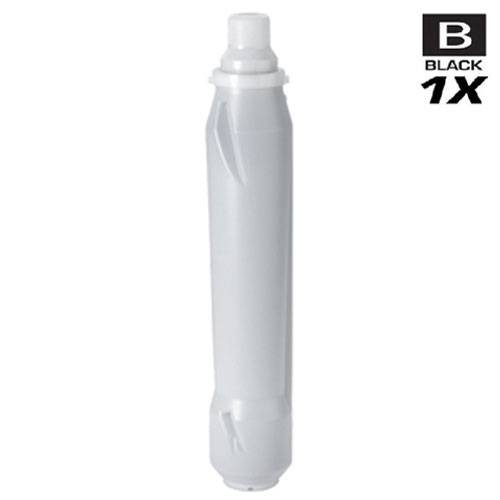
TN511 is identified on its cartridges by the short code 024E rather than a TN number in the part-number position, and it covers the widest model spread of any monochrome family here: the BizHub 360, 361, 420, 421, 500 and 501. Our store yield field rates it at 32,200 pages — the richest figure on this page by a wide margin — which at the single’s price of $54.43 works out to roughly 0.17 cents per page on the store’s own figure — a low running cost carried by a cartridge built for departmental volume.
Nine listings carry the family, five of them from the older generation whose descriptions contain the repeated parts-list sentence — the sentence that mentions a smart chip among the components, quoted and weighed in the introduction. The 2-pack at $92.79 brings the per-cartridge cost to $46.40 against $54.43 for the single, the standard $16.07 two-pack saving on this shelf.
Printer model pages: BizHub 360, BizHub 361, BizHub 420, BizHub 421, BizHub 500, BizHub 501
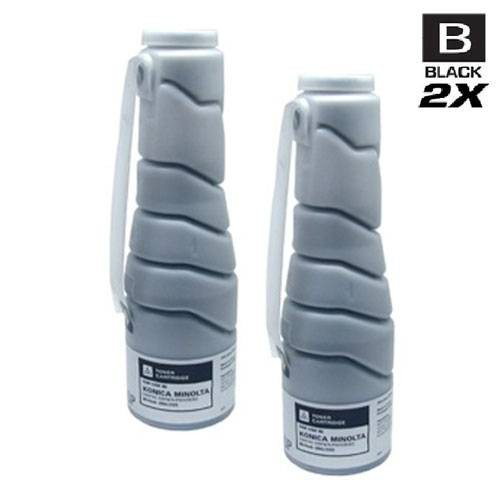
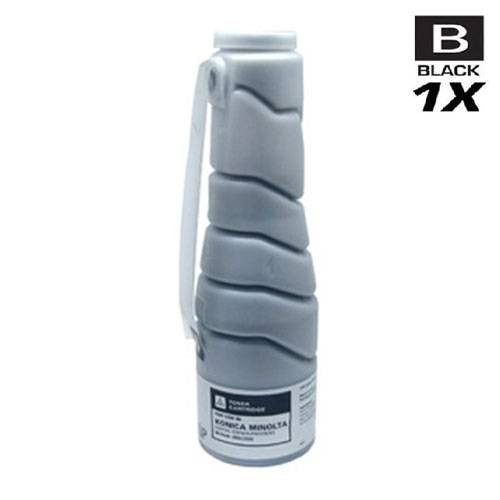
TN311, ordered under the legacy number 8938-402, serves two machines — the BizHub 350 and the BizHub 362 — and carries thirteen listings, more than any other monochrome family here, because two listing generations and a run of parallel pack offers all describe the same two cartridges. Our store yield field gives 17,500 pages; the single is $46.18 and the 2-pack $76.28, which is $38.14 a cartridge and the usual $16.08 saved against two singles. None of the family’s thirteen listings says anything about chips.
One defect inside this family is disclosed rather than smoothed over: six further BizHub 350 listings in the catalog open their descriptions by calling the cartridge “genuine Konica” while their own titles say Compatible — the only genuineness wording anywhere in the brand’s catalog, and it contradicts the listings that carry it. Neither card below is one of those six; both are the family’s verified offers, and the six are not linked from this page.
Printer model pages: BizHub 350, BizHub 362
TN414 is filed under its part number, A202030, and feeds the BizHub 363 and BizHub 423. The store yield field reads 25,000 pages, and at $37.67 the single works out to about 0.15 cents per page on the store’s figure — the lowest per-page cost of the five families here. Its 2-pack is $59.26 ($29.63 per cartridge), saving $16.08 against two singles.
Handle the number with care: the TN217 family below is A202031 — one final digit later — and fits different machines. Five of this family’s nine listings carry the repeated parts-list sentence in their descriptions; as everywhere on this page, that sentence is a component list, not a chip claim, and it is reported here rather than upgraded.
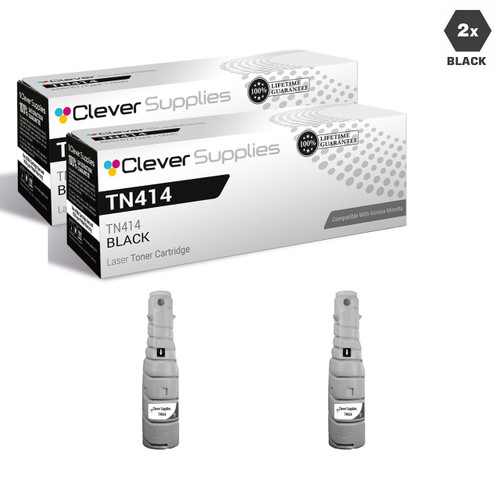
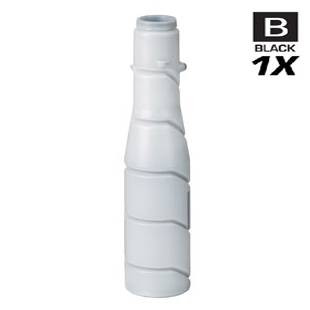
Printer model pages: BizHub 363, BizHub 423
The two smaller families serve the desk-side and small-workgroup bizhubs. Both are carried entirely by listings that say nothing about chips, and between them they hold the cheapest single cartridge on the page and its smallest — honestly printed — two-pack saving.
TN217 covers the BizHub 223 and BizHub 283, and like TN414 it is ordered by part number: A202031. Set the two part numbers side by side before ordering — A202030 above, A202031 here — because the machines behind them are not interchangeable and the cartridge follows the number, not the resemblance. The store yield field is 25,000 pages, matching TN414’s figure on a smaller machine.
The family is five listings deep. The single is $39.44; the 2-pack is $62.81, or $31.41 per cartridge, saving $16.07 against two singles at today’s prices. No listing in the family mentions chips in any form.

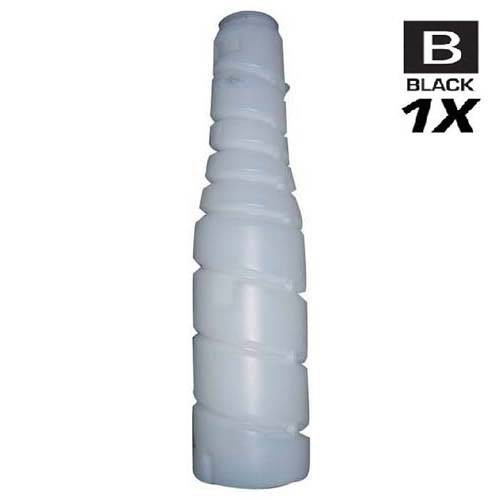
Printer model pages: BizHub 223, BizHub 283
TN211, ordered as 8938-413, is the cartridge for the BizHub 200, 222, 250 and 282 — the oldest machines on this page, and still a four-model family. Our store yield field rates it at 17,500 pages, the same figure as TN311, and its single at $27.99 is the cheapest way into any family here.
One honest pricing note, printed rather than rounded away: this family sits in the shelf’s smaller discount tier. The 2-pack is $44.96 — $22.48 per cartridge — which saves $11.02 against two singles, a real saving but a smaller one than the $16.08 the other families carry. The card prints the measured figure, not the borrowed one.
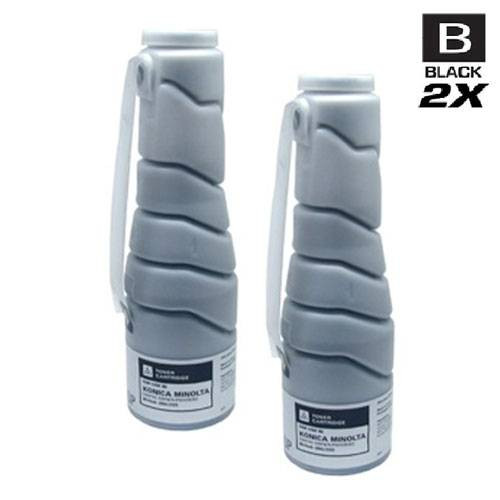
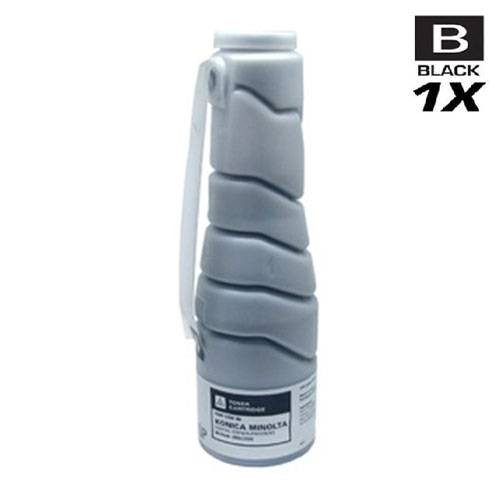
Printer model pages: BizHub 200, BizHub 222, BizHub 250, BizHub 282
Konica Minolta’s online manual for the bizhub C554 / C454 / C364 / C284 / C224 line prints a “Main Messages and Remedies” table, and the bizhub 4752 / 4052 manual covers the monochrome side of the same ground. Between them they document a short, plain vocabulary: a seating message, a three-stage toner sequence, and one imaging-unit message. Those are the texts below — the complete documented set a monochrome bizhub owner is likely to meet — each with Konica Minolta’s own stated cause and remedy.
Konica Minolta’s table gives the cause directly: “The Toner Cartridge is not installed correctly.” The remedy: “Reinstall each consumable and replaceable part. Otherwise, contact your service representative.” This is the message most often misread as a verdict on a cartridge’s origin; in the manufacturer’s own table it is about how the cartridge sits. Take the cartridge out, seat it again firmly, and only then start suspecting the cartridge itself.
The opening stage of the documented toner sequence. Konica Minolta’s cause column reads “The toner is about to run out”, and its remedy is preparatory rather than urgent: “According to the maintenance agreement, prepare a spare Toner Cartridge.” Nothing stops at this stage; the machine is telling you to have the next cartridge in the building, which — given that every family on this page is a two-pack shelf — is the argument for ordering the pack before the panel asks twice.
The second stage reads like an order and behaves like a warning. The bizhub 4752 / 4052 manual states the behavior in so many words: “A message recommending that parts be replaced indicates that certain consumables are running out. Although you can still continue to print for a while after the message is displayed, it is advisable to promptly prepare replacement consumables.” The same manual fixes the sequence: [Toner is low. Replace when indicated.] appears first, “followed by [Replace Toner Cartridge.]”. If this message is on your panel today, the documented position is that printing continues for a while — plan the swap, do not panic-buy around it.
The table’s final toner entry runs in full: “[Toner has been depleted. Replaced the Toner Cartridge according to the instructions.]”, with the cause “Toner is depleted” and the remedy to replace the indicated cartridge according to the maintenance agreement. (The past-tense “Replaced” inside the message is Konica Minolta’s own wording, reproduced as published.) This is the one message in the sequence that does mean the cartridge is finished — the stages before it are the runway it gives you.
The message that belongs to the second consumable, and the one no toner purchase answers. The bizhub 4752 / 4052 manual’s instruction is: “For Imaging Unit: When the message [The Imaging Unit needs to be replaced.] appears, replace it based on the maintenance contract.” On current models the part is service-handled — the bizhub C759 manual notes that your service representative will collect the used imaging unit, and the C4000i manual explains that the message itself is a prompt to contact that representative. The disclosure from the architecture section applies here in full: Clever Supplies does not sell Konica Minolta imaging units, so this card is guidance, not a product lead — if your machine shows it, the call is to your service provider.
For completeness: Konica Minolta’s documented message table contains no entry that reports a cartridge as non-genuine, and no entry that reports a chip or firmware state as a fault. The manufacturer’s position on third-party toner exists, but it lives in the user guides as warranty wording — quoted in full in the introduction — not on the printer’s panel as a message with a remedy. If a screen appears to be refusing a cartridge on origin grounds, it is one of the documented texts above, stretched past its documented meaning. Nothing has been added to Konica Minolta’s list here: if a message is not in the manuals, it is not in this decoder either.
Yes to the first half, no to the second. Konica Minolta builds these machines with a separate imaging unit alongside the toner cartridge, and its manuals give that unit its own procedure, its own life expectancy entries and its own panel message — on current models its replacement is a service item handled under a maintenance contract, with the service representative collecting the used unit. Clever Supplies sells no Konica Minolta imaging units at all: every one of our 230 listings for the brand is a toner cartridge. A toner purchase from us covers the toner half of the machine, and this page will not let it be mistaken for the whole.
Konica Minolta has published no statement on the subject that we could find — not in its manuals, not in a firmware FAQ, not on its support pages. There is no Konica Minolta equivalent of the cartridge-security features some other manufacturers document, and the word “firmware” does not appear in any of our 230 listings for the brand either. With no published position to report, this page prints none of the things such a position would support: no update warning, no advice to disable updates, no reassurance that updates are safe. The gap is the finding.
Konica Minolta’s wording is narrower than the rumor. The bizhub C35 guide says that “any damage caused by the use of non-genuine toner cartridges is not covered by the warranty, even if it occurs during the warranty period”, and adds the performance caution that non-genuine cartridges “may result in unstable performance” — while noting in the same breath that “damage is not certain to result from using non-genuine toner cartridges”. The 5020i / 4020i guide limits its warranty exclusion the same way, to “any problem that is caused by the use of third party toner”. That is a damage-caused-by exclusion, quoted at its exact strength; it is not a statement that fitting a third-party cartridge voids the warranty as a whole, and no document we found makes the broader claim.
Not on Konica Minolta’s own account. That message is the second of three documented stages — low, replace, depleted — and the bizhub 4752 / 4052 manual states that “you can still continue to print for a while after the message is displayed”, advising you to prepare replacement consumables promptly. The message that does mark the end is the depleted one. Treat the replace message as the point to have the next cartridge in hand — every family on this page is stocked as a 2-pack for exactly that rhythm — rather than as a breakdown.
None that Konica Minolta documents. What its manuals do document is a toner-remaining display (the bizhub C25 guide reaches it through the REPORT/STATUS menu, under “TONER REMAINING”) and the staged low → replace → depleted message sequence. There is no published counter-reset routine of the kind some other brands document for their drum and toner counters, and seller instructions that use the word “reset” for these machines describe the gauge clearing after a fresh cartridge is fitted — ordinary behavior, not a manufacturer procedure. This page does not present them as one.
Because the evidence in our own listings does not support the claim, and we checked all of it. The word “chip” appears in 65 of our 230 Konica Minolta descriptions, and every one of the 65 is the same repeated sentence listing the parts a cartridge is built from — OPC drums, wiper blades, “a smart chip” and other internal parts. On this page that sentence covers five of TN414’s listings and five of TN511’s; the other three families carry no chip wording at all, and no listing in the brand names a chip generation or describes a chip as fitted for a purpose. A parts list is a parts list. Where a claim cannot be evidenced, this page prints the finding instead.