




BizHub 283
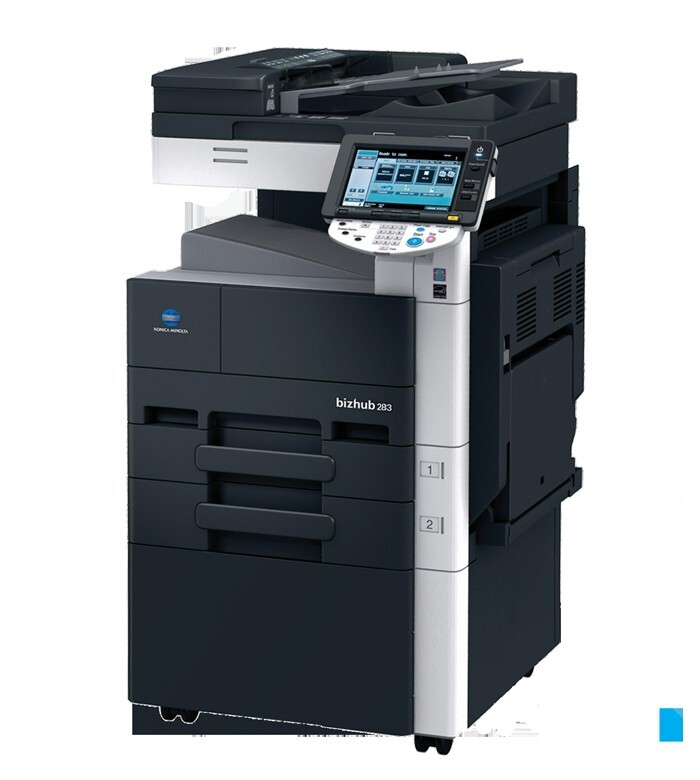
Think of the BizHub 283 as the quicker sibling in Konica Minolta's monochrome MFP pair: a faster engine on the same single-cartridge platform. Its cartridge is the one cataloged under Konica Minolta's part number A202031 and known in the field as TN-217 (TN217). Nothing about the faster model changes the consumable — the 283 and its slower partner draw from the identical cartridge, which is a genuine convenience for any office that runs both.
Speed has one predictable side effect: under the same workload, the 283 can work through a cartridge in fewer working days than the model below it, simply because it clears jobs faster and invites more of them. High-output offices feel this first at the low-toner warning, which arrives sooner than habit suggests. The compensation is simplicity. One cartridge type serves the whole 2xx pair, reordering is a single line item, and a spare bought for one machine rescues the other in a pinch.
Toner Cartridges for BizHub 283
| Cartridge | Color | Page Yield |
|---|---|---|
| A202031 (TN-217) | Black | See product page |
| A202031 (TN-217) Black 3 Pack | Black | See product page |
| A202031 (TN-217) Premium Quality Black 3 Pack | Black | See product page |
| Bizhub 223 (TN217) Toner Cartridge 2 Black | Black | See product page |
| Bizhub 223 (TN217) Toner Cartridge 4 Black | Black | See product page |
Which cartridge should you buy?
Size the purchase to the 283's pace. A single A202031 (TN-217) suits a lightly used machine, but departments that chose the faster model usually did so for volume, and for them the 3-pack or the 2- and 4-black bundles make better arithmetic: fewer orders, a lower cost per cartridge, and always a sealed spare within reach. If your building also runs the slower sibling, standardize on these same listings for both machines; a shared pool means a delivery for one is a rescue kit for the other, and nobody has to remember two codes for one platform.
Chip, toner and everyday use
Yield ratings for cartridges like this one assume about 5% coverage — ordinary text pages. A department printing dense forms, statements or full-page graphics will see the gauge fall faster than the rating implies, which is normal rather than a defect. When output finally turns pale, take the cartridge out and rock it gently from side to side; redistributing the remaining toner commonly restores even density for a final stretch of pages while the replacement ships. Install the new cartridge promptly once it arrives, keep the old one's replacement sealed until then, and store spares flat in a dry cabinet away from radiators and windows.
Frequently Asked Questions
Why do prints from the BizHub 283 look gray instead of deep black?
Check the driver before blaming the cartridge. A toner-save setting left over from draft printing produces exactly that washed-out look on an otherwise healthy machine. Turn toner-save off and print a test page; if the gray persists and the cartridge is old, the toner itself is nearly spent and a replacement is due.
Can I move a TN-217 between the BizHub 283 and the BizHub 223?
Yes. The cartridge is the correct fit for both models, so a spare bought for the BizHub 223 works in the 283 and the reverse. Offices running the pair can stock one cartridge type and cover both machines.
Does the 283 need a different cartridge because it is faster?
No. Engine speed changes how quickly the cartridge is consumed, not which cartridge fits. The 283 takes the same TN-217 as the 223; only your reorder interval should change, since a busier machine reaches the low warning sooner.
More printers that use the same cartridges
The same TN-217 cartridge also fits: