Frequently Asked Questions
What cartridges does this set bring to the Color LaserJet 2820?
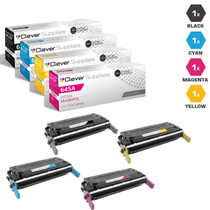
The complete 122A family the all-in-one runs on: Q3960A black rated 5,000 pages, and Q3961A cyan, Q3962A yellow, Q3963A magenta at 4,000 pages each — $229.61 for four individually sealed cartridges. The model's supplies are grouped under our Color LaserJet 2820 pages.
The 2820 also copies and scans. Which functions use this toner?
Printing and copying do; scanning does not. Color copying is the quiet consumer in an all-in-one — a stack of copied handouts drinks from the same color cartridges as printing, and copies of copies compound it. If the colors seem to fall faster than the print queue explains, the copier is usually the missing line in the account.
Does the fax function affect cartridge life?
Received faxes print in black only, so fax traffic draws on the Q3960A alone. An office that still receives a healthy fax volume will find its black cycling noticeably faster than the colors; the set's higher black rating of 5,000 pages against 4,000 per color anticipates exactly that split.
How is a cartridge changed on an all-in-one body?
The 2820 uses the same carousel arrangement as the printer-only 2550: the machine rotates each cartridge to the access position in turn. On an all-in-one the scanner lid lifts out of the way first. It remains a tool-free, few-minutes job, and the unit calibrates itself when the door closes.
What warranty and returns come with the set?
Each cartridge holds a 1-year warranty and 1-year free returns, set out on our shipping and returns page. One cartridge's cover is independent of the others.
Should the imaging drum be replaced with the set?
Not routinely. The drum is a separate long-life part and does not ship in this set. Replace toner for low warnings and fading; investigate the drum only when a defect repeats down the page at a fixed interval regardless of which fresh cartridge is fitted.
When only one color runs dry, do I have to buy another full set?
No. Each channel is its own cartridge with its own code — Q3960A for black, Q3961A cyan, Q3962A yellow and Q3963A magenta — and a single can be ordered by that code to top the machine up. Read the code off the cartridge you pull from the carousel rather than guessing from the color alone: the four codes differ by a single digit, and the wrong one will not match the slot that is empty.
Can I fit just the cartridge that ran out and keep the rest of the set sealed?
Yes. The 2820's carousel brings one cartridge at a time to the access position, so a single swap touches nothing else in the machine. Fit the empty channel's replacement, leave the other three cartons sealed on the shelf, and the set you bought simply becomes your staged stock — each remaining cartridge goes in only when its own channel calls for it, weeks or months later.
What does the set's page rating add up to across all four cartridges?
The black Q3960A is rated at 5,000 pages and each of the three colors at 4,000, so a full set carries 17,000 rated pages in total. Against the $229.61 set price, that works out to roughly 1.35 cents per rated page. Treat it as a planning figure: color copying spends the color ratings faster than plain printing does, so the colors will usually cycle ahead of the black.
What should I do with the four empties once the new set is working?
Keep them until the fresh cartridges have proved themselves on real pages — a printed sheet, a copied handout, a received fax. Once every channel prints clean, put each empty back in the carton its replacement came out of, mark it as spent, and send the four out through your usual electronics recycling. Holding them a few days costs nothing and leaves you a comparison set if a color looks wrong.
About This HP 122A Set for the Color LaserJet 2820
This set refreshes every channel of the 2820 all-in-one from our HP toner cartridges range, dispatched from warehouses in Illinois, Pennsylvania, Georgia and California. Help is available Monday through Friday, 9 AM to 5 PM CST.







 See Compatible Printers
 Read more about our ink!