




COLOR LASERJET 2550L
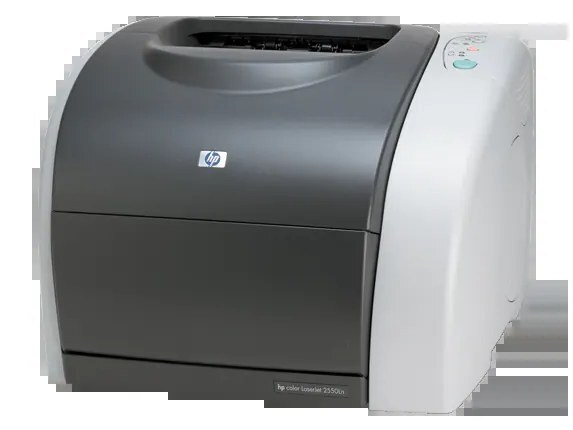
The Color LaserJet 2550L is the trimmed configuration of the 2550 line — the same color engine in a simpler package, aimed at offices that wanted the 2550's output without its full specification. The toner bay lost nothing in the trimming: the 2550L uses HP 122A cartridges, black Q3960A with cyan Q3961A, yellow Q3962A and magenta Q3963A beside it.
Smaller offices ended up with the 2550L, and its printing shows it: color pages for client-facing documents, a long tail of plain text, and quiet weeks in between. Supplies for that rhythm are about readiness rather than volume — a full set waiting in the cupboard and the knowledge that the yellow, the color this page singles out, can be replaced on its own when a big color job drains it first.
Toner Cartridges for COLOR LASERJET 2550L
- Q3962A — yellow toner cartridge, the one single stocked for this model.
- Q3960A, Q3961A, Q3962A, Q3963A — the complete 122A 4-color set.
- 122A premium 4-color set — the premium-line version of the full set.
- 2550L 4-color set — a 4-color set listed for the 2550L by name.
Which cartridge should you buy?
Decide by what actually ran out. A single faded color — most often yellow after a run of charts and covers — is covered by the Q3962A single on its own. When the set in the machine is old, mixed or unknown, replace it wholesale with the 122A 4-color set: matched ages keep colors honest, and one delivery ends the topic for a long stretch. The premium set suits offices that standardize on the premium line across their printers.
Chip, toner and everyday use
Because the 2550L can sit quiet between color jobs, toner settling is its most common false alarm: a color that prints pale after weeks idle usually wakes up after the cartridge is lifted out and rocked gently end to end. Refit it squarely until it clicks; a cartridge left slightly short of its seat is what triggers most supply warnings on this series. Store the spare set flat and sealed, and keep it out of direct sun — heat is harder on stored toner than time.
Frequently Asked Questions
Are 2550 and 2550L cartridges interchangeable?
Yes. The L is a configuration trim of the same printer, so the 2550L takes the identical HP 122A set: Q3960A, Q3961A, Q3962A and Q3963A.
Only my yellow ran out. What do I order?
Just the Q3962A yellow single — it swaps into its own slot without disturbing the other three cartridges. A full set is only worth it when several colors are finishing together.
What warranty do the compatible 122A sets carry?
Clever Supplies compatible cartridges and sets carry a 1-year warranty and 1-year returns, so a set that misbehaves in its first year is replaced rather than written off.
How do I know whether it is the cartridge or the printer?
Swap the suspect color with the test that costs nothing: rock the cartridge and refit it. If the same color stays weak while the others print cleanly, the cartridge is done; if every color degrades together, the printer itself needs attention.
More printers that use the same cartridges
These models run on the same 122A cartridges: HP 122A, Color LaserJet 2840, Color LaserJet 2800, Color LaserJet 2550LN, Color LaserJet 2550, COLOR LASERJET 2830, COLOR LASERJET 2820, COLOR LASERJET 2550N.