




Color LaserJet 2550LN
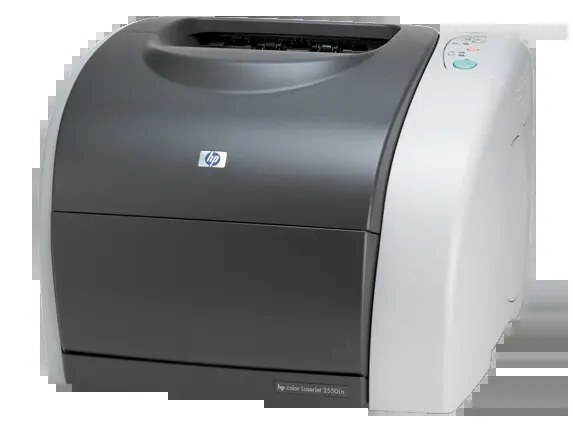
The Color LaserJet 2550LN pairs the trimmed-down 2550L chassis with a built-in Ethernet port, turning a single-desk color printer into one a small workgroup can share. Sharing the printer means sharing its cartridges too, and everything this model prints runs on the HP 122A family: Q3960A for black, Q3961A for cyan, the high-yield Q3962A for yellow and Q3963A for magenta. Every listing below is a compatible replacement made for that family, and each color position swaps in independently of the others.
A networked printer collects users the way a shared kitchen collects dishes: everyone prints, nobody watches the toner. In practice the colors drain at different speeds — a team that prints mostly charts burns through cyan and magenta, while text-heavy groups empty the black first. Because the 2550LN lets you change one cartridge at a time, a shared supply shelf with single colors on it keeps the printer working instead of idling while a full set ships. The network port changed who can print to this machine; it never changed what goes inside it.
Toner Cartridges for Color LaserJet 2550LN
| Cartridge | Color | Page Yield |
|---|---|---|
| Q3962A | Yellow (high yield) | See product page |
| Q3960A / Q3961A / Q3962A / Q3963A — 4 Color Set | All four colors | See product page |
| Q3960A / Q3961A / Q3962A / Q3963A — Premium 4 Color Set | All four colors | See product page |
| Color LaserJet 2550LN — 4 Color Set | All four colors | See product page |
Which cartridge should you buy?
Start with how the printer is used. If one color is fading and the rest look strong, order that single color and leave the others alone — the yellow single stocked here is a high-yield unit, which suits the color that presentation-heavy teams tend to drain fastest. When several colors are low together, a four-color set replaces everything in one pass and resets the whole cycle; this page carries both a standard set and a premium-quality set built from the same four codes. Busy shared printers also reward keeping one spare on the shelf, so a Friday-afternoon empty never becomes a Monday problem. Compatible cartridges on this page are covered by a 1-year warranty and 1-year returns.
Chip, toner and everyday use
Each cartridge carries a chip that reports its level to the printer, so the first low-toner warning is a planning signal, not a dead stop — output usually stays clean for a while after it appears. When a color does start to wash out, take that cartridge out and rock it gently from side to side; the toner redistributes and often buys enough pages to finish the job while a replacement ships. Pull the sealing tape fully off a new cartridge before it goes in, and store spares sealed, upright and out of direct sunlight near the printer, where the whole workgroup can find them.
Frequently Asked Questions
Does the Ethernet port change which toner the 2550LN uses?
No. Networking only changes who can send jobs to the printer. The cartridge bay is the same as the rest of the 2550 line, and the 2550LN runs on the same four 122A codes listed above.
One color faded on our shared printer — do we replace all four?
No. Swap only the color that faded. The four positions are independent, so a weak yellow never forces you to retire a healthy black, cyan or magenta cartridge early.
Is the yellow cartridge sold here a high-yield version?
Yes — the single yellow listing on this page is the high-yield build of the Q3962A. The black, cyan and magenta positions are stocked as part of the four-color sets above rather than as singles.
Will the cartridges on this page also fit the Color LaserJet 2800?
The Color LaserJet 2800 is an all-in-one that runs on this same 122A family, so the codes carry across. Always match the code on the cartridge you are replacing before ordering.
More printers that use the same cartridges
The 122A family also feeds these models: COLOR LASERJET 2550L, COLOR LASERJET 2550N, COLOR LASERJET 2820, COLOR LASERJET 2830, Color LaserJet 2550, Color LaserJet 2800, Color LaserJet 2840, HP 122A.