




Color LaserJet 2800
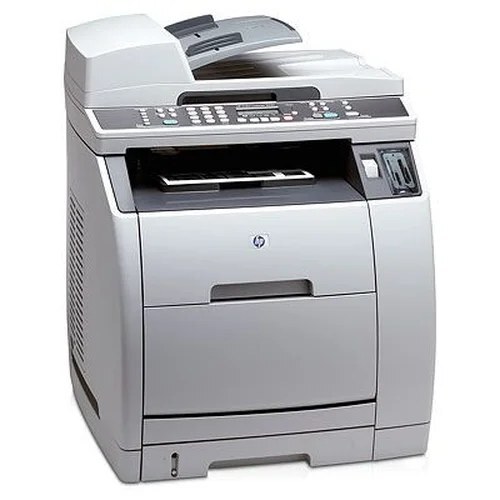
The Color LaserJet 2800 folds printing, scanning and copying into a single mid-2000s all-in-one — the machine for a desk with room for exactly one device. All of its print-side work draws on the HP 122A toner family: Q3960A black, Q3961A cyan, Q3962A yellow and Q3963A magenta. The listings here are compatible replacements for those codes, sold as a yellow single and as complete four-color sets.
An all-in-one lives a double life: it is a printer when documents leave the computer and a copier when paper arrives from the desk. Both jobs drink from the same four cartridges, so a copying-heavy week — meeting packs, signed forms, file copies — shows up in the toner levels just as printing does. That makes the 2800 a machine where a fading color is usually discovered at the worst moment: someone standing at the glass, original in hand. A spare set within reach is worth more here than on almost any other printer in the family.
Toner Cartridges for Color LaserJet 2800
| Cartridge | Color | Page Yield |
|---|---|---|
| Q3962A | Yellow — high-yield single | See product page |
| Q3960A / Q3961A / Q3962A / Q3963A — 4 Color Set | Black, cyan, yellow, magenta | See product page |
| Q3960A / Q3961A / Q3962A / Q3963A — Premium 4 Color Set | Black, cyan, yellow, magenta | See product page |
Which cartridge should you buy?
Because the 2800 is stocked here as sets plus a yellow single, the choice is simple. If yellow alone has faded — the classic symptom is washed-out copies — the high-yield yellow single fixes it on its own. For anything broader, buy the four-color set and change the colors that are actually low; the two set listings differ in build, standard or premium quality, while carrying identical codes. An MFP that other people rely on should never sit empty waiting for a delivery, so the practical move for a busy desk is one set installed and one set in reserve.
Chip, toner and everyday use
Copies are the 2800's early-warning system: a color that still looks acceptable in a screen printout often shows its fading first in a photocopy. When that happens, pull the cartridge for that color and rock it slowly side to side to even out the toner, then test again before replacing it. New cartridges stay in their sealed bags until the moment of the swap, stored upright somewhere cool and dry. Every cartridge's chip reports its own level, so check which color the machine is actually complaining about rather than assuming the whole set is finished.
Frequently Asked Questions
Do scanning and copying use the same toner as printing?
Scanning by itself uses no toner — it only reads the page. Copying is printing, so copies draw on the same four 122A cartridges as documents sent from a computer.
Which cartridge is the yellow one in the 2800?
Yellow is the Q3962A, and the single stocked on this page is its high-yield version. Black is Q3960A, cyan is Q3961A and magenta is Q3963A.
One color ran out — does the whole all-in-one stop?
The four cartridges are separate units, so you replace only the color that is finished. The scanner side of the machine does not depend on toner at all.
Are these the same cartridges the Color LaserJet 2550 uses?
Yes — the Color LaserJet 2550 and the 2800 are in the same 122A family. Match the code on your old cartridge to the listing and you have the right unit.
More printers that use the same cartridges
The same cartridge family serves these models: