




COLOR LASERJET 2550N
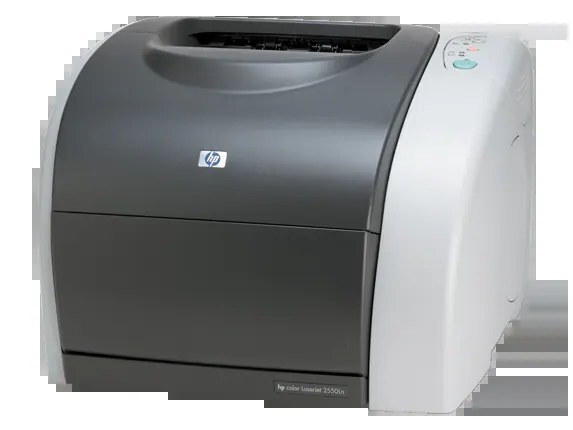
Where the base 2550 was built for one desk, the Color LaserJet 2550N is the full-specification version with built-in Ethernet — the family member meant to serve a whole department from one spot. It feeds on the HP 122A range: Q3960A black, Q3961A cyan, Q3962A yellow and Q3963A magenta. The cartridges on this page are compatible replacements for those four codes, and any one of them can be changed without touching the rest.
Departmental printing has a particular rhythm: long quiet stretches, then a proposal deadline or a conference handout empties a color in a single afternoon. A printer that serves twenty people cannot wait on a cartridge order every time that happens, which is why the 2550N rewards a stocked shelf and single-color swaps. It also rewards compatible cartridges — at shared volume, the per-page savings of a compatible set add up far faster than they do on a home printer that sleeps most of the week.
Toner Cartridges for COLOR LASERJET 2550N
- Q3962A — yellow single, high-yield build; page yield on the product page
- Q3960A / Q3961A / Q3962A / Q3963A — 4 Color Set — the complete 122A set in one box; page yield on the product page
- Q3960A / Q3961A / Q3962A / Q3963A — Premium 4 Color Set — premium-quality build of the same four codes; page yield on the product page
- Color LaserJet 2550N — 4 Color Set — four-color set listed for this model; page yield on the product page
Which cartridge should you buy?
For a department printer, think in terms of the shelf, not the single swap. A four-color set is the right buy when the printer is new to you, when several colors report low together, or when you want a complete spare cycle in the cabinet; this page lists a standard set and a premium-quality set with the same four codes. Between set changes, top up individual colors as they fade — the yellow single here is a high-yield cartridge, a sensible default for the color that charts and highlighted documents consume first. Ordering one spare set ahead of need costs less than one afternoon of a department standing around a dead printer.
Chip, toner and everyday use
The chip in each cartridge tracks its own level, so the 2550N can warn about one color while the others still show healthy — believe the warning color, not the average. Keep new cartridges in their sealed packaging until the swap; toner keeps best cool, dry and upright, away from windows. If output from one color turns streaky before the cartridge is empty, a gentle side-to-side rock levels the toner inside and usually restores even coverage. And when a fresh cartridge goes in, remove every strip of its protective tape first — a forgotten seal is the most common cause of a blank first page.
Frequently Asked Questions
Are the cartridges on this page genuine HP or compatible?
They are compatible replacements built to the 122A specification — the black, cyan, yellow and magenta codes match the genuine family one for one. Check the code on the cartridge coming out of your printer against the listing before you order.
Which of the four codes is the black cartridge?
Black is the Q3960A. Cyan is Q3961A, yellow is Q3962A and magenta is Q3963A — the same four positions as every other printer in this family.
Can I replace just the yellow cartridge?
Yes. Each color is a separate unit, and the printer keeps working with a mix of old and new cartridges. The yellow position is also the one stocked here as a high-yield single.
Does the 2550N take the same toner as the 2550LN?
It does — the Color LaserJet 2550LN and the 2550N differ in configuration, not in the cartridge bay. Both run the full 122A set.
More printers that use the same cartridges
These models share the 122A cartridge family: HP 122A, Color LaserJet 2840, Color LaserJet 2800, Color LaserJet 2550LN, Color LaserJet 2550, COLOR LASERJET 2830, COLOR LASERJET 2820, COLOR LASERJET 2550L.