




COLOR LASERJET 2830
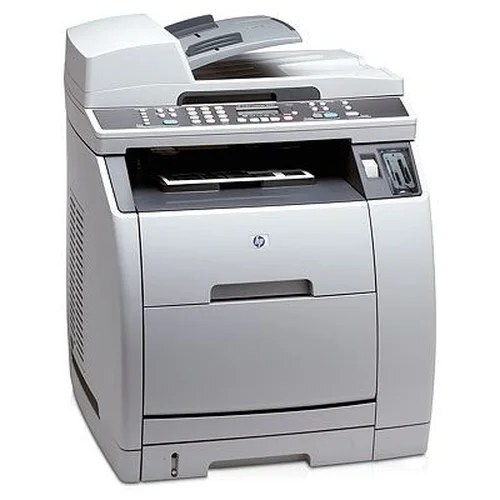
The Color LaserJet 2830 is the streamlined member of the 2800-series MFP family — print, scan and copy in a value configuration, without the top-tier extras. HP kept the consumable identical across the range, so the 2830 fills up exactly like its bigger brothers. The one color stocked singly here is yellow: the 122A yellow cartridge (Q3962A), a high-yield single. Black Q3960A, cyan Q3961A and magenta Q3963A come in the four-color sets below, in standard and premium-quality builds.
There is a quiet economy in the 2830's design: buyers who skipped the flagship features did not get locked into a different, pricier toner line as a penalty. The value machine drinks from the same well as the top of the range, which means its cartridges are the common family codes — easy to find, stocked in several builds, and shared with the 2550 series as well. For a small office that prints color in bursts — a run of flyers one week, plain documents the next — that parts-bin commonality matters more than any single feature on the machine itself.
Toner Cartridges for COLOR LASERJET 2830
Three listings cover the 2830:
- Q3962A — yellow
- HP 122A 4 Color Set (Q3960A, Q3961A, Q3962A, Q3963A) — all four colors
- HP 122A Premium Quality 4 Color Set (Q3960A, Q3961A, Q3962A, Q3963A) — all four colors
Which cartridge should you buy?
Buy the way the printer empties, not the way the shelf is arranged. When yellow fades, the high-yield yellow single is the whole answer — one cartridge, no set, no waste. When the warning is about black, cyan or magenta, those colors are stocked as sets here, so compare how the other colors stand before ordering: if a second color is also past halfway, the four-color set is the economical move and the survivors become spares. If the set-only color is the only weak one, the standard set still usually beats hunting for a single that this page does not stock. The premium-quality set carries the identical four codes in a build aimed at matching the originals — worth it when the 2830's output goes to clients; the standard set is the value pick for internal work.
Chip, toner and everyday use
Value offices tend to print color in bursts, and toner cartridges dislike long naps. A cartridge left sitting for weeks can print light or streaky on its first pages back — not because it failed, but because the toner inside has settled. Lift it out, rock it slowly from side to side four or five times, and reinstall it before deciding it is empty. Spares should wait in their sealed packaging, upright, in a cool dry spot away from windows; open one only when the printer actually asks. And when a fresh cartridge goes in, give the 2830 a moment to recognize it and settle before you judge a test page — the first sheet after a swap is not the verdict.
Frequently Asked Questions
Does the 2830 use the same toner as the 2820 and 2840?
Yes — the whole 2800-series MFP family shares one toner bay, so the cartridges listed here also serve the Color LaserJet 2820 and the Color LaserJet 2840. Match the Q3960A-family codes and you are covered across all three machines.
Which cartridges can I replace one at a time?
Yellow is stocked as a single cartridge, so it can always be changed alone. Black, cyan and magenta are stocked in four-color sets on this page — when one of them empties, the practical move is a set, keeping the part-used cartridges from it as spares for the next warning.
My color prints look faded after the printer sat unused — what helps?
Start with the cartridge, not the printer. Remove the faded color, rock it gently side to side to redistribute the toner, and reinstall it. If the banding stays after a few pages, that cartridge is genuinely low and should be replaced — on this page that means the yellow single, or a set for the other colors.
Are compatible cartridges a safe fit for the 2830?
Yes. The 2830 accepts compatible 122A cartridges built to the same codes, and they seat and register like the originals. Every Clever Supplies compatible cartridge is backed by a 1-year warranty and 1-year returns.
More printers that use the same cartridges
The 2830 shares its cartridges with the rest of the 2550 and 2800 families: HP 122A, Color LaserJet 2840, Color LaserJet 2800, Color LaserJet 2550LN, Color LaserJet 2550, COLOR LASERJET 2820, COLOR LASERJET 2550N, COLOR LASERJET 2550L.