




LaserJet M5035XSMFP
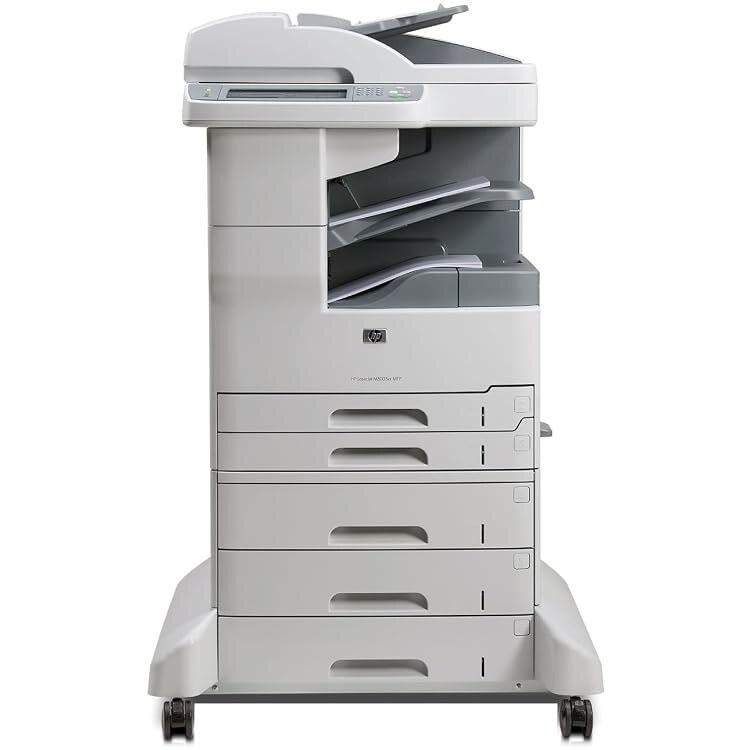
At the very top of the range stands the LaserJet M5035XSMFP, pairing maximum paper handling with full A3-capable mono multifunction printing for demanding late-2000s offices. Every function it performs runs on one black cartridge, the Q7570A — ordered as the HP 70A — and this page carries that cartridge as standard, premium and MICR singles next to two- and four-cartridge packs.
An A3-capable multifunction at the center of an office workflow eats pages in a way a desktop printer never does, yet its supply list could hardly be shorter. There is no color set to balance and no second drum code to remember: the same Q7570A that prints a letter-size report prints the A3 sheet and the copied set after it. Whoever keeps this machine simply keeps that one code in stock, in whatever depth the office workload demands.
Toner Cartridges for LaserJet M5035XSMFP
- HP 70A (Q7570A) — the standard black single for everyday multifunction work.
- Q7570A Premium — the premium-grade build of the same cartridge.
- Q7570A MICR — magnetic toner version, made for check printing.
- Q7570A 2 Black — two cartridges in one box, the working spare included.
- Q7570A 4 Black — four cartridges for offices that buy depth.
Which cartridge should you buy?
Treat the 4 Black pack as this machine's default shelf stock. A top-of-range multifunction serving a whole office should never be the printer that stops a meeting because toner ran out, and four cartridges of depth make that scenario unlikely. The 2 Black pack is the lighter version of the same insurance for smaller offices. Singles make sense where a central store reorders the day a spare is fitted, and the premium single is there for buyers who want the highest-grade build of the cartridge. Reserve the MICR version strictly for check runs; its toner is formulated for bank readers, not for sharper everyday text. All compatible cartridges on this page are covered by a 1-year warranty and 1-year returns.
Chip, toner and everyday use
The toner-low warning on a machine like this is a planning signal, not a stop order: output normally holds up for a while after it appears, which is the window to fit the spare at a quiet moment rather than mid-job. When you do swap, remove all packaging strips before the cartridge goes in, and rock it gently side to side first so the toner settles evenly. Store unopened cartridges flat, sealed and away from heat, and keep at least one spare beside the machine itself instead of in a distant stockroom.
Frequently Asked Questions
What toner does the LaserJet M5035XSMFP take?
The black Q7570A, sold under its family name as the HP 70A. It is the only consumable this multifunction uses, and every listing on this page is that same cartridge in a different pack size or build.
Does A3 printing need a different cartridge?
No. The same Q7570A feeds every paper size this machine handles, from letter documents to full A3 sheets, and covers its copy output as well. Paper size changes the tray settings, never the cartridge code.
What should I do when the toner-low warning appears?
Keep printing while quality holds, but treat the warning as the moment to confirm a spare is on the shelf. Fitting the replacement when pages begin to fade, rather than at the first warning, gets the full value out of the cartridge that is running out.
The new cartridge is not recognized — what now?
Take the Q7570A back out and check for any leftover seal or protective strip, then reseat it firmly. Powering the machine off and on after refitting lets it detect the cartridge again, which clears the message in most cases.
More printers that use the same cartridges
One cartridge covers the whole M5025 and M5035 family, including: LaserJet M5035XS, LaserJet M5035XMFP, LaserJet M5035X, LaserJet M5035MFP, LaserJet M5035, LaserJet M5025MFP, LaserJet M5025, LaserJet M5025, HP Q7570A.