




LaserJet M5035MFP
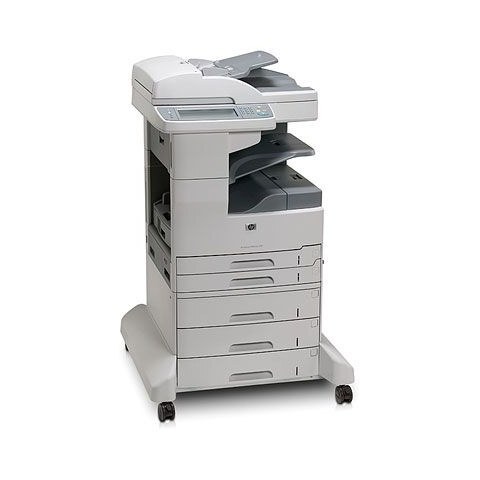
As a full-featured A3-capable monochrome multifunction, the HP LaserJet M5035MFP served late-2000s departments from a single floor-standing machine: printing, scanning and copying in black and white, at sizes up to tabloid. All of its printed output runs on one black cartridge, the Q7570A, HP's 70A, so the supply side of a very large machine stays refreshingly small.
A floor-standing MFP is departmental infrastructure. People route their day's documents through it without thinking about it, which means its cartridge empties according to the whole department's habits — month-end reports, a copying-heavy project, a new starter printing a library of forms. One cartridge type, shared with the rest of the M5025 and M5035 range, keeps the response to that demand as simple as the machine is big.
Toner Cartridges for LaserJet M5035MFP
Every listing below is the same cartridge fitting, offered in several versions and pack sizes.
| Cartridge | Version | Color | Page Yield |
|---|---|---|---|
| Q7570A | Standard black cartridge | Black | See product page |
| Q7570A | Premium-quality black cartridge | Black | See product page |
| Q7570A | MICR black cartridge for check printing | Black | See product page |
| Q7570A | Two cartridges (2 Black) | Black | See product page |
| Q7570A | Four cartridges (4 Black) | Black | See product page |
Which cartridge should you buy?
Think of it as a stocking policy. A department that depends on its M5035MFP daily should rarely let the shelf reach zero: the 2 Black pack keeps one cartridge in reserve behind the one installed, and the 4 Black pack suits the heaviest months or a quarterly ordering routine. A single Q7570A is fine for a machine with a lighter actual load. The premium-quality version is the higher build tier of the standard cartridge; the MICR version exists solely for printing checks. Choose the policy first — the listings simply implement it.
Chip, toner and everyday use
When every page starts carrying the same vertical line, suspect the cartridge before the machine: a damaged or nearly empty cartridge is the usual source, and a fresh one settles the question quickly. The printer tracks the fitted cartridge through its chip and reports the level, so always seat a replacement until it clicks home. Toner settles during storage; rock a new cartridge gently side to side before fitting it. Keep the department's spares sealed and stored flat, and replace a cartridge whose output stays lined or faded after reseating rather than running a shared machine on a failing unit.
Frequently Asked Questions
What toner cartridge does the LaserJet M5035MFP use?
The HP Q7570A black cartridge — as a single, in premium-quality and MICR versions, and in 2 Black and 4 Black packs.
Can the LaserJet M5035MFP copy and scan, or is it print-only?
It is a full multifunction: it copies and scans as well as prints. Only printing and copying consume the Q7570A; scanning a page uses no toner at all.
Why does my LaserJet M5035MFP leave vertical lines on every page?
Lines that repeat on every page often come from a damaged or nearly empty cartridge. Try a fresh Q7570A first; if the lines persist with a new cartridge fitted, the machine likely needs a cleaning cycle or service.
How far ahead should a department stock cartridges?
At least one full cartridge beyond the one installed. For most departments that means buying the 2 Black pack and reordering when the spare goes into the machine.
More printers that use the same cartridges
Starting partway through the range, the other machines on this cartridge are: LaserJet M5025MFP, LaserJet M5035, LaserJet M5035X, LaserJet M5035XMFP, LaserJet M5035XS, LaserJet M5035XSMFP, HP Q7570A, LaserJet M5025, LaserJet M5025.