




LaserJet M5035
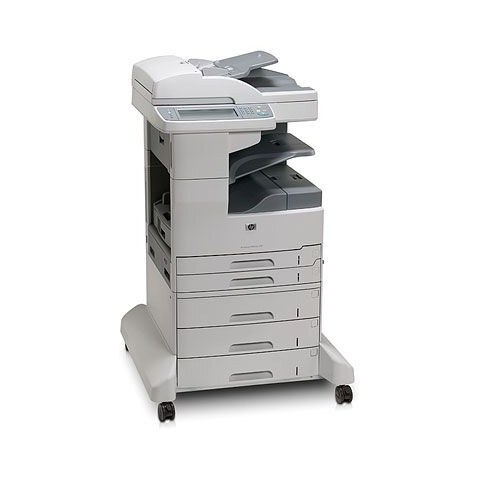
The HP LaserJet M5035 steps up the M5025 formula with faster output for high-traffic departments that print, scan and copy in black and white at A3 sizes. For a machine aimed at that workload, consumables stay deliberately plain: one black cartridge, the Q7570A — HP's 70A — and nothing else to stock, match or run out of unexpectedly.
High-traffic is the defining condition here. The M5035 sits where queues form at peak hours, and on such a machine a cartridge change is not a private inconvenience but a pause in a whole department's output. Planning supplies around that fact — a cartridge in the machine, spares in the cupboard, reorder points decided in advance — is most of what owning this printer well consists of.
Toner Cartridges for LaserJet M5035
The listings below cover the cartridge as singles and in two multi-pack sizes.
| Cartridge | Version | Color | Page Yield |
|---|---|---|---|
| Q7570A | Standard black cartridge | Black | See product page |
| Q7570A | Premium-quality black cartridge | Black | See product page |
| Q7570A | MICR black cartridge for check printing | Black | See product page |
| Q7570A | Two cartridges (2 Black) | Black | See product page |
| Q7570A | Four cartridges (4 Black) | Black | See product page |
Which cartridge should you buy?
Match the pack to the traffic. A high-volume M5035 is the natural home of the 4 Black pack: four cartridges on the shelf means months between orders and no week in which an empty machine waits on a courier. The 2 Black pack is the middle pattern — one fitted, one spare. A single Q7570A is enough where the machine's load is lighter than its capability. The premium-quality version serves buyers who want the higher build tier in the main cartridge, while the MICR version is a check-printing tool only. All of them are the same fitting; volume, not compatibility, separates them.
Chip, toner and everyday use
Compatible cartridges carry a chip the M5035 must read; if a new unit is not recognized, the most common cause is seating — pull it out and slide it back in firmly before suspecting the cartridge itself. Toner level readings come from that chip, so treat the first low warning as a prompt to confirm a spare exists rather than as a stop order. Store the department's cartridges sealed, flat and away from direct light, and rotate stock so the oldest sealed cartridge is fitted first. A gentle rock before installation levels toner that settled in storage.
Frequently Asked Questions
What toner cartridge does the LaserJet M5035 use?
The HP Q7570A black cartridge, in standard, premium-quality and MICR versions, and in 2 Black and 4 Black multi-packs.
Will a compatible Q7570A cartridge be recognized by the LaserJet M5035?
Compatible cartridges for this machine carry the chip the printer reads, and they are the normal choice for it. If one is not recognized, reseat it firmly; recognition issues are the most common cause of trouble and usually end there.
How should a spare Q7570A be stored?
Sealed in its original packaging, in a cool, dry place away from direct light. Fit it only when the current Q7570A runs out; a sealed cartridge keeps far better than one left open in the machine room.
Who should buy the 4 Black pack?
Departments whose M5035 prints heavily every day, and anyone who would rather reorder a few times a year than monthly. The 4 Black pack keeps three spares behind the installed cartridge.
More printers that use the same cartridges
Alphabetically, the machines sharing this cartridge are: HP Q7570A, LaserJet M5025, LaserJet M5025, LaserJet M5025MFP, LaserJet M5035MFP, LaserJet M5035X, LaserJet M5035XMFP, LaserJet M5035XS, LaserJet M5035XSMFP.