




LaserJet M5035XS
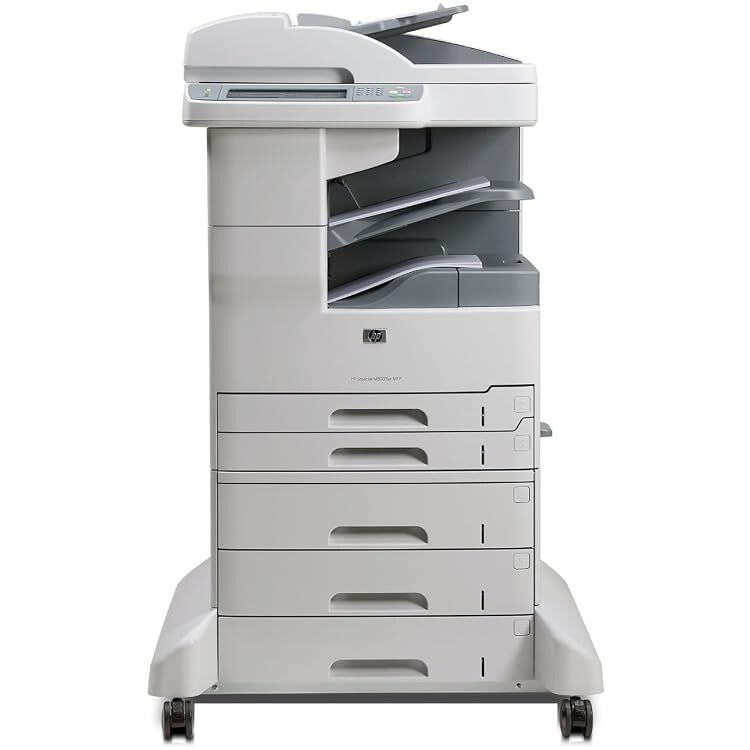
The LaserJet M5035XS sits near the top of the M5035 line, an XS build that pushed capacity further for the highest-volume departments in the family. Printing, copying and faxing all draw on the same single black cartridge, the Q7570A, which is also ordered under its short family name as the HP 70A. This page stocks that one cartridge as a standard single, a premium single, a MICR version and two multi-packs, so the supply shelf for this machine stays a one-code shelf.
A department that runs its shared documents through one M5035XS cannot afford to discover an empty cartridge in the middle of a print run, and the buying habit this model rewards is simply keeping depth on the shelf. Because a single cartridge covers every function the machine performs, there is no second consumable to track: when output fades, the same code answers for print, copy and fax work alike, and a spare within reach keeps a busy department moving.
Toner Cartridges for LaserJet M5035XS
| Cartridge | Color | Page Yield |
|---|---|---|
| Q7570A (HP 70A) | Black | See product page |
| Q7570A Premium | Black | See product page |
| Q7570A MICR | Black | See product page |
| Q7570A 2 Black | Black | See product page |
| Q7570A 4 Black | Black | See product page |
Which cartridge should you buy?
For a department machine, the real choice is how much depth to keep rather than which cartridge to buy, because every option on this page is the same Q7570A fit. A lone single suits a site that reorders the moment a spare is fitted. The 2 Black pack pairs the working cartridge with its replacement, which is the minimum depth most shared printers deserve. The 4 Black pack is the facilities choice: it covers a long stretch of heavy output and removes toner from the weekly worry list. Choose the premium single if you prefer the top-grade build of this cartridge, and pick the MICR version only for check printing, where its magnetic toner is the whole point. Every compatible cartridge sold here carries a 1-year warranty and 1-year returns.
Chip, toner and everyday use
When a fresh Q7570A goes in, pull the sealing tape fully clear and seat the cartridge until it sits level in the bay; a cartridge resting slightly high can trigger a recognition message on a machine this size. If the panel still complains, lift the cartridge out, rock it gently from side to side to level the toner inside, and refit it. Keep unopened spares in their bags in a cool, dry supply cabinet, away from radiators and sunlit shelves, and rotate stock so the oldest cartridge is fitted first.
Frequently Asked Questions
What toner cartridge does the LaserJet M5035XS use?
It uses the black Q7570A, also sold as the HP 70A. One cartridge feeds printing, copying and faxing, so there is no separate consumable for the fax side of the machine. Match the code on the cartridge you remove and the replacement will seat correctly.
What is the MICR version of this cartridge for?
The MICR Q7570A is filled with magnetic toner formulated for printing bank-readable characters along the bottom of checks. Departments that print their own checks need it; everyone else should buy the standard cartridge, which is made for ordinary documents.
Should a high-volume department buy the 2-pack or the 4-pack?
Buy the depth that matches how painful a stock-out would be. The 2 Black pack keeps one spare ready at all times, while the 4 Black pack suits departments whose M5035XS runs long jobs daily and cannot pause for a delivery. Both packs are the same cartridge, so output quality does not change with pack size.
Why does the printer not recognize a new cartridge?
Usually a seal was left behind or the cartridge is not fully seated. Remove it, check that every strip and tab came off with the packaging, and push it firmly back into place. A restart after refitting lets the machine re-read the cartridge and clear the message in most cases.
More printers that use the same cartridges
The same Q7570A cartridge also serves the rest of the M5025 and M5035 family: HP Q7570A, LaserJet M5025, LaserJet M5025, LaserJet M5025MFP, LaserJet M5035, LaserJet M5035MFP, LaserJet M5035X, LaserJet M5035XMFP, LaserJet M5035XSMFP.