




LaserJet Enterprise M528c
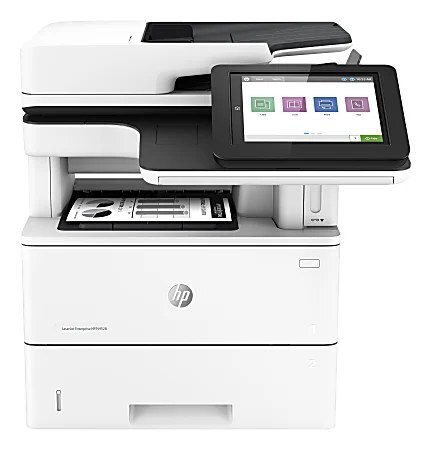
The M528 multifunction in its C configuration: the LaserJet Enterprise M528C covers monochrome print, scan and copy for offices that standardized on this chassis. It takes HP 89A toner: CF289A for routine volumes, CF289X or CF289Y high-yield when the machine rarely rests.
We carry the full HP 89A range for the M528C — genuine OEM and compatible versions of the CF289A, CF289X and CF289Y. Match the yield to the workload and the version to the budget; fast Clever Supplies shipping does the rest.
Toner Cartridges for LaserJet Enterprise M528c
This printer works with the following toner cartridges:
- HP CF289A
- HP CF289X
- HP CF289Y
More HP Printers
- LaserJet Enterprise M507
- LaserJet Enterprise M507dn
- LaserJet Enterprise M507x
- LaserJet Enterprise M528
- LaserJet Enterprise M528f
- LaserJet Enterprise M528z
- LaserJet Enterprise MFP M528dn
Frequently Asked Questions
Which cartridge codes are compatible with the LaserJet Enterprise M528c?
HP built the LaserJet Enterprise M528c around CF289A (standard), CF289X (high-yield), and CF289Y (extra-high-yield), so stick to those codes for a proper fit.
The LaserJet Enterprise M528c printed before but stopped — how do I fix it?
If the LaserJet Enterprise M528c suddenly stops printing, check for error lights, confirm it is the default printer, clear any stuck jobs in the queue, and reinstall the LaserJet Enterprise M528c's driver if the problem persists.
Should I try one compatible cartridge in the LaserJet Enterprise M528c before switching fully?
That is a sensible approach — run one compatible CF289A through the LaserJet Enterprise M528c on your typical documents, and if the output meets your standards, the LaserJet Enterprise M528c will happily run compatibles from then on.