






 See Compatible Printers
 Read more about our ink!
Hewlett Packard
Compatible HP M528z (CF289A) Toner Cartridge 2 Black
- Page Yield:
- Black: 5000
- Availability:
- In Stock
- Shipping:
- Free Shipping

Amazon Price:

- Page Yield:
- Black: 5000
- Availability:
- In Stock
- Shipping:
- Free Shipping
- Compatible Printers
- Specifications
- SKU:
- CS-HP-M528z-2Black
- Printer Brand:
- Hewlett Packard
- OEM Number:
- CF289A
- Ink Color:
- Black
- Page Yield:
- Black: 5000
- Printer Type:
- Laser Cartridge
- Condition:
- New Compatible
- Description
- Reviews



Power through your printing tasks with the HP 89A and CF289A Black cartridges, designed to deliver sharp, high-quality black prints for professional environments. Whether you're printing detailed reports or everyday business documents, this cartridge ensures crisp, clear results every time. Built for compatibility with the Enterprise M507n, M507dn, M507x, and M507, the HP 89A toner cartridge offers seamless performance and dependable output. Its efficient design reduces interruptions, allowing your office to stay productive with minimal maintenance. Optimized for use with the MFP M528dn, M528f, M528c, M528z, and M528, the HP 89A toner cartridge provides rich black tones and long-lasting prints that maintain their quality over time. It's the ideal solution for fast-paced office environments that demand consistent results. Depend on the HP 89A series for reliability and efficiency across your printing fleet. Whether you're using the HP 89A toner cartridge or HP 89A toner cartridge, this cartridge is crafted to support the performance and durability of your Enterprise-class printers.
Cross-reference: HP CF289A, the 89A standard-yield toner cartridge (5,000 pages), is the same cartridge Canon sells as Canon Cartridge 056L (5,100 pages), Cartridge 056 (10,000 pages) and Cartridge 056H (21,000 pages) for the Canon imageCLASS LBP325dn and MF543dw printers (ISO/IEC standard yields).
Frequently Asked Questions
What does this 2 pack provide for the M528z?
Two CF289A cartridges — the standard 89A for the LaserJet Enterprise M528z — each rated at 5,000 pages and sealed separately, at $161.23. One restocks the print side now; the other keeps the next change off the critical path.
Why keep a spare for a machine that mostly scans?
Precisely because printing is its secondary job. In a capture workflow the printed pages — reports, receipts, exception sheets — are often the ones with a person waiting on them, and a dry cartridge stalls the chain at its final step. The reserve keeps the output end as reliable as the scanning end.
How much printing does the pair hold?
10,000 printed pages across the two cartridges. Scans cost the cartridge nothing, so measure the pack against the M528z's print counter alone: departments printing a few hundred pages a week beside their scanning will find this pair lasting the better part of a year.
Can the spare cartridge serve a different printer?
Yes. The CF289A fits every model on the M507 and M528 platform, so the reserve can go to whichever sibling machine empties first. Capture departments commonly hold it as a platform spare rather than tying it to the z alone.
How should the standby cartridge be stored?
Anywhere dry and temperate will do — a drawer under the machine, a shelf in the copy room. Leave the bag sealed and the box closed until fitting day; the powder inside neither ages nor settles into uselessness, so the cartridge you fit next quarter starts life exactly as strong as the one you fit today.
What cover backs the two cartridges?
Both units are protected the same way: a 1-year warranty apiece, and 1-year free returns on the whole order — the full wording sits on our shipping and returns page. Parcels leave whichever of our warehouses in Illinois, Pennsylvania, Georgia and California is best placed, and our team picks up questions Monday through Friday, 9 AM to 5 PM CST.
What does each cartridge in the pair cost us?
The pair of CF289A cartridges is $161.23, so roughly $80.62 per cartridge — less than the same unit bought singly — and across the 10,000 printed pages the two cartridges hold, the toner works out to about 1.6 cents per page. Scanning volume does not enter that arithmetic at all, since the scanner spends no toner.
Which cartridge should be fitted first, and does the order matter later?
Either one — the units are identical CF289A cartridges, and the M528z cannot tell them apart. Fit the first, keep the second sealed in its box, and when the change eventually comes, fit the reserve and treat that as the signal to order the next pair. The sequence is deliberately unremarkable, which is what makes it reliable in a busy capture department.
How do we forecast when the second cartridge will be needed?
Read the M528z's print counter at the day the first cartridge is fitted, then read it again a month later. That monthly printed-page figure — reports, exception sheets, separator pages — divides into the first cartridge's 5,000-page rating to give a realistic change date, and the same rate tells you how long the reserve will last once it goes in.
After a swap, how do we confirm printed output is back to standard?
Print something the workflow produces every day — an exception report or a separator sheet — and compare it with the same document printed before the old cartridge faded. Density should be fully restored with the fresh CF289A. Pages that come only from the scanner tell you nothing about the toner, so judge the change on printed output alone.
About This HP M528z (CF289A) Toner Cartridge 2 Pack
Built for the LaserJet Enterprise M528z, this pair of Clever Supplies compatible CF289A cartridges — HP's 89A family — holds 5,000 pages in each unit and sells at $161.23. Scanning may be the z's headline act, but its printed output runs on toner like any other machine's; one cartridge fitted and one in reserve means that output never queues behind a delivery. Everything else the platform consumes is in the HP range at Clever Supplies.
Related Items


Hewlett Packard
Compatible HP M528z (CF289A) Toner Cartridge Black


Hewlett Packard
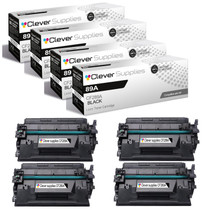
Compatible HP M528z (CF289A) Toner Cartridge 4 Black

Hewlett Packard
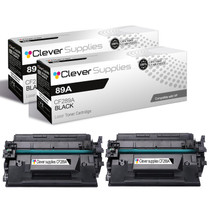
Compatible HP M528 (CF289A) Toner Cartridge 2 Black


Hewlett Packard
Compatible HP 89A (CF289A) Toner Cartridge 2 Black